Ransomware Response Checklist for Dental and Medical Offices in Houston
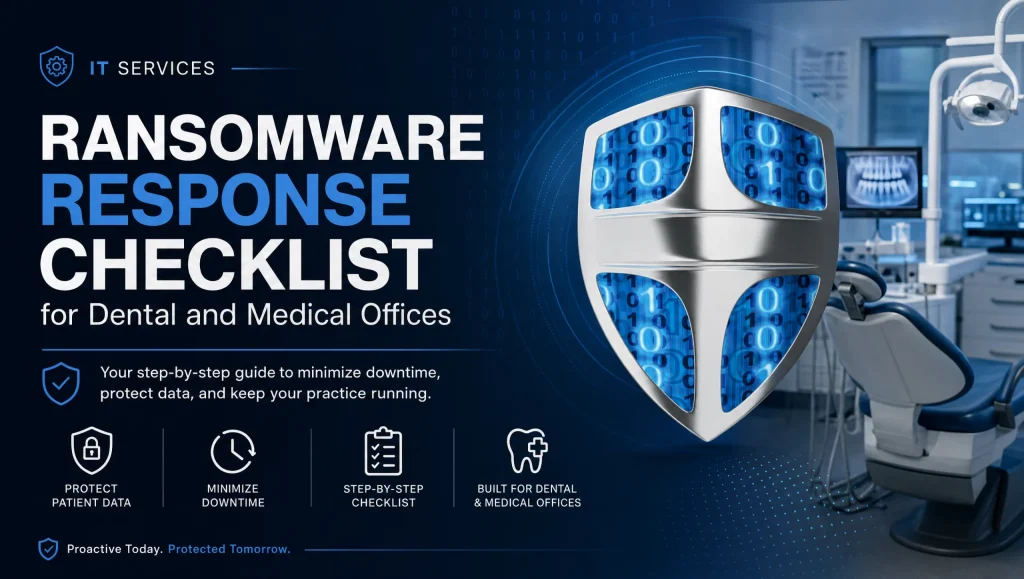
When ransomware hits a clinic, every minute counts. This ransomware response checklist gives Houston dental and medical teams a calm, step-by-step plan to contain the attack, meet HIPAA obligations, and safely restore systems. Whether you’re in Houston, Katy, or Sugar Land, you’ll see exactly what to do right now—and when to bring in a healthcare IT specialist who knows clinical workflows.
What Is a Ransomware Response Checklist?
A ransomware response checklist is a clear, sequential plan clinics follow to quickly contain an attack, protect patient data, satisfy HIPAA requirements, and restore operations without re‑infecting the network. For Houston practices, it also clarifies who coordinates on‑site help and how to align with local partners, carriers, and legal advisors. Used correctly, it keeps patient care moving while your incident response for clinics secures and validates systems.
Ransomware Response Checklist: Core Actions at a Glance
- Confirm the incident and isolate affected devices
- Take backups offline; identify the last good restore point
- Block attacker access (firewall rules, EDR, email filtering)
- Start an incident log and notify leadership
- Assess PHI exposure for HIPAA breach response
- Rebuild clean systems and patch before restore
- Restore priority apps (EHR/PMS/imaging) and validate
- Monitor 24/7 post-recovery and strengthen controls
Immediate Actions: First 15 Minutes
Stay Calm and Confirm the Event
- Don’t power off devices yet—shutting down can destroy volatile evidence or trigger more encryption on reboot.
- Capture clear photos or screenshots of ransom notes, suspicious processes, and unusual file extensions.
- Note exact timestamps and recent user activity (opened an email, clicked a link, inserted a USB).
Isolate Affected Systems
- Physically unplug network cables and disable Wi‑Fi on any suspicious or confirmed infected workstations, servers, or imaging PCs.
- If you can, segment by VLAN or switch port to limit spread—when in doubt, over-isolate.
- Avoid blanket shutdowns that could interrupt safe systems or backups.
Disable Lateral Movement
- Temporarily disable shared drives and SMB shares that are not essential for immediate clinical safety.
- Revoke or sign out high-risk sessions (admin or remote access) from identity platforms and RDP.
- Freeze nonessential remote access accounts until they’re verified clean.
Preserve Evidence
- Photograph ransom notes, error messages, and any unusual system changes.
- If it’s safe, export relevant logs: firewall, EDR, Windows Event Logs, and server audit logs.
- Keep original drives unchanged if a forensic review may be needed.
Critical Containment: First Hour
Notify Internal Response Team and Leadership
- Alert your incident lead, IT partner, practice owner, and clinic manager.
- Assign roles: a technical lead, a communications lead, and a documentation lead.
Take Backups Offline and Verify Last Good Restore Point
- Immediately disconnect backup targets and cloud sync agents to prevent encryption or deletion.
- Identify the most recent known‑good restore point (ideally pre‑infection). Don’t restore yet; just confirm it exists and is intact.
Block Indicators of Compromise
- Update firewall rules to block malicious IPs/domains tied to the incident.
- Tighten email filtering for lookalike domains and suspicious attachments.
- Ensure endpoint detection and response (EDR) is in protect mode with aggressive quarantine for known ransomware behaviors.
Start an Incident Log
- Track who did what, when, and why.
- Record all communications with vendors, staff, and external parties.
- Keep entries factual and time‑stamped; this supports HIPAA and insurance requirements.
Stabilization: First 24 Hours
Incident Response for Clinics: Roles and Communication Tree
- Define clinical priorities: patient care, scheduling continuity, payment processing, imaging access.
- Maintain a communication tree: who updates the front desk, providers, IT, legal/insurer, and patients if needed.
- Use non‑impacted channels (secure messaging or designated phone lines) to avoid spreading malware.
For Dental Software and Imaging: Safe Shutdown and Snapshot Guidance
- Dentrix, Eaglesoft, and Open Dental: If servers appear affected, stop services cleanly if possible, then isolate. If they appear unaffected, isolate anyway until validated.
- Dexis and Sidexis/Sirona imaging: Isolate imaging workstations and acquisition devices; take clean snapshots or disk images for later comparison.
- Avoid launching practice management or imaging software until systems are declared clean.
Credential Hygiene
- Enforce MFA for all admins and remote access immediately; enable it for users as soon as operations allow.
- Reset passwords for privileged accounts and any users on suspected endpoints.
- Rotate service account credentials linked to PMS/EHR, imaging repositories, and backup agents.
Vendor and Law Enforcement Contact Considerations
- Contact your cyber insurer and legal counsel for HIPAA breach response guidance and notifications.
- Report to federal authorities via FBI IC3 if directed by counsel or your insurer.
- Coordinate on‑site support in the Houston area if hands‑on recovery is required.
Data Recovery Steps in Your Ransomware Response Checklist (Without Reinfection)
Clean Room Approach: Rebuild, Patch, Harden Before Restore
- Rebuild compromised servers and workstations from trusted media or gold images; do not restore system images that might carry malware.
- Fully patch the OS and applications; harden configurations (disable SMBv1, restrict RDP, lock down local admin).
- Deploy EDR and confirm protections are active before reconnecting systems to the network.
Restore Priority Systems in Order
- Typical order for clinics: domain controller/identity, EHR or PMS, imaging, then email and file shares.
- For dental practices, prioritize your PMS (e.g., Dentrix/Eaglesoft/Open Dental) and imaging (Dexis/Sidexis) to resume clinical workflows quickly.
- Restore databases to a quarantined subnet first for validation.
Validate Integrity
- Verify file and database integrity with hashes or checksum comparisons if available.
- Test a representative set of patient records, appointments, x‑rays, and claims workflows.
- Confirm no ransomware artifacts or backdoors exist before production cutover.
Resume Operations with Monitoring
- Reconnect restored systems to production only after validation.
- Maintain 24/7 monitoring for at least 72 hours; watch for callback attempts, privilege escalations, or lateral movement.
- Keep the incident log updated until full recovery is complete.
HIPAA Breach Response: What Clinics Must Do
Breach Risk Assessment Factors
- Determine whether PHI was accessed, acquired, exfiltrated, or only encrypted in place.
- Consider whether PHI at rest and in transit was protected by strong encryption.
- Evaluate the attacker’s intent, the scope of systems impacted, and any indicators of data exfiltration.
Notification Timelines and Documentation
- Work with counsel to decide if breach notification is required and to which parties (patients, HHS, state authorities).
- Document your risk assessment, mitigation steps, and the basis for your notification decision.
- Retain the incident log, technical findings, and communications for compliance.
Working with Compliance Counsel and Insurer
- Align on forensics scope, data review, patient notification language, and credit monitoring if required.
- Follow insurer‑approved vendors and processes to preserve coverage.
Required Security Updates
- Implement MFA broadly, encrypt endpoints and backups, enhance email filtering, and apply rigorous patching.
- Document these updates as part of your corrective action plan.
Communication Plan (Internal, Patients, Partners)
Plain‑Language Status Updates
- Keep staff informed about what’s known, what’s being done, and what to avoid clicking or doing.
- Use simple instructions: “Do not reconnect isolated PCs until cleared,” and “Use paper intake today,” to prevent confusion.
Holding Statements for Press/Referrals
- Prepare a short statement acknowledging a security incident under investigation, your focus on patient care, and that systems are being restored with expert support.
- Share updates only when validated; protect the integrity of the investigation.
Avoiding Speculation and Preserving Evidence
- Limit technical details to need‑to‑know stakeholders.
- Save all logs, emails, and system images; they may be required for HIPAA breach response, insurance, or legal review.
Myth vs. Fact: Ransomware in Healthcare
- Myth: Paying the ransom guarantees data return. Fact: Decryption keys may be incomplete, slow, or never arrive—and you may still face reinfection and compliance exposure.
- Myth: If patients aren’t complaining, PHI wasn’t exposed. Fact: Exfiltration can be silent; only logs and forensics clarify exposure.
- Myth: Restoring from backups is enough. Fact: If you don’t rebuild and harden first, you risk reintroducing the threat.
Post‑Incident Hardening for Houston Practices
Zero Trust Basics for Clinics
- Adopt least‑privilege access, segment clinical systems, and require MFA for all remote and admin access.
- Review workstation and server baselines; remove local admin from everyday users.
- Consider a HIPAA‑focused cybersecurity audit to prioritize improvements across endpoints, identity, and network.
Backup & Disaster Recovery Testing Cadence
- Maintain automated, encrypted backups with routine test restores—including PMS databases and large imaging repositories.
- Test both file‑level and full‑system recovery on a schedule aligned to clinic hours and change windows.
- For deeper planning, review our cloud backup and system recovery insights to strengthen resilience.
Tabletop Exercises and Runbooks
- Run quarterly tabletop drills for front desk, providers, and IT: first 15 minutes, first hour, and 24‑hour scenarios.
- Maintain printed runbooks (network isolation steps, PMS restore steps, imaging workstation re‑onboarding).
Staff Training: Phishing, USB, and BYOD
- Provide short, frequent training with real‑world examples targeted to dental and medical workflows.
- Tighten email filtering and coach staff on suspicious attachments and links.
- Set clear BYOD rules for mobile devices accessing email or cloud apps.
First‑Hand Practice Experience
In a recent Houston clinic incident, our team isolated two infected workstations within minutes, pulled a clean backup from the prior night, and validated sample patient charts before bringing the PMS and imaging back online. That calm, step‑sequenced approach kept chairs running the next day without data re‑infection.
How CompTSS Helps Houston Dental & Medical Offices
CompTSS specializes in healthcare and dentistry IT across Greater Houston. Our team delivers:
- 24/7 monitoring and rapid response tuned for clinics
- HIPAA‑focused cybersecurity: risk assessments, encryption, MFA, email filtering, and patch management
- Automated, encrypted backups with tested disaster recovery
- Dental software expertise: Dentrix, Eaglesoft, Open Dental, Dexis, Sidexis/Sirona, plus custom programming
- Fast remote response and on‑site support across Houston, Katy, and Sugar Land
- Flat‑rate Assurance plan pricing with scalable workstation add‑ons
If you need immediate help or want a proactive review, schedule a preparedness session with our healthcare‑focused team. Start with our dental & healthcare IT support in Houston to see how we align security and uptime for clinical workflows.
Quick‑Answer Corner
Q: What should a clinic do first during ransomware?
A: Stay calm, disconnect infected devices from the network, preserve evidence (screenshots/logs), secure backups offline, and alert your incident lead and IT partner immediately. Then follow this ransomware response checklist to contain the incident, assess HIPAA impact, and restore from a known‑good backup.
Local Coordination Tips for Houston Teams
- Identify your on‑site escalation path now—who holds keys, after‑hours access, and vendor contacts for your PMS/imaging systems.
- Keep carrier, legal counsel, and forensics contact info printed; Houston‑area weather events and power issues can complicate digital access.
- Pre‑stage a clean “jump kit” with patched laptops, secure media, and admin credentials for emergency rebuilds.
Templates and Next Steps
- Create a one‑page, printable checklist for the first 15 minutes, first hour, first 24 hours, and recovery sequencing.
- Build an incident log template with fields for who/what/when, systems affected, and decisions made.
- Draft a HIPAA breach risk assessment worksheet listing PHI exposure factors, encryption status, and notification thresholds.
Useful Resources from CompTSS
- Run a HIPAA‑focused cybersecurity audit to harden endpoints and Zero Trust controls: Ultimate Cybersecurity Audit: Zero Trust & Endpoint Protection Guide
- Prepare your clinic with ransomware recovery and disaster planning: Master Ransomware Recovery: Unbeatable Defense & Disaster Planning
- Strengthen resilience with cloud backup and system recovery insights: Unlock IT Success: Cloud Backup & System Recovery Insights Revealed
- Keep help within reach with 24/7 remote helpdesk support: Unlocking IT Support: Remote Helpdesk & System Recovery Secrets
- Stay current on HIPAA and EHR best practices: Unlocking Healthcare IT: HIPAA, EHR & Cutting‑Edge System Trends
- Reduce exposure with data loss prevention and encryption: Ultimate Data Loss Prevention: Encryption, Backup, & DLP Compliance Tools
Suggested Images
- Network isolation concept diagram (alt: ransomware response checklist for Houston dental and medical offices)
- Backup validation and restore testing visual
- Houston skyline contextual banner for local relevance
Conclusion
A clear, clinic‑ready ransomware response checklist helps Houston dental and medical teams contain threats quickly, meet HIPAA obligations, and restore systems without re‑infection. If you’re building your plan—or managing an active issue—CompTSS can support you with healthcare‑specific incident response, encrypted backups, and tested recovery, backed by fast remote and on‑site help across Greater Houston. Reach out for a calm, expert review of your readiness and next steps.
Frequently Asked Questions
What are the first steps in a ransomware incident at a clinic?
Short answer: Stay calm, isolate suspected devices from the network, preserve evidence, secure backups offline, and alert your incident lead and IT partner.
Expanded answer: In the first 15 minutes, do not power off machines. Unplug network cables/disable Wi‑Fi on affected systems, screenshot ransom notes and timestamps, export logs if safe, and immediately disconnect backup targets. Then follow the ransomware response checklist to contain, assess HIPAA impact, and plan clean recovery.
Should our clinic ever pay the ransom?
Short answer: Generally no—paying doesn’t guarantee decryption and can increase risk.
Expanded answer: As the article notes, decryption keys may be incomplete or never arrive, and you can still face reinfection and compliance exposure. Work with counsel and your insurer to decide next steps while prioritizing clean rebuilds and restoration from known‑good backups.
How do we protect backups and find a clean restore point?
Short answer: Take backups offline immediately and identify the last known‑good snapshot before infection.
Expanded answer: Disconnect backup targets and cloud sync agents to prevent encryption. Verify the most recent intact backup (ideally pre‑infection), but do not restore yet. Plan a clean room rebuild first, then restore and validate in quarantine before production cutover.
How do we avoid reinfection during data recovery steps?
Short answer: Rebuild clean, patch and harden, then restore and validate in isolation.
Expanded answer: Rebuild compromised systems from trusted media, fully patch, enforce MFA, harden RDP/SMB, and ensure EDR is active. Restore priority systems (identity, EHR/PMS, imaging) to a quarantined subnet, validate integrity and workflows, and only then return to production with 24/7 monitoring.
What triggers a HIPAA breach response after ransomware?
Short answer: Evidence that PHI was accessed, acquired, or exfiltrated—not just encrypted—can trigger notification duties.
Expanded answer: Complete a risk assessment with counsel: Was PHI accessed or exfiltrated? Was it strongly encrypted? What’s the scope and attacker intent? Document findings and follow counsel/insurer guidance for any required notifications to patients, HHS, and state authorities.
What should dental teams do about Dentrix, Eaglesoft, Open Dental, Dexis, or Sidexis during an incident?
Short answer: Isolate first; don’t launch apps until systems are declared clean.
Expanded answer: If servers appear impacted, stop services cleanly and isolate. For imaging (Dexis/Sidexis), isolate workstations and acquisition devices and take clean snapshots/disk images. Validate systems in quarantine before resuming dental PMS and imaging workflows.
Who needs to be notified in the first hour?
Short answer: Your incident lead, IT partner, practice leadership, and designated communications lead.
Expanded answer: Start an incident log. Alert the practice owner/clinic manager, assign technical and comms roles, and contact your insurer and legal counsel for HIPAA and notification guidance. If directed by counsel/insurer, report to federal authorities (e.g., FBI IC3).
What evidence should we preserve for forensics and insurance?
Short answer: Screenshots, logs, timestamps, and original drives if feasible.
Expanded answer: Photograph ransom notes/error messages, export firewall/EDR/Windows/server logs where safe, and keep original drives unchanged if a forensic review may be needed. Maintain a time‑stamped incident log of actions and communications.
How long should we monitor systems after restoration?
Short answer: Maintain round‑the‑clock monitoring for at least 72 hours.
Expanded answer: After validating and reconnecting systems, watch for callbacks, privilege escalations, and lateral movement. Keep the incident log updated until full recovery is complete and corrective security updates are documented.
When should Houston practices call in external help?
Short answer: Immediately—especially if clinical systems, backups, or identity are impacted.
Expanded answer: Healthcare‑specific support accelerates clean recovery and compliance handling. CompTSS provides 24/7 monitoring, rapid remote response, and on‑site support across Houston, Katy, and Sugar Land. Start here: https://comptss.com/
How can we prepare now to speed future response and recovery?
Short answer: Create runbooks, run tabletop drills, and test restores regularly.
Expanded answer: Maintain quarterly tabletop exercises, printed checklists for the first 15 minutes/hour/24 hours, and a HIPAA breach worksheet. Test file‑level and full‑system restores for PMS/EHR and imaging. Consider a HIPAA‑focused cybersecurity audit and cloud backup review:
– Cybersecurity audit: https://comptss.com/cybersecurity-audit-ultimate-cybersecurity-audit
– Ransomware recovery planning: https://comptss.com/ransomware-recovery-master-ransomware-recovery
– Cloud backup insights: https://comptss.com/cloud-backup-unlock-it-success-cloud-backup-sys
A note from the field (first‑hand experience)
Short answer: A calm, sequenced checklist keeps care moving.
Expanded answer: In a recent Houston case, our team isolated two infected workstations within minutes, pulled a clean prior‑night backup, and validated sample charts before bringing PMS and imaging online—keeping chairs running the next day without re‑infection.