Dentrix vs Eaglesoft vs Open Dental | Houston Migration, Training & Support
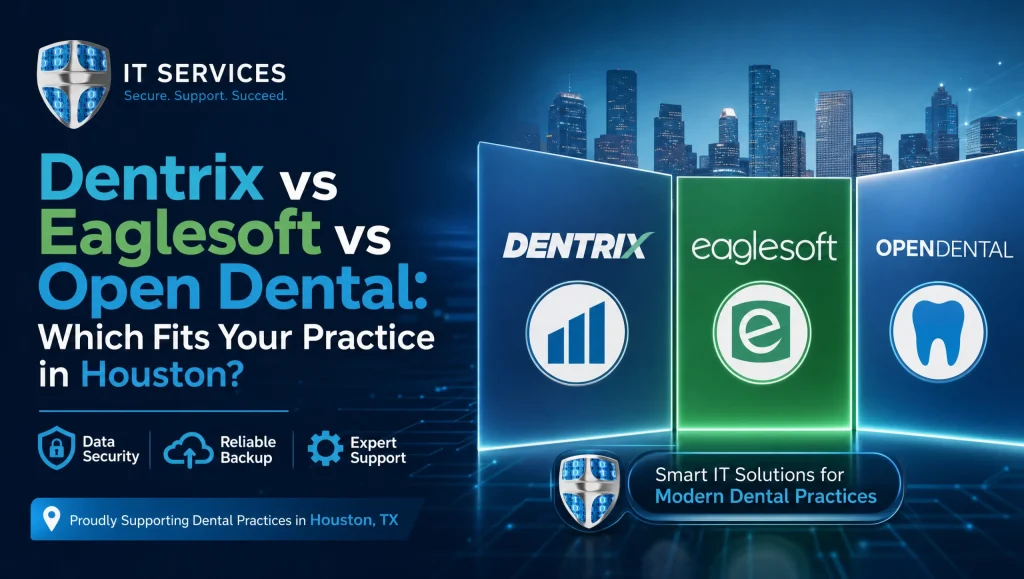
Dentrix vs Eaglesoft vs Open Dental: Which Fits Your Practice in Houston?
Choosing practice management software is one of the highest-impact decisions a Houston dental team can make. Dentrix vs Eaglesoft vs Open Dental is a practical dental software comparison to help you align real workflows—front-desk scheduling and claims, clinical charting and imaging (Dexis and Sidexis/Sirona), billing and reporting—with your HIPAA posture, hosting approach, backups, and support plan. This Houston-focused guide reflects local bandwidth realities, storm-season resilience, and how CompTSS supports selection, migration, training, and long-term IT care for dental EHR in Houston.
Quick Take: Who Each Platform Fits in Houston
Dentrix — Established suites for offices wanting a robust vendor ecosystem
- Strengths: Mature features across scheduling, charting, billing, and reporting; well-known workflows; broad third-party add-ons and services.
- Consider if: You prefer an “all-arounder” with a large vendor ecosystem and predictable update cadence. Works well for teams that value standardized processes and vendor familiarity.
Eaglesoft — All-in-one with strong imaging ties for clinical efficiency
- Strengths: Tight integration with Patterson imaging and hardware; polished charting and clinical views; solid front-desk tools.
- Consider if: Your imaging stack leans Patterson or you prioritize clinical workflow speed with sensors and CBCT/panoramic in the same ecosystem.
Open Dental — Flexible, open-architecture option for customization
- Strengths: Open architecture with strong customization; robust reporting; active development community; flexible integrations.
- Consider if: You want more control, custom reports, and integrations—or you’re ready to fine-tune processes for multi-location growth.
Front-Desk Workflows That Matter
Scheduling and confirmations (recall, online booking, waitlists)
- Dentrix: Familiar appointment book, recall tracking, optional online booking via add-ons; straightforward waitlist handling.
- Eaglesoft: Efficient appointment views with clinical tie-ins; recall and reminders supported; online booking typically via integrations.
- Open Dental: Highly configurable appointment book; robust recall tools; flexible online scheduling via plugins and portal options.
What to consider in Houston: If you see no-show variance due to traffic or weather, prioritize configurable waitlists and automated confirmations that can quickly re-fill chairs during last-minute cancellations.
Patient communications (text/email reminders, intake forms)
- Dentrix: Native and partner tools for two-way texting and digital forms.
- Eaglesoft: Integrated messaging options and form workflows that tie neatly into patient records.
- Open Dental: Flexible text/email add-ons and strong patient portal/form customization.
Tip: For HIPAA-ready texting and forms, confirm consent capture and message logging. If you send forms in Spanish, verify language support and data mapping to your EHR fields.
Insurance verification and claims handling
- Dentrix: eClaims with common clearinghouses; claim edits and batch processing are well established.
- Eaglesoft: Solid eClaims features with integrated eligibility checks through partners.
- Open Dental: Flexible clearinghouse choices; strong customization for claim rules and edits.
Houston angle: Dental PPO mixes vary across Greater Houston. Verify each platform’s eligibility checks with your top payers and how secondary claims and attachments (e.g., radiographs, perio charts) flow through your clearinghouse.
Clinical and Imaging Integrations
Charting, perio, treatment planning
- Dentrix: Time-tested charting with perio and treatment plans; easily understood by many clinicians.
- Eaglesoft: Polished charting with smooth clinical note workflows and templates.
- Open Dental: Customizable charting and perio with powerful templating and version tracking for notes.
Practical note: Confirm how providers prefer to chart (mouse, tablet, or voice). Templates should match your scope (endo, oral surgery, implants) without constant manual edits.
Imaging and sensors (Dexis, Sidexis/Sirona) and CBCT/panoramic flows
- Dentrix: Often pairs with Dexis imaging for streamlined sensor/2D workflows; CBCT and pano integrate through imaging bridges.
- Eaglesoft: Strong ties to Patterson imaging; CBCT/pano integrations are typically smooth within that ecosystem.
- Open Dental: Works with Dexis, Sidexis/Sirona, and others via imaging bridges; offers flexibility for mixed-device environments.
Houston tip: If you already use Dexis sensors or a Sidexis/Sirona CBCT, test capture speed and image handoff in your environment. Latency between operatories and your server can affect chairside flow.
Chairside efficiency and operatory hardware considerations
- Confirm driver support for sensors and intraoral cameras.
- Use SSD-based imaging workstations and quality NICs; avoid underpowered PCs in operatories.
- Standardize USB hubs, mounts, and cable management to reduce downtime from loose connections.
Billing, Reporting, and KPIs
CDT updates, claim edits, and e-claims clearinghouses
- All three support CDT updates and e-claims. Differences show up in claim edit rules, attachment workflows, and clearinghouse integration quality.
- Validate how fast you can correct a claim error and re-batch—especially with attachments.
AR follow-up, production/collection metrics, and custom reports
- Dentrix: Familiar AR and KPI reporting; many third-party dashboard options.
- Eaglesoft: Clean production/collection views; role-friendly task lists.
- Open Dental: Strong native reporting and customizable queries; excellent for practices that want deeper analytics.
Houston groups with multiple insurances benefit from AR worklists that segment by payer, age, and reason codes. Ask to demo this before committing.
Multi-location reporting and user permissions
- Dentrix/Eaglesoft: Handle multi-site, but advanced roll-up reporting may require add-ons.
- Open Dental: Noted for flexible multi-site reporting; permissions can be granular.
- Confirm provider-level and office-level filters, and whether you can lock down sensitive reports by role.
HIPAA, Security, and Compliance in Houston
Access controls, MFA, and encryption
- Enforce unique logins for every team member with role-based permissions.
- MFA for remote access and admin portals is non-negotiable.
- Encrypt data at rest on servers and in transit across your network and VPN.
Email filtering, patching cadence, and audit logging
- Use business-grade email with advanced filtering and phishing protection.
- Keep Windows, server OS, and practice software patched on a documented cadence.
- Preserve audit logs—especially for ePHI access and edits—for compliance and incident response.
Backup, disaster recovery, and ransomware resilience
- Automate, encrypt, and test backups routinely. Keep offsite copies and version history.
- Define RPO/RTO based on your chair schedule and imaging volume.
- Consider immutable backups to blunt ransomware. Document recovery steps and test them.
For more depth, see our HIPAA-focused cybersecurity audit and our guidance on ransomware recovery and disaster planning.
Hosting Options and Performance
On-prem servers vs cloud-hosted vs remote desktop environments
- On-prem: Low latency for imaging; requires local power protection and on-site maintenance.
- Cloud-hosted: Reduces on-site server risk; depends on stable internet and good latency.
- Remote desktop (RDS/Virtual Desktop): Centralizes management; good for multi-location; needs rigorous security and bandwidth planning.
Houston realities: Summer storms and hurricane season make power protection, generator planning, and tested failover especially important. If you go cloud or RDS, validate carrier redundancy.
Latency in Greater Houston, bandwidth, and VPN/Zero Trust options
- Measure real latency from each office to your data center or cloud region.
- Favor business-class fiber where available; plan for LTE/5G failover.
- Use modern VPN or Zero Trust for secure remote access; require MFA.
Updating, patching, and after-hours maintenance windows
- Schedule major updates after hours with a rollback plan.
- Coordinate practice software updates with imaging drivers and sensor firmware to avoid chairside surprises.
For additional planning, see our cloud backup and system recovery insights (https://comptss.com/cloud-backup-unlock-it-success-cloud-backup-sys).
Data Migration, Training, and Change Management
Data mapping, cleanup, and test migrations
- Map patients, responsible parties, CDT codes, insurance plans, fee schedules, and images.
- Clean duplicates and inactive providers before the first test move.
- Always run a test migration, validate counts and spot-check records, then schedule the final cutover.
Role-based training and go-live support
- Train by role: front desk, hygienists/assistants, providers, and billers.
- Use short, hands-on sessions with your real templates, fee schedules, and forms.
- Plan a go-live with floor support and a clear escalation path.
Integrations, custom programming, and add-ons
- Dentrix/Eaglesoft: Leverage vendor marketplaces for add-ons.
- Open Dental: Consider custom programming and API integrations to tailor workflows.
- Confirm how imaging, patient forms, reminders, and payment portals connect, log, and store ePHI.
Total Cost of Ownership (Without Guesswork)
Licensing/subscriptions and add-ons
- Each platform offers different licensing models and optional modules.
- Account for clearinghouse fees, online booking, texting, and patient portal costs.
- For Houston practices, plan for seasonal continuity (backup carriers, power protection) within your budget.
Workstations, imaging PCs, and sensor compatibility
- Budget for SSDs, sufficient RAM, and GPU needs for CBCT viewers, along with business-grade switches.
- Confirm sensor drivers and CBCT software compatibility with your chosen platform and Windows versions.
Ongoing support, backups, and compliance overhead
- Include managed patching, MFA, encryption, and email filtering.
- Price ongoing backup verification and periodic recovery tests.
- Include training refreshers for staff turnover and new features.
Real-World Houston Experience
A few months ago, our team helped a multi-operatory office in West Houston move from an older setup to Open Dental while keeping Dexis sensors. During testing, we noticed image attach times spiked only during peak hours. The cause turned out to be a misconfigured network switch and an aging operatory PC with a slow HDD. Swapping in SSDs and updating the switch firmware brought capture-to-chart times back to under a minute—before go-live—so the clinical team never felt the strain.
Myth vs Fact: Dental Software Choices
- Myth: “One platform is best for every Houston office.”
Fact: Workflow, imaging stack, and reporting needs vary widely. The right fit depends on your practice profile, not popularity. - Myth: “Cloud always fixes downtime.”
Fact: Cloud reduces some risks but adds dependency on internet and latency. Redundant connectivity and solid failover planning are essential. - Myth: “We can skip test migrations if the vendor is experienced.”
Fact: Every database and imaging environment is unique. A test migration catches mapping issues and prevents day-one surprises.
Decision Checklist for Houston Practices
Single vs multi-location, specialty needs, growth plans
- How many providers and operatories now—and in two years?
- Do you need ortho/endo/implant-friendly charting and templates?
- Will you centralize billing or front desk across locations?
Imaging stack and vendor lock-in tolerance
- Which sensors and CBCT systems must remain? Dexis? Sidexis/Sirona?
- Are you comfortable with a single-vendor ecosystem, or do you prefer open integrations?
Compliance maturity, downtime tolerance, and recovery targets
- Do you enforce MFA, encryption, and patching today?
- What RPO/RTO can you tolerate if a storm or outage hits?
- Are backups verified and tested quarterly?
Dentrix vs Eaglesoft vs Open Dental: How CompTSS Helps Houston Dental Teams
Platform-agnostic guidance and demos
- We support Dentrix, Eaglesoft, and Open Dental daily across Greater Houston. We’ll map your workflows, run demos with your templates, and outline the trade-offs objectively. Explore our Houston dental IT support.
HIPAA-focused cybersecurity and 24/7 monitoring
- From risk assessments and encryption to MFA and email filtering, we build security into your environment from day one. Start with a HIPAA-focused cybersecurity audit (https://comptss.com/cybersecurity-audit-ultimate-cybersecurity-audit).
Automated encrypted backups and tested disaster recovery
- We automate, encrypt, and test restores—then document a practical recovery plan tailored to your practice and storm-season posture. Learn more about ransomware recovery and disaster planning (https://comptss.com/ransomware-recovery-master-ransomware-recovery).
Training, remote helpdesk, and on-site support
- Role-based training, responsive remote helpdesk, and on-site visits when hands-on help is best. See how we deliver a responsive remote helpdesk (https://comptss.com/remote-helpdesk-unlocking-it-support-remote).
Houston-Focused Hosting and Performance Notes
- If you choose on-prem, protect power with UPS/generator and surge protection; keep a spare imaging PC imaged and ready.
- For cloud or remote desktop, validate latency to your hosting region from each office (including Katy and Sugar Land). Add 5G or a secondary ISP for failover.
- Schedule major updates after hours and announce a maintenance window, with rollback steps and a test plan for the next morning.
- Keep a simple downtime playbook: how to check in patients, capture charges, and store images temporarily if your primary system is unavailable.
CompTSS Capabilities for Dental Software and Workflows
- Dental software support: Dentrix, Eaglesoft, Open Dental, and imaging bridges (Dexis, Sidexis/Sirona).
- HIPAA-first security: encryption, MFA, email filtering, patching, and audit logging.
- Automated, encrypted backups with tested disaster recovery.
- Website design and SEO for patient acquisition, including Google Business 360° virtual tours.
- Custom programming and integrations when you want to tailor Open Dental or connect third-party tools.
For broader context and tips, browse our healthcare IT support tips (https://comptss.com/it-tips) and our dental IT solutions for secure, efficient operations (https://comptss.com/it-solutions-revolutionize-dental-practice-it-s).
Which Way to Lean?
- Choose Dentrix if you want a familiar, well-rounded suite with many add-ons and predictable workflows.
- Choose Eaglesoft if your clinical team prioritizes tight imaging ties and you prefer an all-in-one ecosystem.
- Choose Open Dental if you want flexibility, custom reporting, and room to tailor processes as you grow.
Image alt (suggested): Dentrix vs Eaglesoft vs Open Dental comparison for Houston practices
Conclusion: Choosing Confidently in Houston
Dentrix vs Eaglesoft vs Open Dental isn’t about naming a universal winner—it’s about matching your Houston practice’s workflows, imaging stack, HIPAA posture, and hosting preferences to the right practice management software. Start with a test migration plan, verify your backups, and train by role. If you want a calm, expert partner to guide selection, migration, and ongoing support, CompTSS is ready to help—locally, with fast remote response and on-site support when you need it. Let’s schedule a short fit assessment and map the best path for your team.
Frequently Asked Questions
Which practice is best suited for Dentrix, Eaglesoft, or Open Dental in Houston?
Short answer: Dentrix fits offices wanting a familiar all‑around suite, Eaglesoft suits teams prioritizing tight imaging ties, and Open Dental works best for practices seeking flexibility and custom reporting.
Expanded answer: In Greater Houston, choose Dentrix if you value a mature vendor ecosystem and standardized workflows; choose Eaglesoft if your clinical team relies on Patterson imaging and wants an all‑in‑one feel; choose Open Dental if you need open architecture, custom reports, and room to tailor processes for multi-location growth. Dentrix vs Eaglesoft vs Open Dental is less about a universal winner and more about matching your workflows and imaging stack.
How do Dexis and Sidexis/Sirona integrate with these platforms?
Short answer: All three integrate through imaging bridges; Eaglesoft ties closely to Patterson imaging, while Dentrix often pairs with Dexis and Open Dental offers broad flexibility.
Expanded answer: Dentrix commonly pairs with Dexis for smooth 2D workflows and supports CBCT/pano through bridges. Eaglesoft offers polished integration inside the Patterson ecosystem. Open Dental supports Dexis, Sidexis/Sirona, and mixed-device environments via bridges. Always test capture speed and image handoff on your actual Houston network before go‑live.
What hosting option works best in Houston’s storm season: on‑prem, cloud, or remote desktop?
Short answer: On‑prem delivers low imaging latency; cloud and remote desktop reduce on‑site risk but depend on strong, redundant internet.
Expanded answer: On‑prem servers excel for chairside speed but need UPS/generator protection. Cloud hosting removes some local hardware risk yet requires stable, low‑latency connectivity. Remote desktop (RDS/Virtual Desktop) centralizes management—great for multi‑site—but demands careful security and bandwidth planning. In Houston, plan secondary ISP/5G failover and tested power protection either way.
What HIPAA security basics should every Houston dental office enforce with these systems?
Short answer: Unique logins with role-based permissions, MFA for remote/admin access, encryption at rest and in transit, patching, email filtering, and audit logging.
Expanded answer: Regardless of platform, require per‑user credentials, MFA for remote access and admin portals, encrypted servers/VPNs, business-grade email filtering, documented Windows/driver/software patching, and preserved access logs. For a deeper checkup, see our HIPAA-focused cybersecurity audit: https://comptss.com/cybersecurity-audit-ultimate-cybersecurity-audit
How should we plan backups and disaster recovery for dental EHR in Houston?
Short answer: Automate, encrypt, and test backups with offsite and version history; define RPO/RTO and consider immutable backups.
Expanded answer: Set recovery targets around your schedule and imaging volume, keep offsite copies, and run periodic restore tests. Document a clear step-by-step recovery plan and test it. For ransomware and DR planning, start here: https://comptss.com/ransomware-recovery-master-ransomware-recovery and cloud backup insights: https://comptss.com/cloud-backup-unlock-it-success-cloud-backup-sys
What’s the best way to handle data migration between platforms?
Short answer: Map and clean data, run a test migration, validate counts and spot-check records, then schedule final cutover with floor support.
Expanded answer: Map patients, responsible parties, CDT codes, fee schedules, images, and insurance plans. Clean duplicates and inactives first. After a test migration, verify totals and sample records, then plan the final move with role-based training and an escalation path for go‑live day.
How do scheduling, reminders, and waitlists differ—and what matters in Houston?
Short answer: All three handle recalls and reminders; Open Dental is most configurable, Dentrix is familiar and robust, Eaglesoft is streamlined with clinical tie-ins. In Houston, prioritize configurable waitlists and fast confirmations to refill chairs during weather/traffic disruptions.
Expanded answer: Dentrix offers familiar recall and add-on online booking; Eaglesoft integrates reminders with clean views; Open Dental is highly configurable with portal/plugin options. Ensure two-way texting with consent logging and language support if you send forms in Spanish.
What should we check for multi-location reporting and permissions?
Short answer: All support multi-site; Open Dental is notably flexible for roll-up reporting, while Dentrix/Eaglesoft may need add-ons for advanced consolidation.
Expanded answer: Confirm provider/office filters, custom report depth, and granular permissions to protect sensitive reports. If you centralize billing, test AR worklists by payer, age, and reason codes before committing.
How do eligibility, claims, and attachments compare?
Short answer: All support e-claims and CDT updates; differences show in claim edit rules, clearinghouse choices, and attachment workflows.
Expanded answer: Dentrix offers established eClaims and batch edits; Eaglesoft integrates eligibility via partners; Open Dental supports multiple clearinghouses with customizable claim rules. In Houston, verify workflows with your top PPOs—especially for secondary claims and attachments like radiographs and perio charts.
What training and support plan helps us avoid downtime at go‑live?
Short answer: Train by role with your real templates, run after-hours updates, and have floor support plus a clear escalation path.
Expanded answer: Schedule maintenance windows with rollback plans, coordinate practice software updates with imaging drivers, and keep a simple downtime playbook for intake, charging, and temporary image storage. For responsive help, see our remote helpdesk: https://comptss.com/remote-helpdesk-unlocking-it-support-remote and our Houston dental IT support: https://comptss.com/
Real practice note (from our Houston team)
Short answer: Testing on your real network prevents surprises.
Expanded answer: In West Houston, we saw image attach delays only at peak hours during a test migration. A misconfigured switch and an old HDD were the culprits. After a quick SSD upgrade and switch firmware update, capture-to-chart times dropped under a minute before go‑live—so clinicians never felt the strain.