Houston Dental IT Support: What Managed Services Really Cover | CompTSS
Houston dental IT support: What managed services really cover for clinics
If you manage a dental practice in Greater Houston, you’ve likely heard every version of “managed IT.” The real challenge is understanding what’s covered day to day, what becomes a separate project, and how HIPAA and dental software fit in—without surprises. This guide breaks down Houston dental IT support in clear terms so you can compare providers confidently and keep operatories running, data protected, and teams productive.
Quick definition
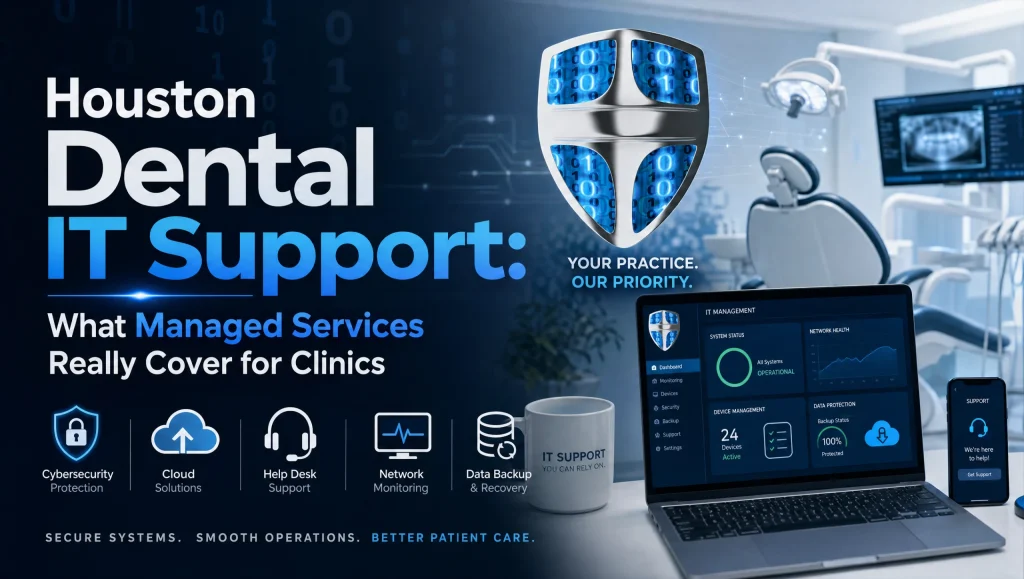
Houston dental IT support is a managed services model tailored to dental clinics in the Greater Houston area. It brings together 24/7 monitoring, HIPAA‑focused cybersecurity, dental software support (Dentrix, Eaglesoft, Open Dental, Dexis, Sidexis/Sirona), automated encrypted backups with tested disaster recovery, and fast remote help backed by on‑site IT in Houston when hands‑on work is needed.
What “managed IT services for dentists” typically include
24/7 monitoring and maintenance
- Proactive monitoring: Servers, workstations, sensors, and network gear are monitored around the clock so issues are flagged before they cause downtime.
- Patch management: Operating systems and third‑party apps receive regular updates on a defined cadence with maintenance windows that avoid clinic disruption.
- Hardware health checks: Disk health, resource usage, and warranty status are tracked so you can plan replacements before failure.
HIPAA‑focused cybersecurity essentials
Dental clinics must protect PHI and maintain resilient operations. A competent MSP should include:
- Risk assessments and remediation tracking: Identify gaps and maintain a living plan to close them.
- MFA and encryption: Multifactor authentication across critical systems and full‑disk encryption on endpoints handling PHI.
- Email filtering and security awareness: Filter spam and phishing, and train staff on safe handling of patient data.
- Endpoint protection and firewall policy management: Centrally managed anti‑malware, web protection, and tight firewall rules.
For a deeper view of controls and reviews, see our Ultimate Cybersecurity Audit overview and Zero Trust guidance: Ultimate Cybersecurity Audit: Zero Trust & Endpoint Protection Guide (https://comptss.com/cybersecurity-audit-ultimate-cybersecurity-audit).
Automated, encrypted backups and tested disaster recovery
Backups are your last line of defense. Look for:
- Automated, encrypted backups: On‑site and offsite/cloud copies with encryption in transit and at rest.
- Clear recovery objectives: Recovery Time Objective (RTO) and Recovery Point Objective (RPO) defined so everyone knows what “good” looks like.
- Regular restore testing: Scheduled test restores to verify you can actually recover data and systems.
Explore best practices for cloud backup and system recovery at Cloud Backup & System Recovery Insights Revealed (https://comptss.com/cloud-backup-unlock-it-success-cloud-backup-sys) and get incident playbooks in Master Ransomware Recovery: Unbeatable Defense & Disaster Planning (https://comptss.com/ransomware-recovery-master-ransomware-recovery).
Helpdesk and on‑site IT in Houston
- Remote helpdesk: Fast response for tickets during clinic hours, with priority handling for operatory and front‑desk systems. Learn more at Unlocking IT Support: Remote Helpdesk & System Recovery Secrets (https://comptss.com/remote-helpdesk-unlocking-it-support-remote).
- On‑site escalation: When hands‑on work is required, a local tech comes on site across Houston, Katy, and Sugar Land with clear ETAs.
Dental software support that keeps ops moving
- Practice management: Dentrix, Eaglesoft, Open Dental—installs, updates, data integrity checks, and vendor coordination.
- Imaging: Dexis, Sidexis/Sirona, and sensor software—drivers, calibration coordination, and workstation optimization.
- Integrations and custom programming: Bridges, secure portals, and custom apps to streamline workflows.
Explore focused solutions for clinical workflows at Revolutionize Dental Practice: IT Solutions for Secure, Efficient Ops (https://comptss.com/it-solutions-revolutionize-dental-practice-it-s).
Network, Wi‑Fi, and hardware lifecycle
- Secure core: Next‑gen firewall configuration, VLANs, and QoS for imaging traffic.
- Business‑grade Wi‑Fi: Segmented SSIDs (staff, guests, devices) and strong authentication.
- Workstation rollouts: Imaging PCs with appropriate specs, ergonomic placement, and standardized builds for easy support.
Vendor management and coordination
- ISPs and phones: Internet cutovers, failover testing, and QoS for VoIP.
- Imaging and pano/CBCT vendors: Scheduling, driver coordination, and performance validation.
- Payment terminals and secure email providers: Secure configurations and support escalations.
Reporting, documentation, and SLAs
- Asset inventory: Track every workstation, sensor PC, license, and warranty.
- Ticket and uptime reporting: Visibility into response times and recurring issues.
- Policy documentation and role‑based access: Who has access to what—and why—kept current for audits.
What’s often not included (or billed separately)—and why it matters
Major hardware purchases and specialized equipment
- Firewalls, servers, workstations, sensors, pano/CBCT units, and specialty accessories are typically separate purchases. Your MSP should specify models, justify requirements, and coordinate installs, but the hardware itself is not usually part of a flat monthly fee.
After‑hours on‑site emergency projects vs. included support
- Routine after‑hours monitoring and remote response may be included. Projects requiring urgent on‑site work after clinic hours (for example, a last‑minute network rewire) are commonly scoped separately due to staffing and scheduling.
Complex migrations, new locations, or construction cabling
- New office buildouts, multi‑site migrations, EHR/PM platform changes, or structured cabling during construction are usually handled as fixed‑scope projects.
Advanced compliance projects beyond routine HIPAA controls
- Risk analyses and common safeguards are standard. However, advanced audits, detailed policy rewrites, or specialized integrations for research or teaching clinics can fall into project territory.
Transparency note: CompTSS scopes out these items clearly—before work begins—so you receive no‑surprise estimates and timelines. If you’re comparing proposals, ask for a line‑item scope that distinguishes “included support” from “project‑based services.”
How HIPAA‑ready Houston dental IT support protects your practice
From risk assessment to remediation plans
- Start with a documented risk assessment and keep a prioritized remediation tracker.
- Map each risk to a control (technical, administrative, or physical), with owners and timelines.
For context on HIPAA essentials, see Unlocking Healthcare IT: HIPAA, EHR & Cutting‑Edge System Trends (https://comptss.com/hipaa-compliance-unlocking-healthcare-it-hipaa). Also see the HHS HIPAA Security Rule overview.
Email security and phishing defense
- Advanced email filtering, impersonation protection, and DMARC enforcement reduce risk.
- Regular phishing simulations and short, targeted training for front‑desk and billing teams help sustain vigilance.
Zero Trust‑aligned access and endpoint controls
- Least‑privilege access, MFA for admin and remote tools, and conditional access where supported.
- Endpoint hardening: device encryption, application allow‑listing, and automatic screen lockouts for clinical areas.
Disaster recovery that’s actually tested
Backup frequency, encryption, and offsite storage
- Daily (or more frequent) backups for practice management and imaging data, encrypted at rest and in transit.
- Offsite/cloud copies maintained in a separate blast radius to protect against local failures.
Tabletop exercises and restore testing cadence
- Quarterly tabletop drills walk your team through outage scenarios.
- Routine file‑level and system‑level restore tests verify backup integrity and RTO/RPO alignment.
Ransomware recovery readiness for dental clinics
- Isolated recovery environments, credential hygiene, and immutable backups are core defenses.
- An incident response playbook defines first steps, roles, notifications, and decision points.
Learn more at Master Ransomware Recovery: Unbeatable Defense & Disaster Planning (https://comptss.com/ransomware-recovery-master-ransomware-recovery) and Unlock IT Success: Cloud Backup & System Recovery Insights Revealed (https://comptss.com/cloud-backup-unlock-it-success-cloud-backup-sys).
Flat‑rate IT plan vs. hourly: How costs stay predictable
What a flat‑rate IT plan usually covers
- 24/7 monitoring, patch management, and routine maintenance
- HIPAA‑focused cybersecurity controls and reviews
- Encrypted backups with scheduled restore testing
- Helpdesk with priority for clinical systems and vendor coordination
- Dental software support and lifecycle planning
Scalable workstation add‑ons for growing teams
- As your ops or hygienists expand, adding workstations and licenses should be straightforward with predictable per‑device add‑ons.
How to avoid scope gray areas and surprise invoices
- Ask for a written list of inclusions (support) and exclusions (projects/hardware).
- Confirm after‑hours policies and what triggers on‑site dispatch.
- Get sample reports and SLAs. If you want a proactive model, see Ultimate IT Support Services: Ensure Business Continuity & Optimization (https://comptss.com/it-support-services-ultimate-it-support-servi).
On‑site IT in Houston: What coverage looks like
When we roll trucks vs. resolve remotely
- Most issues resolve remotely within standard response windows. We roll on site when hands‑on work is required: hardware swaps, Wi‑Fi adjustments, imaging workstation replacements, or cabling/fiber handoffs.
Typical Houston response patterns for dental emergencies
- Sensor PC down? Imaging bridge failing? Expect triage by remote support first; if hardware or the physical network is the culprit, an on‑site visit is scheduled with clear ETAs aligned to your patient flow.
Coverage areas: Houston, Katy, Sugar Land
- CompTSS is Houston‑based with regular routes across Houston, Katy, and Sugar Land for rapid on‑site needs. If you’re evaluating providers, verify their local coverage and dispatch times.
Myth vs. fact: Managed IT for dental clinics
- Myth: “All MSPs cover the same things; just pick the cheapest.” Fact: Dental software, imaging workflows, and HIPAA controls require niche expertise—generic coverage can lead to downtime and compliance gaps.
- Myth: “Backups are enough; we’ll figure out recovery later.” Fact: Untested backups create false confidence. Scheduled restore tests and ransomware tabletop drills make the difference.
- Myth: “On‑site is obsolete since everything’s remote.” Fact: Remote resolves most tickets, but imaging hardware, Wi‑Fi tuning, and cabling still need hands‑on support—especially during clinic hours.
Questions to ask any Houston dental IT support provider
- What are your guaranteed response and resolution targets for clinical systems?
- Which HIPAA controls are included by default, and how often do you run risk assessments?
- How do you handle encrypted backups, offsite copies, and restore testing cadence?
- Do you directly support Dentrix, Eaglesoft, Open Dental, Dexis, and Sidexis/Sirona?
- When do you dispatch on‑site technicians in Houston, Katy, and Sugar Land, and what’s the typical ETA?
- How do you separate included support from project work and hardware purchases?
- Will you manage vendors (ISP, imaging, payment terminals) and document changes?
- What reporting and asset inventories do we receive each month or quarter?
- Can you share a sample SOP for a sensor PC replacement or imaging workstation rebuild?
- How do you align with Zero Trust and endpoint protection best practices? See Ultimate Cybersecurity Audit: Zero Trust & Endpoint Protection Guide (https://comptss.com/cybersecurity-audit-ultimate-cybersecurity-audit).
How CompTSS supports Houston dental and healthcare clinics
- Dental‑specific support: Dentrix, Eaglesoft, Open Dental, Dexis, Sidexis/Sirona, plus custom programming and secure integrations.
- HIPAA‑focused cybersecurity: Risk assessments, MFA, encryption, email filtering, patching, and endpoint protection aligned to practical clinic workflows.
- Backups and disaster recovery: Automated, encrypted backups with scheduled test restores and clear RTO/RPO planning.
- 24/7 monitoring and proactive maintenance: Reduce surprises and keep operatories running.
- Helpdesk and local on‑site: Fast remote help with on‑site IT in Houston, Katy, and Sugar Land when hands‑on work is needed.
- Network and Wi‑Fi: Secure firewalls, segmented Wi‑Fi, and prioritized imaging traffic.
- Vendor coordination: ISPs, imaging vendors, payment terminals, and secure email providers handled for you.
- Flat‑rate Assurance approach: Predictable support with scalable workstation add‑ons as your team grows.
If you want a broader look at our capabilities, start with Dental & Healthcare IT Support in Houston | CompTSS (https://comptss.com/) and ongoing Healthcare IT Support Tips (https://comptss.com/it-tips).
Real‑world note from our team
Last fall, a Houston multi‑op dental clinic called us after a sensor PC failed mid‑day. We restored the imaging workstation from the previous night’s encrypted backup, coordinated drivers with the sensor vendor, and pushed policy updates so the room was live again before the afternoon block—no scrambling, no data exposure, and the team kept its schedule.
Featured inclusions at a glance
- 24/7 monitoring, patching, and maintenance
- HIPAA‑focused security: risk assessments, MFA, encryption, email filtering
- Endpoint protection and firewall management
- Automated, encrypted backups with scheduled restore tests
- Helpdesk with escalation to on‑site IT in Houston
- Dental software support and vendor coordination
- Network/Wi‑Fi management and workstation lifecycle
- Documentation, reporting, and SLAs
Suggested image alt text: Houston dental IT support team providing on‑site help in a Houston dental clinic, with secure backups and HIPAA‑ready systems
What to expect when you switch providers
- Discovery and assessment: Inventory your assets, map your workflows, and document risks.
- Stabilization: Immediate patching, EDR rollout, email filtering, and backup verification.
- Standardization: Golden images for workstations, consistent policies, and vendor runbooks.
- Optimization: Quarterly reviews to refine RTO/RPO, prioritize upgrades, and tighten access.
Signs it’s time to revisit your IT coverage
- Imaging PC failures or slowdowns during peak hours
- Unclear backup status or confusion about how to restore
- Recurring email spoofing or phishing close calls
- Sluggish Wi‑Fi or random drops in operatories
- Surprise invoices for basic support activities
- No documented risk assessment or access policy updates in the last year
How to compare proposals apples‑to‑apples
- Map inclusions line by line against your clinic’s daily needs: helpdesk, dental software support, imaging, backups, HIPAA controls, vendor coordination.
- Flag gray areas: after‑hours, on‑site dispatch, data migrations, and buildout cabling.
- Ask for proof of restore testing and sample incident playbooks.
- Confirm local on‑site coverage areas and realistic ETAs for Houston, Katy, and Sugar Land.
- Review sample reports, asset inventories, and SLAs for clarity and accountability.
Putting it all together
A no‑surprises plan for Houston dental clinics blends proactive care with clear boundaries. Managed IT services for dentists should include 24/7 monitoring, HIPAA‑focused cybersecurity, tested backups and recovery, hands‑on dental software support, vendor coordination, and practical on‑site coverage where you operate. Projects like new builds, complex migrations, and major hardware are typically scoped separately—what matters is transparency from your provider up front.
At CompTSS, we focus on the realities of dental and healthcare workflows: keeping operatories live, protecting PHI, and building resilient systems that don’t slow your day. If you’re ready for dependable, Houston‑based support with a flat‑rate Assurance approach and scalable workstation add‑ons, let’s talk. Explore secure and efficient dental ops at Revolutionize Dental Practice: IT Solutions for Secure, Efficient Ops (https://comptss.com/it-solutions-revolutionize-dental-practice-it-s) or get started with HIPAA‑compliant dental IT at Dental & Healthcare IT Support in Houston | CompTSS (https://comptss.com/). A short consult can clarify scope, tighten your recovery plan, and align your clinic with the right Houston dental IT support for the long run.
Frequently Asked Questions
What does Houston dental IT support typically include day to day?
Short answer: Proactive monitoring, HIPAA-focused security, backups with recovery testing, dental software support, remote helpdesk, and on-site coverage in Greater Houston.
Expanded answer: A standard managed IT services for dentists package includes 24/7 monitoring and patching, MFA and encryption, email filtering, endpoint protection, automated encrypted backups with test restores, and fast remote helpdesk backed by on-site IT Houston dispatch when hands-on work is needed. It also covers support for Dentrix, Eaglesoft, Open Dental, Dexis, and Sidexis/Sirona, plus vendor coordination and documentation.
What’s usually not included in a flat-rate IT plan?
Short answer: Major hardware, urgent after-hours projects, complex migrations/buildouts, and advanced compliance projects are typically separate.
Expanded answer: Firewalls, servers, workstations, sensors, pano/CBCT units, and specialty accessories are purchased separately. Urgent after-hours on-site work, new office buildouts, multi-site migrations, construction cabling, and advanced audits/policy overhauls are commonly scoped as projects. Ask for a clear line between “included support” and “project-based services.”
How does HIPAA factor into Houston dental IT support?
Short answer: Risk assessments, MFA, encryption, email filtering, endpoint protection, and documented access policies are core.
Expanded answer: Providers should run risk assessments, track remediation, enforce MFA, enable full-disk encryption on PHI endpoints, filter phishing and spam, manage firewalls, and document role-based access. Many align to Zero Trust principles for least privilege and verified access. See Ultimate Cybersecurity Audit: Zero Trust & Endpoint Protection Guide at https://comptss.com/cybersecurity-audit-ultimate-cybersecurity-audit.
Do you support Dentrix, Eaglesoft, Open Dental, Dexis, and Sidexis/Sirona?
Short answer: Yes—installation, updates, data integrity checks, imaging drivers, and vendor coordination are included.
Expanded answer: Dental software support spans practice management and imaging: installs and upgrades, bridge configuration, driver coordination with vendors, calibration support, and workstation optimization. Secure integrations and custom programming can streamline workflows. Learn more at https://comptss.com/it-solutions-revolutionize-dental-practice-it-s.
How do backups and disaster recovery work for dental clinics?
Short answer: Automated, encrypted on-site and offsite backups with defined RTO/RPO and routine restore testing.
Expanded answer: Expect daily (or more frequent) encrypted backups, offsite/cloud copies in a separate “blast radius,” and scheduled test restores to verify real recovery. Tabletop exercises and ransomware playbooks help teams respond with confidence. See https://comptss.com/cloud-backup-unlock-it-success-cloud-backup-sys and https://comptss.com/ransomware-recovery-master-ransomware-recovery.
When is on-site IT in Houston dispatched vs handled remotely?
Short answer: Most tickets resolve remotely; on-site visits are scheduled for hands-on needs with clear ETAs in Houston, Katy, and Sugar Land.
Expanded answer: Remote helpdesk triages first—especially for clinical systems. On-site IT Houston support rolls for hardware swaps, Wi‑Fi adjustments, imaging workstation rebuilds, and cabling/fiber handoffs. Typical patterns prioritize operatory uptime and patient flow.
What makes a flat-rate IT plan predictable for dental practices?
Short answer: Clear inclusions (monitoring, security, backups, helpdesk, dental software) and scalable per-workstation add-ons.
Expanded answer: Flat-rate plans cover routine maintenance, HIPAA-focused security, encrypted backups with test restores, helpdesk with vendor coordination, and lifecycle planning. As teams grow, per-device add-ons keep costs predictable. For proactive models, see https://comptss.com/it-support-services-ultimate-it-support-servi.
How do after-hours requests and emergencies work?
Short answer: Monitoring and remote response are often included; urgent after-hours on-site projects are typically scoped separately.
Expanded answer: If an issue requires late-night on-site work—like a sudden network rewire—it’s usually billed as a project due to staffing. Confirm triggers for on-site dispatch, after-hours rates (if any), and typical ETAs so there are no surprises.
What’s the best way to compare Houston dental IT support proposals?
Short answer: Map inclusions to daily clinic needs, flag gray areas, verify restore testing, and confirm local on-site coverage and ETAs.
Expanded answer: Line up helpdesk scope, dental software support, imaging, backups, HIPAA controls, and vendor coordination. Ask for sample SLAs, reports, asset inventories, and incident playbooks. Verify dispatch coverage for Houston, Katy, and Sugar Land.
What does switching providers look like?
Short answer: Discovery and assessment, stabilization, standardization, then ongoing optimization.
Expanded answer: Onboarding typically inventories assets and risks, stabilizes with patching/EDR/email filtering and backup checks, standardizes workstation images and policies, and then moves to quarterly reviews to refine RTO/RPO and tighten access.
Can you share a real-world example of Houston dental IT support in action?
Short answer: A sensor PC failed mid-day; the imaging workstation was restored from the prior night’s encrypted backup and the room returned to service before the afternoon block.
Expanded answer: As outlined in the article, the team restored the system quickly, coordinated drivers with the sensor vendor, and pushed policy updates so the operatory could continue on schedule—demonstrating tested backups, vendor coordination, and practical on-site support when needed.