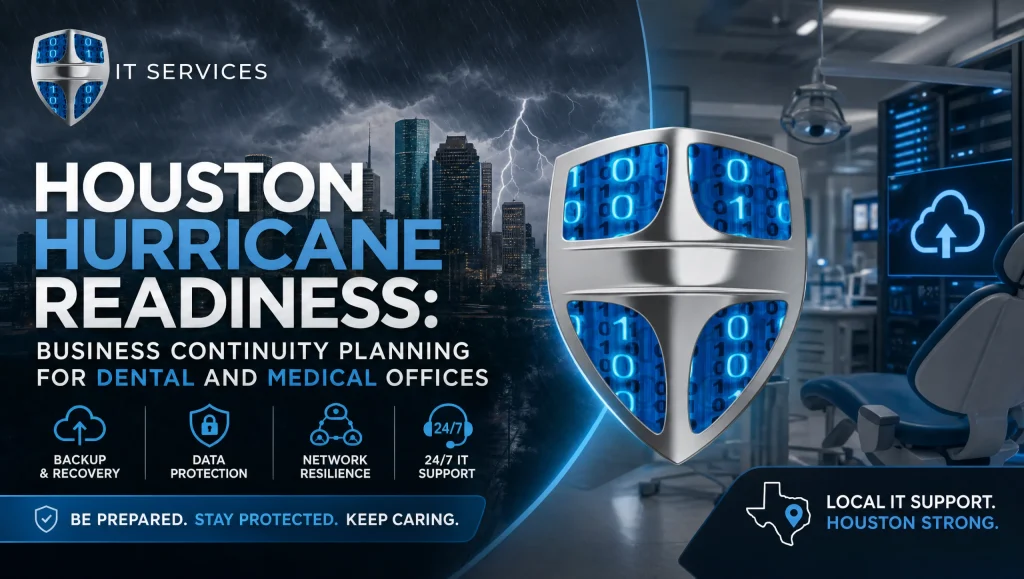
Business Continuity Planning Houston: Hurricane Readiness for Dental and Medical Offices
Houston clinics know the drill: tropical systems spin up fast, power lines go down, and flooding can block access for days. Business continuity planning Houston is about preparing your dental or medical office to keep patient care moving and patient data protected through Gulf Coast hurricanes. With the right mix of power outage planning, UPS and generators, encrypted backups, tested disaster recovery for clinics, and clear communications, you can reduce downtime and stress when the weather turns.
What follows is a local-first, clinic-ready guide based on the realities we see across Greater Houston—from Katy to Sugar Land—and tuned for HIPAA requirements, EHR and dental imaging needs, and the practical limits of busy practices.
What Business Continuity Planning Means for Houston Clinics
Business continuity planning for healthcare practices is a localized, HIPAA-aware strategy to keep people, processes, and technology operating during and after severe weather. For clinics, it covers power resilience, secure access to charts and imaging, communications with patients and staff, and step-by-step recovery so you can return to full operations safely and predictably. It dovetails with cybersecurity and compliance so PHI stays protected even when systems are under stress.
The Gulf Coast risk profile (wind, flooding, prolonged outages)
Houston’s hurricane profile blends high winds, tornado spinoffs, storm surge in coastal corridors, street flooding that strands staff, and multi-day power and internet outages. CenterPoint and other utilities often restore in phases; even if your building is dry, your block could stay dark for days. Plan for extended, not momentary, disruption—and prioritize clean power and reliable data access tailored to your suite’s flood risk and historical outage duration. See the City of Houston hurricane preparedness guidance.
Continuity vs. disaster recovery for clinics—how they work together
- Continuity keeps essential functions running (phones, limited check-in, telehealth triage, chart access).
- Disaster recovery restores full systems after a disruption (server rebuilds, database recovery, imaging validations).
Your plan should clearly define the services that must remain available during an outage and how you’ll return to normal operations in a predictable order. Establish decision points (e.g., “30+ minutes on battery triggers clean shutdown”) so staff can act without guesswork.
Power Outage Planning: UPS and Generators for Healthcare Offices
Keeping critical systems stable is step one. A clean power strategy protects equipment and data while reducing chaos and unplanned downtime.
Sizing UPS for servers, firewalls, modems, and imaging workstations
- Protect the core first: server(s), firewall, network switch, modem/router, and any storage devices.
- Add a UPS to front-desk workstations and imaging stations that must stay up long enough to close charts or capture a final image safely.
- Calculate loads by checking device wattage and add 20–30% headroom for battery efficiency and aging. Choose line-interactive or online (double-conversion) UPS units for clean output to sensitive devices.
- Label outlets and plugs by priority so staff can quickly unplug nonessential accessories during an event.
Clean shutdown vs. short-ride power continuity
Decide if your UPS strategy is:
- Short-ride continuity (10–30 minutes) to bridge brownouts and brief flickers, or
- Clean shutdown to safely power down servers and storage when an outage exceeds safe windows.
Use UPS software/USB agents so servers and NAS units shut down gracefully before batteries are depleted. Document who initiates shutdowns and how to confirm completion before power is restored.
Generator selection, fuel plans, transfer switches, and weekly testing
- Size by total clinic load and startup surges (HVAC, compressors, sterilizers). Many practices choose to power clinical areas and IT closets, not the entire building.
- Use a professionally installed automatic transfer switch (ATS) to prevent backfeed risks and equipment damage.
- Plan fuel: natural gas can provide continuous supply where available; diesel requires on-site storage with regular maintenance (including a fuel polishing schedule).
- Test weekly in “exercise mode” and run a live transfer test monthly. Verify your UPS behavior during generator transfer; some UPS units need sensitivity tweaks for generator waveforms.
- Keep spare fuses and critical breakers labeled; document your generator vendor’s maintenance SLA and after-hours call procedure.
Protecting specialty equipment (x‑ray sensors, compressors, sterilizers)
- Use hospital-grade surge protection and line conditioning for imaging devices and sensors (Dexis, Sidexis/Sirona).
- Allow compressors and vacuum systems a staged restart post-outage to avoid breaker trips.
- After any power event, validate sterilizer cycles and log results before patient care resumes.
- Photograph panel labels and equipment nameplates; store copies in your runbook for quick reference.
Data Protection: Encrypted Backups and Tested Recovery
When storms knock out power or damage gear, your backups—and your ability to restore fast—are what keep schedules from collapsing and patient care on track.
RPO/RTO for clinics—what’s realistic
- RPO (Recovery Point Objective): how much data you can afford to lose. For most clinics, aim for no more than a few hours on production systems.
- RTO (Recovery Time Objective): how quickly you must be back. Prioritize EHR and imaging first, with front-office systems following close behind.
Align these targets with your staffing and patient load; smaller practices may accept longer RTOs if urgent visits can be triaged via telehealth.
3‑2‑1 backups with offsite/cloud and immutability
- 3 copies of data, 2 different media, 1 offsite.
- Include immutable or write-once cloud tiers to defend against ransomware and accidental deletion.
- Encrypt data in transit and at rest; protect backup consoles with MFA and role-based access.
- Back up device configs (firewalls, switches, imaging machines) and export key EHR reports regularly.
For guidance on shaping a resilient backup approach, see cloud backup and system recovery insights.
Recovery testing cadence before storm season
- Verify backup logs daily during storm season and perform integrity checks weekly.
- Run a full restore test at least once pre-season: restore EHR databases, confirm logins, open imaging files, and time the process. Update your runbook with lessons learned.
- Practice a partial failover to a secondary server or cloud-hosted instance where feasible, and document cutover steps and rollback criteria.
EHR and dental software considerations (Dentrix, Eaglesoft, Open Dental; imaging like Dexis, Sidexis/Sirona)
- Document exact database locations, shared paths, and service dependencies for Dentrix, Eaglesoft, and Open Dental.
- Note imaging data stores (Dexis, Sidexis/Sirona) and ensure they’re backed up consistently with your EHR.
- Keep install media, license keys, and version notes in your runbook. Store copies securely offsite.
- Capture screenshots of software settings and imaging routes; they speed up rebuilds and validation.
Communications and Patient Coordination During a Hurricane
Clear, consistent messaging reduces call volume, preserves trust, and keeps urgent-care pathways open when conditions change quickly.
Multi-channel patient messaging (phone tree, SMS, website banner, Google Business Profile updates)
- Prepare SMS templates for closures, telehealth availability, and rescheduling.
- Set a website banner for storm updates and hours.
- Update your Google Business Profile for temporary hours and emergency notes.
- Build an after-hours phone tree with recorded options and a voicemail plan.
- Use your EHR’s messaging tools where available to maintain a single source of truth for patient communications.
Internal on-call and escalation tree for clinicians and staff
Define who approves closures, who posts updates, and who triages urgent calls. Include backups for each role in case team members are out of pocket due to flooding or evacuation. Keep a hard-copy call list in the clinic and provide an encrypted digital copy to leaders.
Referral partners, labs, and supplier notifications
Share your contingency plan with labs and suppliers, including where to route orders and how to hold shipments if your office is inaccessible. Confirm how referrals will receive imaging and notes if your primary systems are offline, and test that process once pre-season.
Clinic Facility and Network Hardening
Small physical and network improvements make a big difference when water and power are unpredictable across Greater Houston.
Protecting network gear above flood lines; surge protection
- Elevate network racks, servers, and battery units above historical flood lines; use wall-mount racks for low-lying suites.
- Add whole-office surge suppression and point-of-use protectors for imaging and sterilization.
- Use drip loops and sealed raceways in areas prone to roof leaks; keep desiccant packs and spare fans for quick cabinet dry-outs.
Internet redundancy (primary + LTE/5G failover)
- Pair your primary ISP with LTE/5G failover using a dual-WAN firewall.
- Test automatic failover quarterly and verify that your EHR, VoIP, and remote access perform acceptably on cellular bandwidth.
- Pre-stage QoS rules that prioritize EHR and VoIP during constrained bandwidth events.
Secure remote access for telehealth/triage with MFA and VPN
- Provide clinicians with VPN access protected by MFA for chart access when commuting is unsafe.
- Restrict by user role and device compliance; disable split tunneling for sensitive applications where feasible.
- Keep a small pool of encrypted, managed laptops for on-call providers to reduce setup friction.
HIPAA-focused email filtering and continuity
- Use advanced email filtering and continuity so messages queue and are retrievable during outages.
- Enforce TLS for transport and DLP policies for PHI. For a deeper review, see our HIPAA-focused cybersecurity audit: https://comptss.com/cybersecurity-audit-ultimate-cybersecurity-audit and broader HIPAA compliance in healthcare IT: https://comptss.com/hipaa-compliance-unlocking-healthcare-it-hipaa
Disaster Recovery for Clinics: Prioritized Restoration
When you’re ready to come back online, a clear order of operations prevents rework, protects data integrity, and speeds up safe reopening.
Step-by-step runbooks: from power safety checks to EHR validation
- Confirm building safety, power quality, and generator stability.
- Restore core network: firewall, switches, Wi‑Fi, internet link, then phones.
- Bring up servers and storage in sequence; verify domain and DNS services.
- Restore EHR databases; validate logins and recent entries.
- Confirm access to practice management and billing.
- Bring up imaging workstations and confirm new studies save correctly.
- Re-enable remote access and test MFA.
For additional structure, review our expert system recovery tips: https://comptss.com/system-recovery-unlock-it-success-expert-system
Validating imaging devices and sensor calibration
- Test intraoral sensors and pano/CBCT capture, then verify image routing to the correct patient charts.
- Recheck exposure settings and calibration; document results for compliance.
- Confirm that automated image backups resume and reflect current-day studies.
Post-incident documentation and compliance notes
- Record outage times, systems affected, and steps taken.
- Log any PHI access deviations, even if none occurred, and file with your HIPAA risk documentation.
- If you encountered malware or suspicious activity during the event, align with disaster planning for ransomware and outages.
Field Notes from Houston
Last season, our team worked with a multi-op dental practice in West Houston that lost grid power for three days. Because we’d trimmed nonessential loads and tuned UPS settings ahead of time, their server and firewall rode cleanly until the generator engaged. A week earlier we had run a full restore drill, so when a battery in their storage array threw a warning on day two, we safely failed over to the cloud backup and kept chart access available for limited urgent visits. No heroics—just a tested plan and a calm team.
Myth vs. Fact: Power and Backups
- Myth: “A big UPS means we can run all day.”
Fact: UPS units are for minutes, not hours—bridge power or execute clean shutdowns until a generator takes over. - Myth: “Cloud EHR means we don’t need backups.”
Fact: You still need backups of local files, imaging data, device configs, and exported reports. Cloud vendors cover their platform; you cover your practice data strategy. - Myth: “We’ll figure it out when the storm hits.”
Fact: Without a runbook and tested restores, recovery takes longer, and the risk to equipment and data rises.
Your Houston Checklist: Business Continuity Planning Houston
- Assess local risks: wind, flooding risk to your suite, and historical outage duration.
- Power strategy: size UPS for servers/network; document clean shutdown steps; confirm generator sizing, ATS, and monthly transfer testing.
- Protect specialty devices: surge protection, staged restarts, sterilizer validation.
- Data protection: 3‑2‑1 encrypted backups with immutability; weekly integrity checks; full restore test pre-season.
- EHR/imaging readiness: document databases, versions, license keys; confirm backups for Dexis and Sidexis/Sirona.
- Internet redundancy: dual-WAN with LTE/5G failover; quarterly failover tests.
- Remote access: MFA-protected VPN, role-based permissions, and device controls.
- Communications: SMS templates, website banner, Google Business Profile updates, after-hours phone tree.
- Restoration runbook: power safety, network core, servers, EHR, imaging, remote access; verify chart access and image routing.
- Documentation: asset inventory with photos, HIPAA risk assessment updates, incident logs.
- Vendors and SLAs: generator maintenance schedule, ISP escalation, EHR support contacts, and remote helpdesk availability.
- Training: brief staff annually; run a tabletop exercise before storm season. For ongoing tips, see Healthcare IT Support Tips: https://comptss.com/it-tips
Sidebar: Pre‑Storm 7‑Day Countdown Tasks
- Day 7–6: Review forecasts; freeze nonessential IT changes; confirm staff contacts.
- Day 5: Verify backups and cloud immutability; run quick test restores of critical files.
- Day 4: Top off generator fuel where applicable; stage extension cords and protective covers; elevate floor-level gear.
- Day 3: Publish preliminary patient messaging; update website banner and draft Google Business Profile notice.
- Day 2: Test failover internet; charge hotspots and staff laptops; print runbooks and key contacts.
- Day 1: Perform clean server backups; shut down nonessential workstations; set phone greetings and SMS queued messages.
- Day 0: Move to essential operations; monitor power quality; execute clean shutdown if grid becomes unstable and generator is unavailable.
Sidebar: Image Alt Text Suggestions
- “business continuity planning Houston – clinic UPS and generators setup”
- “business continuity planning Houston – encrypted backups and recovery testing”
- “business continuity planning Houston – LTE failover and VPN for telehealth”
- “business continuity planning Houston – EHR and imaging validation after outage”
Why Local Expertise Matters
Dental and medical environments have unique workflows: sensor protection, image storage, lab coordination, sterilization validation, and HIPAA constraints. A partner who knows those details—and knows Houston’s infrastructure patterns—helps you tailor practical steps you can actually maintain. If you want hands-on guidance, our team provides HIPAA-compliant IT support in Houston: https://comptss.com/
Putting It All Together
Business continuity planning Houston is not about perfection—it’s about predictable, safe steps that keep patient care moving when storms disrupt normal operations. By focusing on power outage planning with UPS and generators, encrypted backups and tested disaster recovery for clinics, resilient communications, and prioritized restoration, you can weather hurricane season with confidence. If you’d like a calm, HIPAA-focused continuity review tailored to your practice’s EHR, imaging, and facility setup, CompTSS’s Houston team is ready to help—with cloud backup and system recovery expertise, remote helpdesk coverage, and security guidance that fits healthcare. Explore remote helpdesk support during storms and tap into expert system recovery tips: https://comptss.com/system-recovery-unlock-it-success-expert-system
For broader resilience across cyber and severe weather, consider a HIPAA-focused cybersecurity audit: https://comptss.com/cybersecurity-audit-ultimate-cybersecurity-audit and ongoing disaster planning for ransomware and outages: https://comptss.com/ransomware-recovery-master-ransomware-recovery
CompTSS is a Houston-based team dedicated to healthcare and dentistry providers—available fast by remote and on-site when needed—so your practice stays ready before, during, and after the storm.
Frequently Asked Questions
What does “business continuity planning Houston” mean for dental and medical clinics?
Short answer: It’s a HIPAA-aware plan to keep power, data, and patient communications working through Gulf Coast storms.
Expanded: Business continuity planning Houston is a localized strategy for clinics to maintain essential operations—power resilience, secure access to EHR and imaging, staff/patient communications, and step-by-step recovery—during and after hurricanes. It integrates with cybersecurity and HIPAA so PHI stays protected even when systems are under stress.
How is continuity different from disaster recovery for clinics?
Short answer: Continuity keeps essential services running; disaster recovery restores full systems after the disruption.
Expanded: Continuity focuses on immediate needs—phones, limited check-in, telehealth triage, chart access—so patient care can continue safely. Disaster recovery for clinics covers restoring servers, databases, imaging validation, and returning to full operations in a defined order. Your plan should include clear decision points (e.g., when to trigger clean shutdowns) to minimize guesswork.
What UPS and generator setup do most Houston clinics need?
Short answer: Protect core IT with UPS first, then use a right-sized generator with an ATS for extended outages.
Expanded: Start by sizing UPS units for servers, firewall, switches, modem/router, and storage; add UPS to front-desk and critical imaging workstations to close charts or finish a study. Decide if you’re bridging brief flickers (10–30 minutes) or enabling clean shutdowns. For prolonged outages, use a professionally installed generator with an automatic transfer switch (ATS), defined fuel plans, and routine testing.
How long should a UPS run, and when should we shut down servers?
Short answer: Think minutes, not hours—use UPS to ride out short dips or perform a clean shutdown before batteries deplete.
Expanded: UPS units are designed to stabilize power and give you a window to act. Use UPS software/agents so servers and NAS devices shut down gracefully when outages exceed your safe threshold. Document who initiates shutdowns and how completion is confirmed before power returns to avoid data corruption.
What RPO/RTO targets are realistic for small to mid-sized clinics?
Short answer: Aim for RPO of a few hours and prioritize fast RTO for EHR and imaging.
Expanded: Set RPO to minimize data loss (often a few hours for production systems). RTO should bring EHR and imaging online first, followed by front-office functions. Smaller practices may accept longer RTOs if urgent visits can be triaged via telehealth. Align targets with staffing, patient volume, and your backup/recovery design.
How often should we test backups and recovery before hurricane season?
Short answer: Check logs daily in storm season, integrity weekly, and do at least one full restore test pre-season.
Expanded: Follow a 3-2-1 encrypted backup strategy with immutability, verify logs daily when storms threaten, perform weekly integrity checks, and complete a full restore test before the season—restoring EHR databases and opening recent imaging files. Update your runbook with timing and lessons learned. For guidance, see cloud backup and system recovery insights: https://comptss.com/cloud-backup-unlock-it-success-cloud-backup-sys
What’s the best way to communicate with patients and staff during a hurricane?
Short answer: Use a multi-channel plan—SMS, website banner, Google Business Profile, and phone tree—backed by a clear internal on-call workflow.
Expanded: Prepare SMS templates for closures and telehealth, set a website banner, update your Google Business Profile, and maintain an after-hours phone tree. Define who approves closures and posts updates, with backups for each role. Keep a hard-copy and encrypted digital contact list to handle staff displacement due to flooding.
How do we protect imaging sensors and specialty dental/medical equipment?
Short answer: Use surge protection/line conditioning, stage restarts, and validate sterilizers and imaging after power events.
Expanded: Add hospital-grade surge protection and conditioning for devices like Dexis and Sidexis/Sirona. Stage compressors and vacuums to avoid breaker trips. After outages, validate sterilizer cycles and log results; test sensor capture, image routing, exposure settings, and backups before resuming full patient care.
How can we keep internet and remote access working if our ISP goes down?
Short answer: Pair your primary ISP with LTE/5G failover and enable VPN with MFA for secure remote chart access.
Expanded: Use a dual-WAN firewall with cellular failover, test automatic failover quarterly, and apply QoS to prioritize EHR and VoIP under constrained bandwidth. Provide clinicians with VPN access secured by MFA, enforce role-based controls, and maintain a few encrypted, managed laptops for on-call use.
What should our post-storm restoration runbook include?
Short answer: Power safety checks, core network bring-up, servers/storage, EHR/database validation, imaging tests, then remote access.
Expanded: Start by confirming building and power quality, then restore firewall/switches/Wi‑Fi/internet, followed by servers and storage. Validate domain/DNS, restore EHR databases and recent entries, confirm practice management/billing, bring up imaging workstations and verify routing, then re-enable remote access and test MFA. For structure, see expert system recovery tips: https://comptss.com/system-recovery-unlock-it-success-expert-system
If we use a cloud EHR, do we still need backups?
Short answer: Yes—back up local files, imaging data, device configs, and exported reports.
Expanded: Cloud vendors protect their platforms, but your practice is responsible for imaging repositories, device configurations (firewalls, switches, imaging machines), and key exports from EHR or practice management. Include offsite and immutable backups with MFA-protected consoles to guard against ransomware and accidental deletion.
How can CompTSS support our Houston clinic’s hurricane readiness?
Short answer: We deliver HIPAA-focused IT, encrypted backups, tested disaster recovery, and 24/7 remote helpdesk—backed by local field experience.
Expanded: As a Houston-based team, we support dental and medical workflows with managed IT, HIPAA-focused cybersecurity, cloud backup and recovery, and rapid remote/on-site response across Greater Houston, including Katy and Sugar Land. Explore services and audits: IT Support https://comptss.com/, Cloud Backup https://comptss.com/cloud-backup-unlock-it-success-cloud-backup-sys, Remote Helpdesk https://comptss.com/remote-helpdesk-unlocking-it-support-remote, and Cybersecurity Audit https://comptss.com/cybersecurity-audit-ultimate-cybersecurity-audit
Field note from practice: Last season in West Houston, we tuned UPS settings and trimmed nonessential loads for a multi-op dental office. When grid power failed, their server and firewall stayed stable until the generator engaged. A pre-season restore drill let us cleanly fail over imaging access when a storage battery flagged a warning—no heroics, just a tested plan.