Backup Dexis and Sidexis in Houston: Proven Steps to Prevent Data Corruption
Backup Dexis and Sidexis: Safe, Proven Steps to Prevent Data Corruption
Dental imaging is mission‑critical. In Houston, TX—where clinics juggle full schedules and the occasional storm‑related power event—reliable dental imaging backup and clean restores aren’t optional. If you need to backup Dexis and Sidexis without corruption, the safest plan is vendor‑aligned, application‑consistent backups paired with routine restore testing. This guide lays out a practical, HIPAA‑aware process centered on database integrity and verifiable results—and shows when it makes sense to lean on managed IT support.
What “backup Dexis and Sidexis” really means
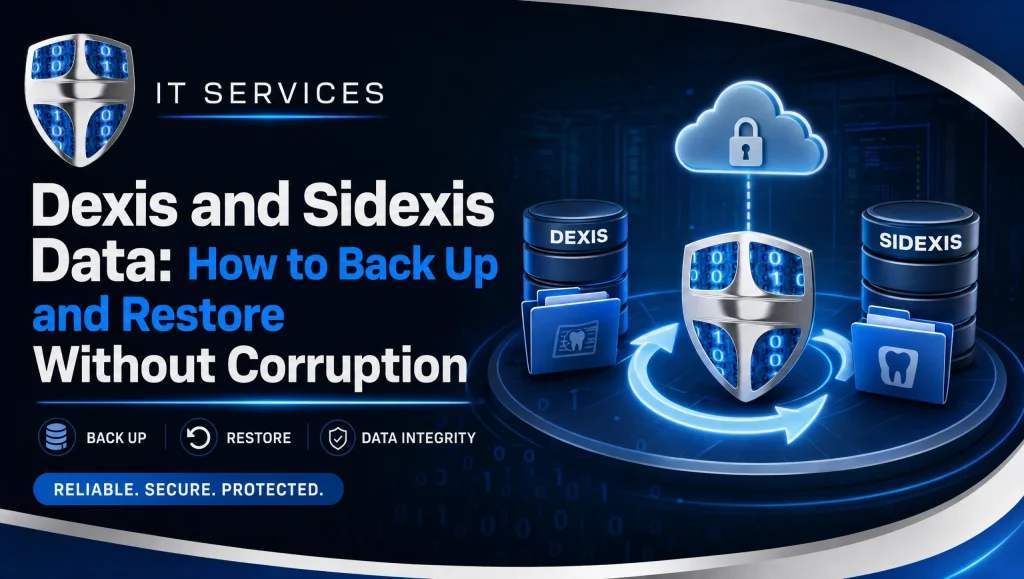
When we say “backup Dexis and Sidexis,” we mean creating application‑consistent, encrypted copies of your dental imaging databases and file stores—then proving database integrity through a controlled test restore that confirms images open cleanly and the software behaves as expected.
Key steps at a glance
- Locate all Dexis/Sidexis databases, folders, and configuration paths.
- Use Microsoft Volume Shadow Copy Service (VSS)‑aware, application‑consistent backup jobs during downtime.
- Encrypt backups and replicate offsite following the 3‑2‑1 rule.
- Run routine restore tests on an isolated workstation or VM.
- Validate by launching the app and checking sample patient images and logs.
- Document results and fix any errors before the next cycle.
Quick answer: What prevents corruption when backing up Dexis and Sidexis?
Use VSS‑aware, application‑consistent backups during off‑hours. Include every required database and imaging folder, and confirm integrity with scheduled restore testing. Avoid copying open files. Encrypt, verify, and document each backup before you rely on it.
Understand Dexis and Sidexis Data Components
Application data, databases, and imaging archives (folders, file stores)
- Database and config: Both platforms rely on databases (and related configuration files) that track patients, image metadata, and system settings.
- Imaging file stores: Image archives are typically folder‑based repositories that can be large and very active during clinical hours.
- Service dependencies: Companion services and processes (e.g., database engines, imaging services) must be accounted for when backing up and restoring.
Where corruption creeps in: open files, partial copies, misaligned schedules
- Open/locked files: Copying while services are running can yield incomplete or corrupted databases and images.
- Partial sets: Backing up images without the paired database—or vice versa—breaks integrity on restore.
- Timing conflicts: Running backups mid‑day during heavy imaging activity increases the risk of inconsistent snapshots and can slow workstations.
Pre‑Backup Checklist for Database Integrity
Confirm vendor‑recommended paths and services (Dexis, Sidexis/Sirona)
- Inventory all folders, databases, and services used by Dexis and Sidexis (Sirona) according to vendor documentation.
- Note service names and normal running state so you can coordinate quiescing or application‑consistent snapshots.
Use VSS‑aware, application‑consistent methods (no “hot copy” of open files)
- Select a backup solution that supports VSS and application‑consistent snapshots.
- Avoid plain file explorer copy/paste or unattended “hot copies” of live databases.
Schedule during downtime; verify adequate space and I/O
- Choose after‑hours windows (e.g., right after closing) to reduce file changes.
- Confirm free disk space, network throughput, and backup targets can handle the nightly data transfer without overruns.
Encrypt in transit and at rest (HIPAA‑focused)
- Enable AES‑level encryption on backup jobs and storage.
- Use unique, well‑guarded encryption keys and strong credentials; restrict access on a least‑privilege basis.
- Keep an access log to support HIPAA auditing. (HIPAA Security Rule guidance)
How to Backup Dexis and Sidexis Without Corruption
Option A: Vendor‑aligned file set backups (folders + configuration + database)
- Quiesce or stop services as recommended by the vendor, or leverage application‑consistent snapshots that do this automatically.
- Back up the complete set: database files, configuration files, and the full imaging archive folder tree.
- Verify post‑backup logs: Ensure no “skipped” files, permission errors, or partial folder captures.
Option B: Image‑level backups with app‑consistent snapshots
- For imaging servers and VMs, use image‑level backups with application‑consistent snapshots.
- Validate that the snapshot captures both the database volumes and imaging file volumes as a single point‑in‑time set.
- Test mount the backup image to confirm folders and databases are present and readable.
What not to do: copying active data; skipping log files; single‑target only
- Don’t copy live databases with basic file copy tools.
- Don’t exclude database transaction logs or secondary folders that vendors identify as required.
- Don’t rely on only one USB drive or a single onsite target; one accident or surge can take out your only copy.
Restore Testing: The Only Proof Your Backups Work
Set up a test workstation or isolated VM
- Use a spare workstation or isolated virtual machine that mirrors your production OS and baseline dependencies (without real PHI).
- Isolate from production to avoid accidental overwrites or database conflicts.
Restore sequence: database/config first, then imaging data
- Restore databases and configuration files to their expected paths first.
- Restore the imaging archive folders next, preserving the original structure and permissions.
- Start necessary services in the vendor‑recommended order.
Validate with app launch, sample patient images, logs, and checksum/hash spot checks
- Launch Dexis or Sidexis; confirm it reaches the login screen and loads the database.
- Use sample or test patients (non‑PHI) to open images, navigate views, and confirm performance.
- Review application and backup logs for warnings or errors.
- Spot‑check file integrity with checksums/hashes on a small set of restored files.
Document results and remediation steps; set a quarterly cadence
- Capture the date, backup set used, restore steps, validation outcomes, and any fixes applied.
- Schedule brief restore tests at least quarterly—or monthly for higher‑volume imaging—to catch issues early.
Disaster Recovery and Ransomware Readiness
3‑2‑1 backup rule, offsite replication, and immutability
- Keep 3 copies of your data, on 2 different types of media, with 1 copy offsite.
- Add immutability where possible to prevent tampering or ransomware encryption of backups.
- Test the offsite restore path at least once or twice a year to confirm bandwidth and timing.
Patch, MFA, and email filtering to protect imaging servers
- Maintain a steady patching cadence for imaging servers and workstations.
- Enforce MFA for remote access to servers and administrative tools.
- Use advanced email filtering and security awareness training to cut down on phishing‑led intrusions.
Recovery time expectations for Houston practices
- Plan for staged recovery: first, get a single operatory or core imaging workflow running; then restore full history and performance.
- Document expected restore times for both local and offsite scenarios so staff know what to expect after an incident.
Common Pitfalls Houston Practices Can Avoid
Single USB drive reliance; no encryption; no restore tests
- External drives fail, get misplaced, or are stolen. Pair local backups with encrypted offsite replication and routine test restores.
Incorrect service stop/start order; partial data sets
- Restores can fail silently if services aren’t handled correctly. Follow vendor guidance and confirm the full data set is present.
Backups running during patient hours causing slowdowns
- Mis‑scheduled jobs can eat I/O and frustrate staff. Move jobs to after‑hours windows and throttle as needed.
Workflows That Fit Dental Schedules in Houston, TX
After‑hours backup windows; brief morning restore checks
- Schedule your nightly backup to run just after closing to capture a quiet, consistent state.
- Build a ten‑minute morning restore test into opening routines to confirm last night’s backup is usable.
Severe weather and power events: UPS and automated resume
- Use UPS units on imaging servers and storage to ride out brief outages and shut down cleanly when needed.
- Configure backup software to auto‑resume after power returns, and verify job integrity the next morning.
A short, first‑hand practice note
In Houston, we’ve helped dental teams schedule Dexis and Sidexis backups right after closing, then run a 10‑minute next‑morning test restore on a spare workstation. That small habit has caught simple path issues and missing file sets before they became real outages.
Myth vs. fact: Dental imaging backup
- Myth: “If the files copied, the backup is good.”
- Fact: Dexis and Sidexis rely on databases plus imaging folders. Without an application‑consistent snapshot and a test restore, you can end up with mismatched sets and corrupt indexes.
- Myth: “Cloud sync equals backup.”
- Fact: Sync tools can replicate deletions or corruption. You still need versioned, immutable, and encrypted backups with restore testing.
- Myth: “We back up once a week—good enough.”
- Fact: Imaging changes daily. Nightly (or more frequent) backups and periodic restore tests reduce data loss and downtime.
When to Call a Specialist
Multi‑site, cloud sync, or high‑volume imaging
- Multi‑location practices, large archives, and hybrid on‑prem/cloud setups introduce more moving parts and risk. Coordinated scheduling, bandwidth shaping, and centralized monitoring help avoid slowdowns and failed jobs.
Compliance documentation and incident response planning
- If you need HIPAA‑ready documentation, disaster recovery runbooks, and clear RTO/RPO targets, a specialist can deliver policies, procedures, and tabletop exercises aligned with your practice size and risk profile.
How CompTSS Helps Houston Dental Teams
Managed, encrypted backups and tested disaster recovery
- We deliver application‑consistent, encrypted backups with regular restore testing and documented results. Our team aligns jobs to your hours and validates integrity so imaging opens cleanly after a restore. Explore our cloud backup best practices and system recovery insights for deeper context:
- cloud backup best practices
- Expert system recovery tips: https://comptss.com/system-recovery-unlock-it-success-expert-system
Dexis, Eaglesoft, Open Dental, Sidexis support and custom integrations
- We support common dental platforms, including Dexis and Sidexis/Sirona, and help with integrations alongside practice management software. For broader HIPAA‑focused IT guidance, see:
Flat‑rate Assurance plan with scalable workstation add‑ons
- Our Assurance plan provides predictable costs, proactive monitoring, and fast remote response with on‑site support when needed. Learn how managed support ties into business continuity:
- Business continuity IT support: https://comptss.com/it-support-services-ultimate-it-support-servi
Step‑by‑Step: A Vendor‑Aligned, HIPAA‑Aware Backup and Restore Testing Playbook
- Pre‑backup prep
- Inventory paths for Dexis and Sidexis (databases, configs, archives).
- Confirm VSS/application‑consistent capabilities in your backup tool.
- Set schedules after closing; verify disk and network throughput.
- Lock in encryption and least‑privilege access.
- Perform the backup
- If file‑based: quiesce/stop services per vendor guidance, then capture full data sets in one job with verify enabled.
- If image‑based: run an application‑consistent snapshot that includes all volumes hosting databases and imaging stores.
- Verify the backup
- Review job logs for warnings and skipped files.
- Confirm the presence and size of key folders and databases; ensure retention policies match your compliance needs.
- Test restore on an isolated machine
- Restore databases/configuration first, then imaging archives.
- Start services in the correct order; launch the application.
- Open sample images (non‑PHI), review logs, and spot‑check checksums.
- Document and improve
- Record results, timing, and any corrections.
- Adjust schedules, paths, or storage as needed before the next cycle.
Houston‑specific planning tips
- Build a pre‑storm checklist that includes verifying last night’s backup, confirming offsite replication, and ensuring UPS batteries are healthy.
- Keep spare storage media on hand in case a local target fills up or fails.
- Communicate a simple downtime plan to staff—who to call, what to check, and where to document issues.
Where to Go Next for Depth and Resilience
- Need a broader security review of your imaging server? See Zero Trust and endpoint protection: https://comptss.com/cybersecurity-audit-ultimate-cybersecurity-audit
- Planning for ransomware contingencies? Review ransomware recovery planning
- Want ongoing, HIPAA‑compliant healthcare IT guidance and local help? Start with our dental IT support in Houston: https://comptss.com/
Alt text suggestion for your featured image: Backup Dexis and Sidexis restore testing in a Houston dental office
Conclusion
You can backup Dexis and Sidexis with confidence by prioritizing application‑consistent methods, encryption, and—most importantly—routine restore testing that proves database integrity and clean image access. Build a simple, repeatable workflow that fits your Houston schedule, document results, and fix small issues before they become big outages. If you’d like a partner to handle the heavy lifting, CompTSS offers HIPAA‑focused, managed backups and disaster recovery tuned for Houston dental practices. Reach out for a calm, no‑pressure conversation about your imaging environment and goals.
Frequently Asked Questions
How do I backup Dexis and Sidexis without corruption?
Short answer: Use VSS‑aware, application‑consistent backups after hours, include all databases and imaging folders, then verify with routine restore testing.
Expanded answer: Inventory every Dexis/Sidexis database, configuration path, and imaging archive. Run VSS‑aware, application‑consistent jobs during downtime (not mid‑day). Encrypt data in transit and at rest. After each backup, review logs for skipped files and run scheduled restore tests on an isolated workstation/VM to ensure images open cleanly.
Which folders and databases are required to backup Dexis and Sidexis?
Short answer: The platform database(s), configuration files, and the full imaging archive folders.
Expanded answer: Follow vendor documentation to list the database engine/files (plus any transaction logs), app configuration, and the complete folder‑based image repository. Don’t exclude secondary paths vendors mark as required. Back up the entire set in one job so the database and imaging files stay in sync.
Do I need to stop services, or will VSS handle it?
Short answer: Use application‑consistent snapshots; if your tool doesn’t support that, quiesce/stop services per vendor guidance.
Expanded answer: VSS‑aware, app‑consistent backups coordinate with services to capture a clean point‑in‑time set. If your software can’t do that, schedule a maintenance window to stop related Dexis/Sidexis services, capture all data, then restart in the correct order to avoid partial copies.
When should I run dental imaging backups in Houston?
Short answer: Right after closing, when imaging activity is low.
Expanded answer: After‑hours windows reduce file churn and workstation slowdowns. In Houston, plan for storm‑related power events: use UPS on imaging servers, enable auto‑resume in your backup software, and verify job integrity the next morning.
How often should I perform restore testing?
Short answer: Quarterly at minimum; monthly for high‑volume imaging.
Expanded answer: Restore testing is the only proof your backups work. Set a recurring cadence (quarterly/monthly), use an isolated workstation/VM, restore databases/config first, then imaging folders, start services in the vendor’s order, and open sample (non‑PHI) images. Document results and fix issues before the next cycle.
What’s the difference between application‑consistent backups and simple file copies?
Short answer: App‑consistent backups coordinate with running services to capture a valid, restorable set; simple copies risk open/locked file corruption.
Expanded answer: App‑consistent methods use VSS or vendor‑recommended quiescing to align databases and imaging data in one snapshot. Plain copy/paste of live files can miss logs, skip locked files, or capture mid‑write data—leading to corrupted indexes on restore.
How do I keep backups HIPAA‑focused and secure?
Short answer: Encrypt in transit and at rest, use strong credentials, least‑privilege access, and maintain access logs.
Expanded answer: Enable AES‑level encryption on jobs and storage, protect and document encryption keys, enforce MFA for remote admin access, and log access for audits. For broader guidance, see HIPAA‑focused IT insights: https://comptss.com/hipaa-compliance-unlocking-healthcare-it-hipaa
What is the 3‑2‑1 backup rule, and should I add immutability?
Short answer: Keep 3 copies on 2 media types with 1 offsite, and add immutability to block tampering and ransomware.
Expanded answer: Maintain local and offsite/Cloud copies; test the offsite restore path annually. Use immutable storage or write‑once retention so backups can’t be altered. For planning help, review cloud backup best practices: https://comptss.com/cloud-backup-unlock-it-success-cloud-backup-sys
How do I safely test a restore without using real PHI?
Short answer: Use an isolated workstation/VM and sample/test patients.
Expanded answer: Mirror your production OS baseline, disconnect from production networks, restore databases/config first then imaging archives, start services in order, and validate by opening test images. Spot‑check checksums/hashes on a small file set and review application/backup logs.
What common pitfalls should I avoid?
Short answer: Copying active data, backing up only part of the set, relying on one USB drive, and skipping restore tests.
Expanded answer: Don’t run backups during peak hours. Avoid excluding transaction logs or vendor‑required folders. Don’t trust a single onsite target—replicate offsite and encrypt. Schedule periodic restore tests and document results to catch issues early.
When should I call a specialist like CompTSS in Houston?
Short answer: Multi‑site setups, high‑volume imaging, cloud sync, or when you need documented, HIPAA‑aware disaster recovery.
Expanded answer: Complex environments benefit from coordinated scheduling, bandwidth shaping, and centralized monitoring. CompTSS provides managed, encrypted, application‑consistent backups with routine restore testing and documentation, plus rapid response for Houston practices. Learn more: IT support and continuity https://comptss.com/it-support-services-ultimate-it-support-servi and expert system recovery tips https://comptss.com/system-recovery-unlock-it-success-expert-system
A quick first‑hand note from the field
Short answer: A 10‑minute morning restore check can save a day’s schedule.
Expanded answer: We’ve seen Houston dental teams run a nightly backup after closing, then spend a few minutes each morning restoring to a spare workstation and opening a sample image. That small habit has caught missing paths and partial sets before patient hours.