Email Encryption for PHI in Houston: Portal, TLS, or Plug‑In?
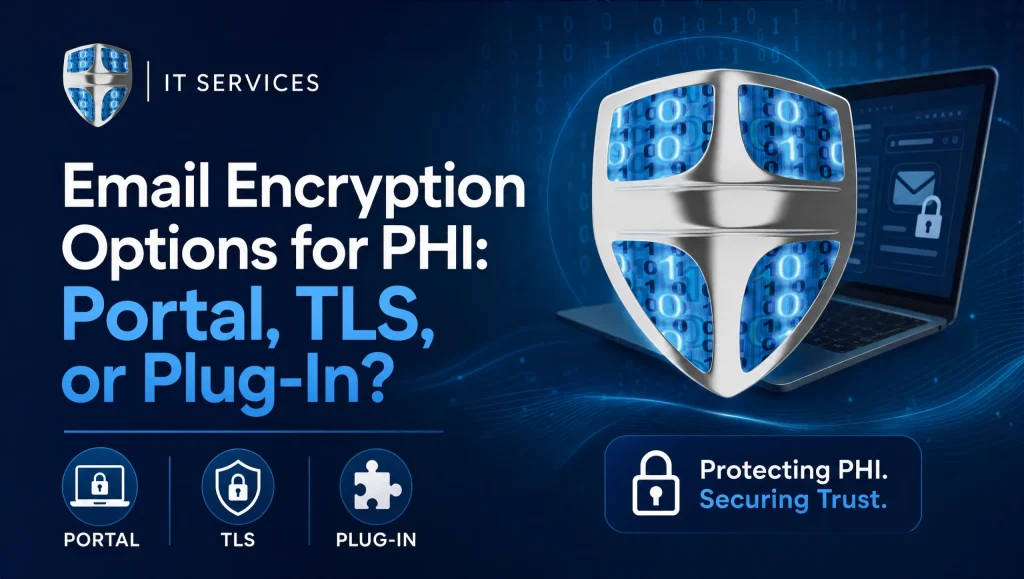
Expanded: Email encryption for PHI means ensuring messages and attachments containing health data are protected in transit and access is controlled. In practice, clinics choose among portal-based secure messaging, enforced Transport Layer Security (TLS) between mail servers, and inbox plug-ins\u2014often using a blend that fits HIPAA safeguards, patient adoption, and staff workload.
”
}
},
{
“@type”: “Question”,
“name”: “Do we need a portal for every PHI email to be HIPAA-compliant?”,
“acceptedAnswer”: {
“@type”: “Answer”,
“text”: “
Short answer: No. HIPAA requires reasonable, appropriate safeguards\u2014portals are great for high-sensitivity, but encrypted email (e.g., TLS with fallbacks) can be compliant for routine exchanges.
Expanded: HIPAA focuses on outcomes: transmission security, access control, and audit. Properly configured enforced TLS with logging\u2014and an automatic portal fallback for non-TLS recipients or sensitive content\u2014can meet requirements for many day-to-day messages. Document your policy and exceptions, and get patient acknowledgment if someone insists on unencrypted email.
”
}
},
{
“@type”: “Question”,
“name”: “TLS vs portal: which should our Houston clinic choose?”,
“acceptedAnswer”: {
“@type”: “Answer”,
“text”: “
Short answer: Most clinics succeed with TLS-first plus automatic portal fallback, and clear rules for when to use the portal.
Expanded: TLS feels like normal email\u2014great for routine provider-to-provider and payer communications. Portals add stronger access controls, large file handling, and read/audit trails\u2014ideal for imaging, consents, and sensitive billing items. A blended \u201cTLS-first, portal-fallback\u201d model balances speed and security for practices across Houston, Katy, and Sugar Land.
”
}
},
{
“@type”: “Question”,
“name”: “When do encryption plug-ins make sense?”,
“acceptedAnswer”: {
“@type”: “Answer”,
“text”: “
Short answer: For edge cases and small teams that need selective, on-demand encryption inside Outlook or similar tools.
Expanded: Plug-ins let staff trigger encryption with a \u201cSend Secure\u201d button or subject tag and can auto-route to a portal if TLS isn\u2019t available. They\u2019re helpful when only some messages carry PHI. To reduce human error, pair plug-ins with DLP rules that auto-encrypt based on patterns and keep usage narrow and well-documented.
”
}
},
{
“@type”: “Question”,
“name”: “How do we handle recipients who don\u2019t support TLS?”,
“acceptedAnswer”: {
“@type”: “Answer”,
“text”: “
Short answer: Use smart policies that auto-route those messages to your secure portal and notify the sender.
Expanded: Configure must-encrypt rules and a fallback path: when TLS fails or isn\u2019t strong enough, the system sends a secure link via the portal. Provide a patient-friendly template explaining the portal steps. Keep transport and delivery logs for audit, and monitor failures so you can update allowlists and policies.
”
}
},
{
“@type”: “Question”,
“name”: “Will patients actually use a secure portal?”,
“acceptedAnswer”: {
“@type”: “Answer”,
“text”: “
Short answer: Yes\u2014if instructions are clear and you reserve the portal for truly sensitive or large items.
Expanded: Portals add login steps, so adoption improves when used for high-value scenarios (imaging, multi-document packets, sensitive results). Keep instructions short, enable MFA, set reasonable link expirations, and coach patients briefly at check-in or by phone. This improves patient experience across Greater Houston.
”
}
},
{
“@type”: “Question”,
“name”: “How do we document and audit encrypted email for HIPAA?”,
“acceptedAnswer”: {
“@type”: “Answer”,
“text”: “
Short answer: Keep transport logs, portal delivery/read logs, and a clear policy defining when each method is used.
Expanded: For TLS, retain server/gateway logs that prove encrypted transport or a portal fallback. For portals, rely on built-in audit trails (access, read, downloads). Maintain a written email encryption policy, execute BAAs with vendors, align retention with state/payer rules, and ensure encrypted, tested backups.
”
}
},
{
“@type”: “Question”,
“name”: “How do Dentrix, Eaglesoft, Open Dental, Dexis, and Sidexis/Sirona fit into encryption choices?”,
“acceptedAnswer”: {
“@type”: “Answer”,
“text”: “
Short answer: Use TLS for routine exports and referrals; use the portal for large imaging and sensitive, multi-file packets.
Expanded: Summary letters, referrals, and insurance docs typically work smoothly over TLS. Large DICOM sets, Dexis or Sidexis/Sirona imaging, and attorney or billing-dispute packets fit best in a portal, which keeps sensitive content out of standard inboxes and provides read/audit trails.
”
}
},
{
“@type”: “Question”,
“name”: “What training and safeguards should we put in place?”,
“acceptedAnswer”: {
“@type”: “Answer”,
“text”: “
Short answer: MFA, advanced email filtering, patching, short role-based training, and a one-page \u201cWhich method when?\u201d guide.
Expanded: Require MFA for staff email and admin access, use filtering to block phishing/malware, and keep OS/browsers/clients patched. Train staff to recognize PHI and when to use TLS vs the portal. Reinforce with screenshots and tip sheets, and monitor logs for TLS failures or portal bounces.
”
}
},
{
“@type”: “Question”,
“name”: “Where should the \u201crecord of truth\u201d live for retention and disaster recovery?”,
“acceptedAnswer”: {
“@type”: “Answer”,
“text”: “
Short answer: Define it in policy\u2014mailboxes for TLS messages, the portal for portal deliveries\u2014and back it up securely.
Expanded: For TLS, messages live in normal mailboxes; ensure encrypted backups/journaling and policy-based retention. For portals, confirm export options, retention settings, and backup coverage. Plug-ins can mix both\u2014so document where final records reside and how they\u2019re retained and restored.
”
}
},
{
“@type”: “Question”,
“name”: “How can CompTSS help Houston practices implement email encryption for PHI?”,
“acceptedAnswer”: {
“@type”: “Answer”,
“text”: “
Short answer: We design TLS-first with portal fallback, integrate with your dental systems, train staff, and monitor 24/7.
Expanded: CompTSS aligns encryption policies with HIPAA safeguards and your real workflows, implements MFA/filtering/patching, and supports Dentrix, Eaglesoft, Open Dental, Dexis, and Sidexis/Sirona. We provide encrypted backups and tested disaster recovery. Explore our HIPAA-focused cybersecurity audit: Cybersecurity Audit and backup/recovery insights: Cloud Backup & System Recovery.
”
}
},
{
“@type”: “Question”,
“name”: “What have you seen work in real Houston clinics?”,
“acceptedAnswer”: {
“@type”: “Answer”,
“text”: “
Short answer: TLS-first with automatic portal fallback and one simple rule for imaging and treatment plans.
Expanded (real-world insight): In our Houston deployments, front-desk teams adopted the process quickly once we set TLS as default, auto-routed non-TLS or large files to the portal, and added a single rule: imaging or detailed treatment plans go portal-only. A quick walkthrough plus a tip sheet at the workstation kept the workflow consistent across Katy and Sugar Land locations.
”
}
}
]
}