Phishing Training for Healthcare Staff: Scripts and Simulations that Stick
In busy Houston dental and medical offices, the inbox is where work happens—and where risk shows up first. Practical phishing training for healthcare staff helps front desk teams, hygienists, providers, and billing staff know exactly what to do in the first 10 seconds when a message feels off. This guide centers on role‑specific scripts and realistic phishing simulations that match real Houston workflows without disrupting patient care.
What Is Phishing Training for Healthcare Staff?
Phishing training for healthcare staff is a focused security awareness program that teaches front desk, hygienists, billing, and providers to spot, verify, and report suspicious messages through role‑specific scripts and realistic phishing simulations—reducing risk to patient data and daily operations across Greater Houston, Katy, and Sugar Land.
Key steps at a glance:
- Map role‑specific inbox risks (front desk, hygienists, billing, providers)
- Create short “say/do” response scripts and a clear reporting path
- Run graded phishing simulations with immediate, supportive coaching
- Track reporting rate and time‑to‑report; coach, don’t punish
- Reinforce with a 10–15 minute monthly drill and HIPAA‑aligned policies
- Support staff with MFA, email filtering, patching, and reliable backups

Why Healthcare and Dental Teams in Houston Are Prime Targets
Houston practices handle high volumes of time‑sensitive messages from patients, payers, and partners. Attackers know teams are moving fast between back‑to‑back appointments, and they copy familiar subjects and logos to slide into busy workflows when attention is at its thinnest.
Common lures in local inboxes
Realistic hooks we see in Greater Houston healthcare inboxes include:
- Insurance EOBs and attachments that “won’t open” without a viewer
- Payer portal notices asking for multi‑factor verification reset
- Referral PDFs with password prompts from unfamiliar specialists
- Equipment invoices or shipping notices for imaging sensors or handpieces
- Patient payment links that mimic local payment portals
- “Updated W‑9” requests claiming to be from a known vendor
- “Secure message” alerts masquerading as your EHR or lab
These subjects work because they mirror the actual rhythm of the day—morning EOB checks, mid‑day referral coordination, and end‑of‑day billing follow‑ups.
HIPAA, ransomware, and downtime risks without scare tactics
A single click can expose credentials, trigger malware, or forward messages outside your network. The stakes include HIPAA violations, appointment disruptions, and extended downtime. Rather than leaning on fear, train your team to rely on fast verification habits and a no‑blame reporting process so patients stay on schedule and data stays protected.
Build a Security Awareness Program That Fits Your Practice
Set goals, owners, cadence (10–15 minutes monthly)
- Goals: Improve reporting rate and time‑to‑report; reduce risky clicks; reinforce verification habits.
- Owners: Assign one clinical lead and one admin lead. Give them a simple playbook.
- Cadence: 10–15 minutes each month—one inbox example, one team role‑play, one improvement to keep.
Policies to back training (email, texting, removable media)
Keep policies simple and visible:
- Email: Never enter credentials from an email link; use known bookmarks for payer portals.
- Texting: Use approved secure messaging for PHI; no patient details via personal text.
- Removable media: Prohibit unknown USBs; direct all media to a single, checked workstation.
For HIPAA‑aligned practices and BAAs that match your workflow, see our overview of HIPAA compliance essentials and healthcare IT trends at Unlocking Healthcare IT: HIPAA, EHR & Cutting‑Edge System Trends.
Tech layers that support people (MFA, filtering, patching, backups)
Pair training with quiet, reliable protection:
- MFA everywhere possible (email, EHR, portals)
- Email filtering and safe‑link rewriting
- Timely patching on servers, workstations, and browsers
- Encrypted, tested backups so recovery is routine
If you need a structured checkup on layers like Zero Trust and endpoints, consider a cybersecurity audit and endpoint protection assessment.
Role‑Based Risks and Response Scripts
Make scripts short enough to use in real time. Each script includes “say” (how to respond to the sender) and “do” (the verification action).
Front desk email safety: scripts for “invoice,” “patient forms,” and “urgent callback”
1) Subject: “Invoice Attached – Payment Due Today”
– Say: “Thanks—our policy is to verify invoices through our vendor portal. We won’t open attachments. Please confirm the invoice number and send through the portal.”
– Do: Hover over sender, check headers for look‑alike domains, open your saved vendor bookmark (not the email link), and verify. Report suspicious emails.
2) Subject: “New Patient Forms – Please Import”
– Say: “For security, we accept forms only via our secure link. I’ll send you the correct link now.”
– Do: Never import or open forms from email attachments. Use your official patient intake link. Report the email.
3) Subject: “Doctor, Call Me ASAP About My Insurance”
– Say: “Happy to help. We don’t call back from email requests without verifying the patient chart.”
– Do: Check the patient record via EHR; call back using the number on file, not the email signature. Report if mismatched.
Hygienists and clinical team: scripts for “x‑ray share,” “lab results,” “referral request”
1) Subject: “X‑rays from Last Visit – Secure Link”
– Say: “We exchange images through our secure portal only. I’ll initiate the share from our system.”
– Do: Open your imaging/EHR from a known bookmark (Dentrix, Eaglesoft, Open Dental). Do not authenticate through emailed links. Report suspicious requests.
2) Subject: “Lab Results Ready – Click to View”
– Say: “Please confirm the case number. We’ll access results from our lab portal.”
– Do: Verify case number in your lab portal; never enter portal credentials from an email link. Report.
3) Subject: “Referral Request – Please Forward Chart”
– Say: “For HIPAA, we send minimum necessary via secure messaging. I’ll route this through our standard process.”
– Do: Use secure messaging integrated with your EHR; confirm the referring provider via the directory or a known phone number. Report anomalies.
Office manager/billing: scripts for “payer portal,” “past‑due notice,” “W‑9 update”
1) Subject: “Payer Portal MFA Reset Required”
– Say: “We don’t reset MFA from emailed links. I’ll log in from our bookmark and check for notices.”
– Do: Use your saved payer portal link; verify any messages inside the portal. Report the external email.
2) Subject: “Past‑Due Balance – Final Notice”
– Say: “Please reference our account number and last payment date so we can verify in the portal.”
– Do: Compare details against portal records; don’t pay from email links. Report if details don’t match.
3) Subject: “Updated W‑9 Needed to Avoid Payment Delay”
– Say: “We exchange tax documents via our secure process. I’ll send the secure request now.”
– Do: Initiate the document exchange from your secure system; ignore any attached forms. Report.
Providers: scripts for “e‑prescribe alerts,” “board/association notices”
1) Subject: “E‑Prescribe Error – Immediate Action Required”
– Say: “I’ll confirm this alert directly in the e‑prescribe portal.”
– Do: Use your known portal bookmark; avoid in‑email credential prompts. Report.
2) Subject: “Board/Association: Membership Update”
– Say: “I’ll review this in my member portal; we don’t update from email links.”
– Do: Log in independently to your association site; confirm any required actions. Report if mismatched.
Universal verification steps (hover, header check, second channel verification, report)
- Hover: Check link destinations before clicking.
- Header check: Look for subtle domain changes (letter swaps, extra words).
- Second channel: Confirm requests via a known phone number, portal, or in‑person.
- Report: Use the “Report Phish” button or forward to your designated security mailbox.
Learn more: CISA guidance on spotting phishing.
Phishing Simulations That Stick (and Don’t Punish)
Realistic templates for dental and medical workflows
Choose subjects that match your day:
- “New referral attached—password included”
- “Dexis imaging viewer update available”
- “Payer requesting bank verification”
- “Secure message from oral surgery partner”
- “Equipment shipment delayed—confirm address”
Keep branding close to, but not identical with, real vendors to avoid confusion while still feeling authentic. Effective phishing training for healthcare staff uses this familiarity to build confidence without disrupting patient care.
Graded difficulty and teachable moments
- Level 1: Obvious red flags (typos, free email domains, mismatched sender names)
- Level 2: Look‑alike domains and convincing signatures
- Level 3: Portal notices that require second‑channel verification
Immediately coach after each simulation: highlight the very first red flag and the quickest safe action. Avoid shaming; celebrate quick reporting and reinforce the habit you want to see.
Measuring what matters: reporting rate, time‑to‑report, repeat offenders coaching
- Reporting rate: Percent of staff who used the report button
- Time‑to‑report: Minutes from open to report (faster is safer)
- Coaching: One‑to‑one follow‑ups for repeat clickers with a 2‑minute practice drill
For deeper measurement and controls, a cybersecurity audit and Zero Trust review can help you baseline and improve your environment.
Quick 10‑Minute Monthly Drills
One inbox example, one role play, one improvement to keep
- Minute 1–3: Show a real (sanitized) email example from your week. Ask: “What’s the first red flag?” “What’s the fastest safe next step?”
- Minute 4–7: Role‑play with scripts (front desk, hygienist, billing). Practice “say/do” out loud.
- Minute 8–10: Pick one improvement to adopt (e.g., add payer portal bookmarks to favorites, pin the “Report Phish” button, update the call‑back script).
Printable checklist and team huddle format
Monthly huddle checklist:
- Update: new lure spotted this month
- Practice: one script per role
- Verify: second‑channel method for the chosen lure
- Tech: confirm MFA and bookmarks
- Report: confirm where and how to report
Houston‑Focused Compliance and Continuity
HIPAA‑aligned behaviors (minimum necessary, BAAs, secure messaging)
- Minimum necessary: Share only what the recipient needs.
- BAAs: Confirm your email/security vendors have signed BAAs.
- Secure messaging: Use your EHR’s secure features or a HIPAA‑aligned tool for PHI.
For more on HIPAA‑aligned behaviors and what to prioritize in Houston practices, see HIPAA compliance essentials.
Disaster recovery basics for email incidents and lockouts
If an account is phished:
- Lock account, force password reset, revoke sessions
- Check inbox rules/forwarders; remove unauthorized changes
- Review recent sends and notify affected parties if needed
- Restore from backups if data was altered or deleted
To build confidence before an incident, review ransomware recovery planning and cloud backup insights and system recovery best practices.
Tools and Support from a Houston Partner
CompTSS services for simulations, reporting, and coaching
CompTSS runs tailored phishing simulations, provides quick “say/do” scripts, and tracks useful metrics like reporting rate and time‑to‑report. We coach teams with short, positive feedback loops and align training to HIPAA and the way your day actually runs.
Integrating Dentrix, Eaglesoft, Open Dental workflows without disruption
We understand how referrals, imaging, and patient communications move through Dentrix, Eaglesoft, Open Dental, Dexis, and Sidexis/Sirona. Simulations and training focus on habits that support these tools—using saved bookmarks, secure portals, and minimum‑necessary sharing—so patient care keeps flowing.
Flat‑rate Assurance plan overview (no pricing claims)
Our flat‑rate Assurance approach includes 24/7 monitoring, HIPAA‑focused cybersecurity, and responsive remote support with on‑site help when needed. When you’re ready to explore Houston dental IT support with HIPAA‑compliant IT services, visit our main page: CompTSS and learn about fast remote response here: Remote Helpdesk.
Real‑World Practice Experience
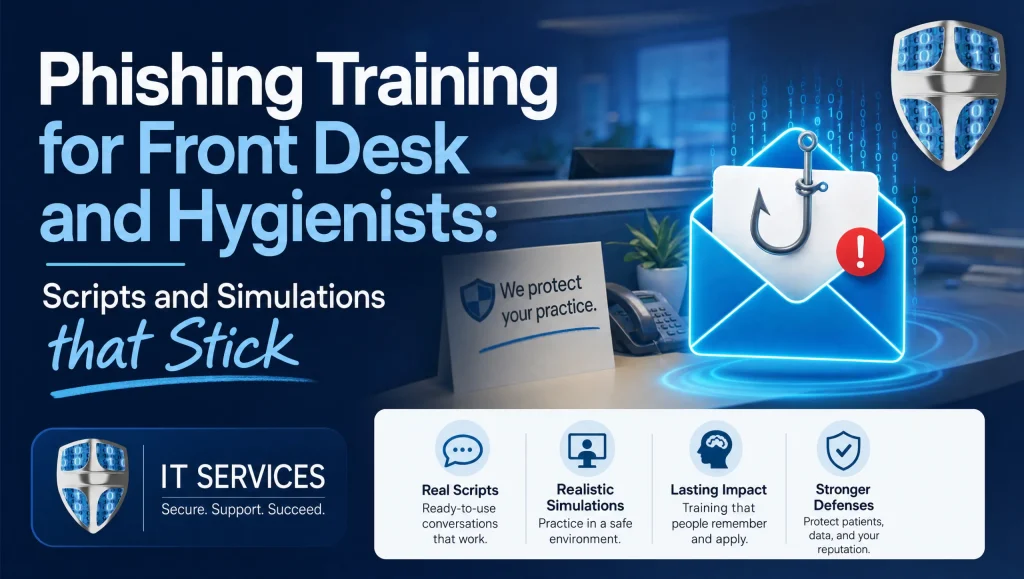
In our Houston client work, we’ve seen front desk teams dramatically improve reporting after we swapped generic “bank alerts” for look‑alike payer portal emails and added a two‑line call script. The change was small, but it fit their actual day—exactly when EOBs and referrals flood the inbox.
Myth vs. Fact: Phishing Training in Healthcare
- Myth: “If staff just stop clicking, we’re safe.”
Fact: Real safety comes from fast reporting and containment. Mistakes happen; quick reporting prevents spread. - Myth: “Monthly training takes too long.”
Fact: Ten minutes with one realistic example and a short role‑play is enough to build lasting habits. - Myth: “Simulations should trick people to prove a point.”
Fact: The goal is learning, not shame. Use teachable moments and measure improvement over time.
Getting Started: A Simple 2‑Week Plan
Week 1
- Bookmark portals (payer, EHR, imaging) on all role‑based workstations
- Add a “Report Phish” button and confirm where reports go
- Share one script per role (front desk, clinical, billing, provider)
Week 2
- Run one Level 1 simulation during business hours
- Debrief for 10 minutes in your team huddle: what worked, what to change
- Pick one improvement (e.g., second‑channel call list at the phone)
Houston Context: What to Expect During Implementation
- Front desk teams: Fast progress by replacing attachments with secure portal habits
- Hygienists: Confidence grows when x‑ray shares and lab results always route through known systems
- Billing: Early wins by verifying “past‑due” emails inside payer portals
- Providers: Reduced alert fatigue with a simple “log in directly” habit for all notices
If you want structured guidance, explore Houston dental IT support and HIPAA‑compliant IT services here: CompTSS.
CompTSS Playbook Excerpt: Universal “Say/Do” Card
- Say: “We only act on requests verified through our portal or a phone number on file. I’ll check now.”
- Do: Hover → header check → second‑channel verification → report
- Never: Enter credentials from an email link, open unknown attachments, or forward PHI outside secure messaging
Tape this near each workstation and review it during monthly huddles.
Maintenance: Keep It Current Without Extra Work
- Refresh templates quarterly to mirror current payer branding, portal messages, and seasonal lures
- Keep the drill the same length every month so it stays predictable
- Rotate roles so each team member practices front desk email safety and clinical scenarios
When to Level Up Your Program
Consider a deeper review if you notice:
- Rising time‑to‑report or repeated risky clicks
- New lines of service (adding imaging or specialty referrals)
- Staff turnover or expansion to a second location
An environment‑wide checkup can help you tune policies, MFA, filtering, and endpoint protections. Start with a cybersecurity audit and Zero Trust review.
Conclusion: Make Phishing Training for Healthcare Staff Stick
Effective phishing training for healthcare staff pairs short, role‑specific scripts with realistic phishing simulations and supportive coaching. In Houston dental and medical practices, this protects patient data, keeps schedules intact, and builds everyday verification habits—especially at the front desk and chairside. Start with a 10‑minute monthly drill, measure reporting and time‑to‑report, and keep tech layers like MFA, filtering, and backups quietly doing their job in the background. If you’d like a Houston‑based partner to design simulations, coach your team, and integrate protections around Dentrix, Eaglesoft, or Open Dental without disrupting care, reach out to CompTSS for warm, practical help: https://comptss.com/.
Frequently Asked Questions
What is phishing training for healthcare staff?
Short answer: It’s a security awareness program that teaches each role to spot, verify, and report suspicious messages using short “say/do” scripts and realistic simulations.
Expanded answer: Phishing training for healthcare staff focuses on the first 10 seconds of decision‑making in the inbox. Teams practice role‑specific scripts (front desk, clinical, billing, providers), run graded phishing simulations, and measure reporting rate and time‑to‑report. The aim is confident verification and fast, no‑blame reporting that protects patient data and keeps schedules on track in Houston offices.
How often should we run phishing simulations in a dental or medical office?
Short answer: Monthly, in a 10–15 minute drill.
Expanded answer: Keep a predictable cadence—one realistic inbox example, one quick role‑play, and one improvement to keep. Monthly practice builds muscle memory without disrupting care. Use graded difficulty (Levels 1–3) that mirrors your real Houston workflows and vendors.
What should front desk teams do in the first 10 seconds of a suspicious email?
Short answer: Hover, check the header, verify through a second channel, and report.
Expanded answer: For front desk email safety, use “say/do” scripts: decline attachments, confirm via known portals, and call back using the number on file. The universal steps are hover over links, check sender/domain closely, verify via portal or phone, and use the Report Phish button.
How do we measure a successful security awareness program?
Short answer: Track reporting rate and time‑to‑report, then coach—not punish.
Expanded answer: Two metrics matter most: what percent of staff report suspicious messages, and how quickly they report after opening. Celebrate fast reporting and provide short, supportive coaching for repeat clickers. For a deeper baseline (Zero Trust, endpoints), consider a cybersecurity audit: https://comptss.com/cybersecurity-audit-ultimate-cybersecurity-audit
What Houston‑specific phishing lures should we expect?
Short answer: Look‑alike payer portal notices, referral PDFs with passwords, equipment invoices, and “secure message” alerts.
Expanded answer: In Greater Houston, common hooks mirror daily rhythms—EOB attachments, MFA reset prompts, referral requests, Dexis/Sidexis viewer “updates,” and patient payment links. Build simulations around these real subjects to make training stick without disrupting patient care.
How do we keep training HIPAA‑aligned without scaring people?
Short answer: Teach minimum necessary sharing, secure messaging, and a no‑blame reporting process.
Expanded answer: Reinforce “verify first, then act,” use secure portals, and confirm your vendors have BAAs. Avoid fear tactics—focus on fast containment and clear steps after a mistake. For essentials, see: https://comptss.com/hipaa-compliance-unlocking-healthcare-it-hipaa
What should we do immediately if someone clicks a phishing link?
Short answer: Lock the account, reset password, remove forwarding rules, and report the incident.
Expanded answer: Revoke sessions, remove unauthorized inbox rules/forwarders, review recent sends, notify affected parties if needed, and restore from backups if data changed. Strengthen MFA and filtering afterward. Planning resources: ransomware recovery (https://comptss.com/ransomware-recovery-master-ransomware-recovery) and cloud backup/system recovery (https://comptss.com/cloud-backup-unlock-it-success-cloud-backup-sys)
Which tech layers best support people during phishing training?
Short answer: MFA, email filtering with safe‑link rewriting, timely patching, and encrypted, tested backups.
Expanded answer: Human habits come first; quiet protections catch the rest. Apply MFA on email, EHR, and payer portals; keep systems patched; and test restores regularly so recovery is routine. If you need a structured review, try a cybersecurity audit: https://comptss.com/cybersecurity-audit-ultimate-cybersecurity-audit
Can training be tailored for Dentrix, Eaglesoft, Open Dental, Dexis, and Sidexis/Sirona?
Short answer: Yes—use scripts and simulations that reinforce portal logins, secure messaging, and saved bookmarks.
Expanded answer: Build scenarios around how your team actually moves referrals, imaging, and lab results. The goal is consistent habits—log in directly from bookmarks, use secure messaging, and share only the minimum necessary—so clinical flow isn’t disrupted.
Does this really work in busy Houston practices?
Short answer: Yes—small, realistic tweaks drive quick wins.
Expanded answer: In our Houston client work, front desk reporting jumped after we replaced generic “bank alerts” with look‑alike payer portal emails and added a two‑line call script. The change took minutes, matched their EOB routine, and made “verify then report” the natural next step.