Clinic Network Design Houston: Firewall to Operatories
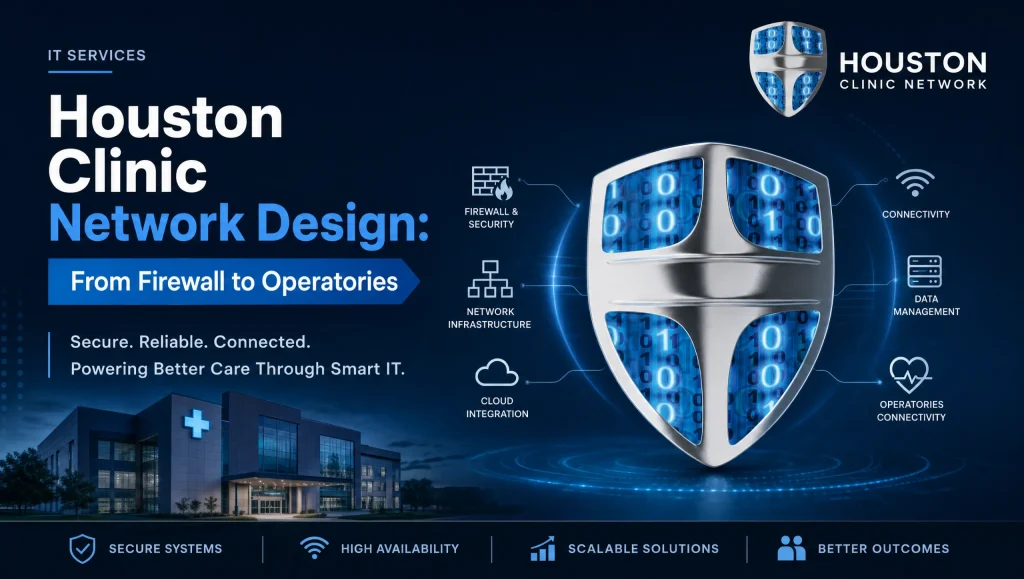
Houston Clinic Network Design: From Firewall to Operatories
Clinic network design Houston means planning and deploying a secure, segmented network—firewall, VLANs, secure switching, Wi‑Fi, and cabling to every operatory—so EHR and imaging traffic stay fast, reliable, and HIPAA-minded across your Houston clinic. When the design is right, staff stop fighting the network and systems simply work—front desk to back office to operatory—every hour you’re open.
Key components at a glance:
- Hardened firewall with VPN/MFA and updated firmware
- VLANs for healthcare: EHR, imaging, VoIP, admin, guest, IoT
- Secure switching: 802.1X, port security, QoS, PoE planning
- Wi‑Fi with separate SSIDs and WPA3-Enterprise
- Labeled, shielded cabling to operatories and IDF standards
- 24/7 monitoring, patching, and encrypted, tested backups
At CompTSS, our Houston-based team specializes in healthcare and dental networks that support EHR, dental imaging, and multi-site connectivity. We pair HIPAA-aware design with real hands-on experience in Dentrix, Eaglesoft, Open Dental, Dexis, and Sidexis/Sirona—backed by flat-rate managed support and fast remote help when you need it most. For a deeper look at our compliance approach, see our HIPAA and EHR insights at Unlocking Healthcare IT: HIPAA, EHR & Cutting-Edge System Trends.
What Clinic Network Design Houston Means for Healthcare and Dental Practices
Balancing Reliability, Security, and Workflow Speed
In a clinical setting, time to first image and chart load speed directly shape patient flow. A practical design reduces broadcast noise, isolates chatter from IoT devices, prioritizes imaging and voice, and delivers consistent, predictable performance during peak hours. Redundancy at critical points—firewall, switch core, and internet—keeps chairs moving even if a component hiccups.
HIPAA-Minded Controls Without Overcomplicating Staff Work
HIPAA is a security baseline, not a usability tax. Access should be role-based and consistent: staff sign in once, devices land on the correct VLAN, and exceptions are documented. We translate HIPAA requirements into focused controls—strong authentication, encryption in transit, and auditable logs—without burying your team in prompts or slowdowns.
Firewall Best Practices for Clinics
Baseline Hardening (admin access, MFA, vetted firmware, logging)
- Lock down management to specific admin IPs or a secure management VLAN.
- Enforce MFA for admin logins and all VPN users.
- Keep firmware to vendor-recommended, medically compatible versions (vetted in staging where possible).
- Enable detailed logging and forward logs to a central system for review and retention.
Layered Threat Protection (IDS/IPS, web filtering, geo/IP reputation where appropriate)
- Turn on IDS/IPS with healthcare-safe policies to catch exploit attempts without breaking imaging flows.
- Use web filtering to reduce phishing and drive-by infections.
- Apply geo-blocking and IP reputation lists when it aligns with your referral and vendor footprint.
Secure Remote Access (VPN with MFA, per-role policies, vendor access controls)
- Provide staff and vendors a VPN that uses MFA and device posture checks when feasible.
- Build per-role policies (e.g., an imaging vendor reaches only the PACS-like server VLAN, not EHR).
- Time‑bound vendor access with change tickets and automatic expiration.
High Availability and Failover Options for Clinics in Houston
- Pair firewalls in HA to avoid single points of failure.
- Consider dual internet with automatic failover—especially for cloud EHR or VoIP-heavy clinics.
- In multi-tenant medical suites, coordinate demarc and power with building management early to prevent last-minute surprises.
VLANs for Healthcare: Segmentation That Matches Clinical Reality
Typical VLAN Map (EHR/Practice Mgmt, Imaging, VoIP, Guest Wi‑Fi, IoT/Facilities, Admin)
A right-sized, common map includes:
- EHR/Practice Management
- Imaging (Dexis, Sidexis/Sirona, sensors, cameras)
- VoIP/Phone system
- Admin/Back office
- Clinical staff Wi‑Fi
- Guest Wi‑Fi
- IoT/Facilities (thermostats, TVs, security panels)
- Management/Infrastructure (printers, domain controllers, RMM, backups)
Inter-VLAN Rules: Least Privilege and Auditable Exceptions
Default to deny between VLANs, then allow only what’s needed:
- EHR to database ports only
- Imaging VLAN to its storage shares and application servers
- VoIP to call controller and SIP trunks
- Admin to specific management endpoints
Maintain an exceptions list with requestor, rationale, ports, and expiry for audit readiness.
QoS and Traffic Prioritization for Imaging and Voice
Prioritize:
- Voice (EF class) for call clarity during busy times
- Imaging transfer and DICOM-like workloads
- EHR database traffic
Apply consistent DSCP markings at the edge, trust on switches, and mirror in the firewall to prevent remarking conflicts.
Documenting VLAN Design for HIPAA and Audits
Keep a living diagram, IP plans, and rule summaries. Tag each rule with a HIPAA rationale (e.g., “Minimum Necessary—segregate PHI services”). Store configs and diagrams in an encrypted, backed-up repository with version history.
Secure Switching and Cabling from the IDF to Operatories
Access vs. Trunk Ports, 802.1X, and Port Security
- Trunks carry VLANs between switches; access ports map endpoints to a single VLAN.
- Use 802.1X where supported to authenticate devices onto the proper VLAN.
- Enable port security: limit MACs, disable unused ports, and shut/no-shut on violations with alerts.
PoE Planning for Cameras, Phones, Sensors, and Scanners
- Inventory PoE draws (APs, phones, cameras, badge readers, sensors).
- Size switches with at least 20–30% PoE headroom to handle future devices or peak draw.
- Use UPoE or higher wattage on runs serving panoramic sensors and multi-device work areas.
Cabling to Operatories: Shielded Runs, Labeling, and Drops per Room
- Use shielded Cat6/Cat6a for imaging stations near X-ray generators to reduce interference.
- Provide at least two data drops per operatory (workstation + sensor/scanner), plus one spare where possible.
- Label both ends and document in a floor plan. Keep cable paths away from power where feasible and follow bend-radius limits.
Switch Stacking, Redundancy, and UPS Sizing
- Stack or use MLAG/VPC for the access layer to simplify management and provide failover.
- Protect core and IDF switches with properly sized UPS units; calculate runtime to cover short outages and safe shutdowns.
- In Houston buildouts, consider humidity and heat in network closets—ventilation and dedicated power circuits pay for themselves.
Wi‑Fi for Clinics: Coverage, Capacity, and Security
Separate SSIDs: Staff, Clinical Devices, and Guest
- Broadcast distinct SSIDs mapped to their VLANs: Staff/Clinical, Admin as needed, and Guest isolated from PHI resources.
- Use bandwidth limits and client caps for Guest to protect clinical traffic.
WPA3‑Enterprise and RADIUS Considerations
- Prefer WPA3‑Enterprise with RADIUS for staff and clinical devices.
- Integrate with directory services for role-based access and easy offboarding.
AP Placement to Avoid Imaging Interference
- Keep APs clear of lead-lined walls and panoramic rooms that attenuate signal.
- Avoid mounting near large metal cabinets and HVAC trunks common in sterilization areas.
RF Surveys for Houston Medical/Dental Buildouts
- Perform pre- and post-deployment surveys; multi-tenant suites can change RF profiles weekly as neighbors add APs.
- Document heatmaps and channel plans and review quarterly.
Integrating EHR and Dental Imaging Systems
Vendor Requirements (Dentrix, Eaglesoft, Open Dental) and PACS-like Imaging
Each vendor stack has unique port, server, and share requirements. Build a compatibility checklist:
- Dentrix/Eaglesoft/Open Dental server specs, database ports, and share paths
- Dexis and Sidexis/Sirona imaging storage and workstation mappings
- Antivirus exclusions for imaging folders and DICOM-like services
- Scheduled maintenance windows that don’t cut into patient hours
DICOM/Imaging Throughput and Storage Paths
- Dedicate imaging VLAN bandwidth and prioritize large file transfers.
- Use fast local storage or hybrid NAS with SSD cache for imaging shares.
- Map clear storage paths for sensors, cameras, and pano/CBCT—avoid sending large studies over guest/slow links.
Testing Backups, DR for App Servers, and Imaging Archives
- Back up application servers, databases, and imaging archives with encryption.
- Test restores regularly to a staging environment to validate RTO/RPO against clinic hours.
- Retain configuration backups for firewalls, switches, AP controllers, and key servers.
Monitoring, Backups, and Disaster Recovery
24/7 Monitoring, Patch Management, and Log Review
- Monitor link status, switch health, AP capacity, VPN tunnels, and endpoint security status around the clock.
- Apply patches during planned windows; stage firmware changes and roll back quickly if needed.
- Centralize logs and review for anomalies; keep retention aligned with policy.
Automated, Encrypted Backups of Configs and Servers
- Automate daily backups for network device configs and clinic servers.
- Encrypt data in transit and at rest; store copies offsite/cloud.
- Version and label configs so you can restore to “last known good” fast.
Tested Disaster Recovery: RTO/RPO Aligned to Clinic Hours
- Define critical systems (EHR, imaging, phones) and set RTO/RPO by role.
- Run tabletop exercises and annual restore tests.
- Consider warm standby for practice management and imaging servers if downtime impact is high.
Compliance Touchpoints Without the Jargon
HIPAA Risk Assessments Tied to Network Controls
- Map findings to specific technical safeguards: segmentation, access controls, encryption, and audit logging.
- Track remediation with owners and dates; keep artifacts for audits.
Email Filtering, Encryption, and Endpoint Hardening
- Layer email defenses: phishing filters, sandboxing, and DMARC alignment.
- Provide easy-to-use message encryption for patient communications when required.
- Enforce endpoint hardening: disk encryption, patching, MFA, and limited local admin.
Access Reviews and Onboarding/Offboarding Workflows
- Quarterly access reviews catch stale accounts across EHR, imaging, and VPN.
- Standardize onboarding with role-based templates; offboarding should revoke access on last day, including vendor VPN accounts.
Real-World Houston Insight
On a recent multi-operatory dental upgrade in Houston, our team segmented imaging devices to a dedicated VLAN with QoS and moved vendor access behind an MFA-protected VPN. After labeling operatory drops and enabling 802.1X on access ports, panoramic images started uploading faster and front-desk check-ins stopped spiking CPU on the imaging server—no heroics, just clean design.
Myth vs. Fact: Segmentation and Speed
- Myth: “VLANs slow everything down.”
Fact: Proper VLANs reduce broadcast storms and let you prioritize clinical traffic. The result is typically faster, more consistent performance. - Myth: “Guest Wi‑Fi can share the same network safely if we use a strong password.”
Fact: Guest access needs isolation. Separate SSIDs and VLANs protect PHI and prevent accidental device discovery. - Myth: “We don’t need QoS—our internet is fast.”
Fact: QoS primarily manages internal traffic and voice, ensuring imaging studies and calls stay clear even during local bursts.
Get a Practical Network Design You Can Support
CompTSS designs, deploys, and manages secure networks for clinics across Greater Houston, including Katy and Sugar Land. Our flat-rate Assurance plan includes 24/7 monitoring, rapid remote response with on-site support as needed, and ongoing improvements that keep your network aligned with your workflow. If you need broader help, explore our Houston dental and healthcare IT support and HIPAA-compliant IT support. We also offer:
- A HIPAA-focused cybersecurity audit and Zero Trust review to strengthen controls
- Ransomware recovery planning and disaster recovery strategy tailored to clinics
- Secure, encrypted backups with cloud backup and system recovery guidance
- A responsive remote helpdesk for fast remote response when issues arise
- Dental IT solutions and support for Dentrix and Open Dental
Links:
- Ultimate Cybersecurity Audit: Zero Trust & Endpoint Protection Guide
- Master Ransomware Recovery: Unbeatable Defense & Disaster Planning
- Unlock IT Success: Cloud Backup & System Recovery Insights Revealed
- Unlocking IT Support: Remote Helpdesk & System Recovery Secrets
- Revolutionize Dental Practice: IT Solutions for Secure, Efficient Ops
Signs You’re Ready to Redesign
- Imaging uploads stutter when the front desk prints or runs reports
- Phones crackle during busy hours or after adding new APs
- Guest Wi‑Fi devices appear on staff machine discovery tools
- Vendor access is a shared login with no time limits
- No documented VLAN map or device labeling
What to Expect with CompTSS
- Assessment: We review your floor plan, wiring, devices, and vendor requirements.
- Design: A clear firewall-to-operatory plan with VLANs, QoS, and Wi‑Fi heatmaps.
- Deployment: Staged changes, after-hours cutover where necessary, and validation with your clinical team.
- Support: Flat-rate monitoring, backups, patching, and change documentation you can use for HIPAA audits.
Suggested Visuals to Include
- Sample VLAN map with inter-VLAN rules and QoS markings (image alt text: “clinic network design Houston VLAN map”)
- Operatory wiring diagram showing shielded drops, labeling, and PoE allocation
- Wi‑Fi heatmap for a multi-operatory suite
Frequently Asked Questions
Conclusion
A solid clinic network design Houston approach gives your practice a secure, segmented foundation from firewall to operatory: hardened edge security, VLANs for healthcare, secure switching, resilient Wi‑Fi, and clean cabling. It keeps EHR and imaging responsive, supports compliance, and scales as you add rooms or sites. If you’re ready for a practical plan you can support day to day, let CompTSS design and manage it—with local expertise and steady, flat-rate care across Greater Houston. Reach out to schedule a short assessment and see what a cleaner network can do for your next patient block.