Vendor Risk Management Healthcare for Houston Dental Offices: BAAs, Integrations, and Access Control
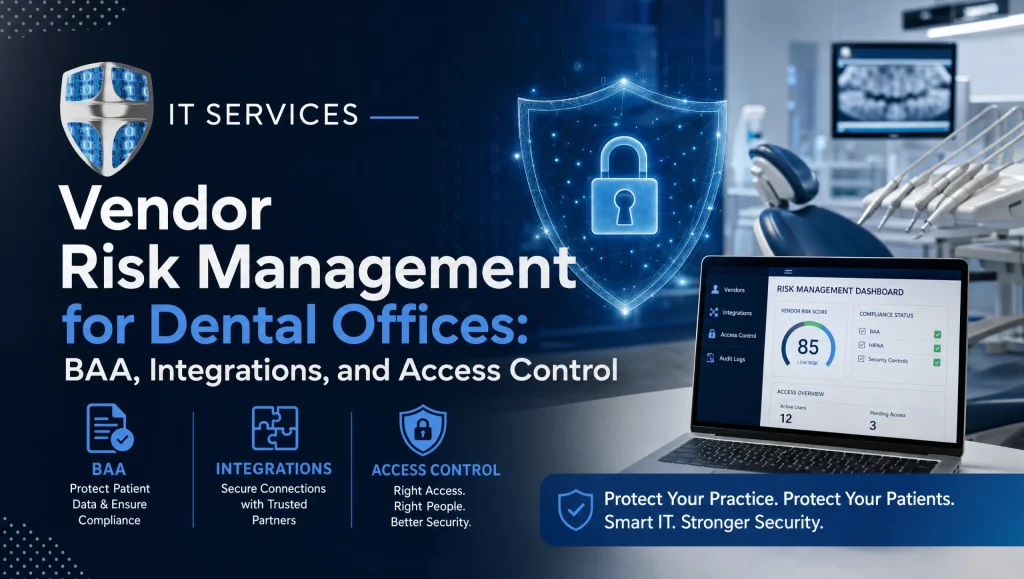
Dental practices in Houston work with an extensive mix of partners—labs, billing and RCM firms, imaging vendors, marketing agencies, and software providers. Any one of them can become an entry point for a breach if PHI is mishandled or if they’re given more access than they truly need. This guide explains how vendor risk management healthcare helps dental offices contain third‑party risk with stronger Business Associate Agreements (BAAs), least‑privilege access, and secure dental software integrations—so you can keep patient data safe and stay HIPAA compliant.
In a dental setting, vendor risk management healthcare is the ongoing process of identifying, evaluating, and controlling third‑party risks—through clear BAAs, tight access control, and well‑secured software integrations—to protect PHI and meet HIPAA requirements.
What Is Vendor Risk Management Healthcare in a Dental Setting?
In dentistry, vendor risk management covers any third party that creates, receives, maintains, or transmits PHI—or has access to systems that store PHI. The goal is to make sure your partners meet your security and compliance standards before, during, and after they work with your practice.
- Common dental vendors: labs and imaging centers, billing/RCM companies, marketing and web agencies, practice management (PMS) and EHR vendors, imaging software providers, cloud backup and hosting providers, and managed service providers (MSPs).
- Where breaches originate: phishing emails that compromise vendor accounts, insecure software integrations and file transfers, excessive or shared vendor logins, and unpatched systems that vendors manage or touch.
In Houston, coordination with local partners is especially important—many still visit practices, plug into office networks, or remote in after hours. A clear plan prevents “quick fixes” that unintentionally introduce risk.
HIPAA BAA Essentials for Dental Offices
A BAA is the backbone of vendor risk management for any partner that handles PHI. It sets expectations, responsibilities, and accountability on both sides.
HIPAA BAA checklist
Use this practical HIPAA BAA checklist to evaluate or draft your agreements:
- Purpose and permitted uses: Define the exact services and permitted PHI uses/disclosures.
- PHI scope and minimum necessary: Specify the PHI required and limit access to the minimum necessary.
- Safeguards: Require administrative, physical, and technical safeguards aligned with the HIPAA Security Rule (e.g., encryption, access controls, MFA).
- Breach and security incident notice: Set clear timelines for incident/breach notification and specify required details.
- Subcontractors: Require vendors to bind subcontractors to equivalent BAA terms.
- Access, amendment, accounting of disclosures: Outline support for HIPAA rights when needed.
- Termination, return/destroy PHI: Define how PHI is returned or securely destroyed at contract end.
- Audit and verification: Allow reasonable assessments or attestations to verify controls.
- Indemnity/insurance: Document cyber liability/tech E&O insurance limits appropriate for exposure.
Mapping BAAs across your vendor list
- Primary vendors: PMS/EHR, imaging, billing/RCM, labs, marketing firms that manage patient communications, backup/hosting, MSPs.
- Downstream vendors: Cloud sub‑processors, ticketing tools, remote access tools, email providers used by your vendors. Ensure your BAAs require your vendors to flow down equivalent obligations to these subcontractors and disclose material changes.
Red flags in BAAs to avoid
- Vague security promises like “industry standard” with no specifics.
- Long breach notice windows (e.g., “without undue delay” but no maximum days).
- No responsibility for subcontractors.
- No defined PHI return/destroy process.
- Provisions that claim ownership of your data or restrict your right to retrieve it.
Third‑Party Access: Least Privilege and Monitoring
Many incidents stem from over‑permissioned or shared vendor accounts. A handful of targeted guardrails dramatically cut risk.
Role‑based access models
- Front desk: schedule and demographic data only.
- Billing/RCM (internal and vendor): financial and claims data; no imaging or clinical notes unless required.
- Vendor support: just‑in‑time, time‑bound access to the specific system needed (e.g., Dentrix admin console), not the entire network.
MFA, SSO, and time‑bound access for vendors
- Require MFA for all vendor logins—remote tools, PMS/EHR, portals, and cloud consoles.
- Use SSO where available to centralize control and streamline offboarding.
- Grant elevated permissions only for a defined window tied to a support ticket; revert automatically.
Logging, alerts, and 24/7 monitoring
- Enable audit logs for vendor accounts and critical systems. Alert on after‑hours access, failed MFA, and unusual data export activity.
- Centralize logs so your team or MSP can investigate quickly. A simple weekly access report often catches anomalies early.
Offboarding and credential rotation
- Maintain a vendor access register: who has access to what, why, and when it was granted.
- On termination or role change, immediately revoke access, rotate shared keys, and remove VPN profiles.
- Quarterly, certify all vendor accounts; disable any that aren’t justified.
Dental Software Integrations: Safe Connections That Protect PHI
Your practice management and imaging platforms are integration hubs. Hardening these connections helps prevent accidental PHI exposure.
Practice management and imaging platforms
- Named platforms: Dentrix, Eaglesoft, Open Dental, Dexis, and Sidexis/Sirona.
- Confirm supported, documented integration methods; avoid custom “backdoor” scripts where possible.
- Use separate service accounts per integration to limit blast radius.
API keys, secure tunnels, and IP allowlisting
- Store API keys in a password vault; never in spreadsheets or code.
- Prefer secure tunnels/VPN with IP allowlisting for vendors who must remote in.
- Rotate keys on staff/vendor changes and set scoped permissions for each integration.
Patch management and update coordination
- Coordinate scheduled patches with vendors to avoid downtime and prevent version mismatches that break integrations.
- Maintain an inventory of versions and support end‑of‑life timelines.
Email, forms, and patient portals
- Enforce TLS for email in transit and use email filtering to block phishing and malware.
- For web forms and portals, use HTTPS, avoid PHI in unsecured emails, and confirm data is stored encrypted at rest.
- Test password reset, MFA options, and account lockout policies.
Building a Repeatable Vendor Risk Workflow
A simple, repeatable process beats ad‑hoc decisions every time.
Inventory and tier vendors by PHI exposure
- Tier 1: Direct PHI handlers (PMS, imaging, billing/RCM, labs).
- Tier 2: Systems with potential PHI access (MSP, backup, secure messaging).
- Tier 3: No PHI but business‑critical (marketing site without forms, office supplies).
Due diligence
- Send security questionnaires or request existing attestations (e.g., SOC 2, ISO 27001, or equivalent security program descriptions).
- Ask for references from similar dental clients and confirm incident handling practices.
Contracting
- Finalize BAAs, add minimum security requirements (MFA, encryption, patch cadence), document cyber insurance limits, and define incident cooperation (forensics, logs, timelines).
Ongoing assessment
- Quarterly access reviews and re‑certification.
- Track and test backups and disaster recovery with vendor involvement.
- Annual refresh of questionnaires or attestations for Tier 1/Tier 2 vendors.
Incident Response and Disaster Recovery with Third Parties
Even with strong controls, incidents can happen. Plan who does what—and how fast.
Who to call and what to collect
- Define a call tree with your internal lead, MSP, legal/compliance, and the affected vendor.
- Collect logs, timelines, affected accounts/systems, and the initial scope of PHI exposure.
- Preserve evidence; avoid making system changes that destroy logs until guided by your incident lead.
Restoration and DR runbooks
- Restore from automated, encrypted backups after containment. Test restores quarterly so you’re not learning under pressure.
- Maintain vendor‑specific DR runbooks so each party knows their steps and dependencies.
Coordinating notices with vendors per BAA terms
- Follow the BAA’s breach notice timelines and content requirements.
- Align on who notifies patients, payers, or authorities and how messaging will be handled.
Houston‑Specific Considerations
Local labs and billing partners
- If a partner picks up or drops off media, verify physical safeguards: locked storage, visitor logs, and clean desk policies.
- For Houston‑area billing firms, confirm network segmentation and secure remote access methods—especially if they support multiple practices.
On‑site vs. remote vendor work
- Provide a segmented guest network for vendors working in your office; never share production Wi‑Fi passwords.
- Require vendor badges and sign‑in/out. Supervise any physical access to servers, workstations, or network gear.
Aligning with your Houston MSP
Choose a local MSP that understands dental workflows and can be on site quickly when needed. CompTSS provides HIPAA‑aware support and fast response across Greater Houston, including Katy and Sugar Land. Explore our HIPAA‑compliant dental and healthcare IT support: https://comptss.com/
Myth vs. Fact: Vendor Risk in Dental Practices
- Myth: “We don’t share much PHI with vendors, so a BAA isn’t necessary.”
Fact: If a vendor can view or access PHI—even indirectly through support tools—they likely need a BAA. - Myth: “Once a vendor passes onboarding, we’re covered.”
Fact: Risks change. Quarterly access reviews and update coordination are essential. - Myth: “Our PMS vendor handles security for everything.”
Fact: Your practice controls network access, user permissions, and integrations—your policies matter as much as vendor controls.
A Note from First‑Hand Experience
Across our Houston client work, the biggest wins often come from simple changes: time‑bound vendor accounts, monthly access reviews, and confirming BAAs cover subcontractors. We’ve watched audits go more smoothly and after‑hours access issues drop when teams focus on these fundamentals.
How CompTSS Helps Dental Practices Manage Vendor Risk
As a Houston‑based team focused on healthcare and dentistry, we bring practical, HIPAA‑first controls that fit real dental workflows.
HIPAA‑focused cybersecurity
- We perform assessments aligned with HIPAA, implement encryption and MFA, tune email filtering, and handle proactive patching to reduce third‑party attack paths. See our approach to a thorough HIPAA security risk assessment: https://comptss.com/cybersecurity-audit-ultimate-cybersecurity-audit
Automated, encrypted backups with tested disaster recovery
- We set up automated, encrypted backups and test recoveries so you can restore quickly and confidently after incidents. Learn more about encrypted cloud backups: https://comptss.com/cloud-backup-unlock-it-success-cloud-backup-sys and our disaster recovery planning: https://comptss.com/ransomware-recovery-master-ransomware-recovery
Dental software support and integrations
- We support Dentrix, Eaglesoft, Open Dental, Dexis, and Sidexis/Sirona, hardening integrations and access so PHI stays protected. Explore our dental software integration support: https://comptss.com/it-solutions-revolutionize-dental-practice-it-s
Flat‑rate Assurance plan and responsive support
- Our flat‑rate Assurance plan scales with your workstations and includes 24/7 monitoring, fast remote response, and on‑site help in Greater Houston when needed. See how our 24/7 monitoring and remote helpdesk works: https://comptss.com/remote-helpdesk-unlocking-it-support-remote
- If you’re building a program from scratch, start with our HIPAA compliance best practices overview: https://comptss.com/hipaa-compliance-unlocking-healthcare-it-hipaa
Quick BAA and Access Control Checklist (Downloadable)
Use this condensed checklist to kick off or validate your vendor risk program:
- Inventory all vendors; label those that touch PHI.
- Execute or refresh BAAs with clear safeguards, breach timelines, and subcontractor flow‑downs.
- Enforce MFA on every vendor login; eliminate shared accounts.
- Limit third‑party access to least privilege; time‑bound elevated rights and use ticket‑based approvals.
- Secure integrations: rotate API keys, enforce HTTPS/TLS, use VPN/IP allowlisting, and separate service accounts.
- Coordinate monthly patching; track end‑of‑life and version compatibility with vendors.
- Centralize logging and enable 24/7 alerts for vendor activity.
- Offboard vendors promptly; rotate credentials and remove VPN profiles.
- Test encrypted backups and document DR runbooks with vendor roles.
- Review access quarterly and update risk tiers annually.
Want help operationalizing this list? Start with HIPAA‑compliant dental IT support in Houston: https://comptss.com/ and dig deeper into disaster recovery planning: https://comptss.com/ransomware-recovery-master-ransomware-recovery
Featured‑Snippet Quick Steps
- Inventory all vendors and classify by PHI exposure.
- Execute a HIPAA BAA with clear safeguards and breach terms.
- Enforce least‑privilege, MFA, and time‑bound third‑party access.
- Secure dental software integrations (APIs, IP allowlisting, patching).
- Monitor logs 24/7 and review access quarterly.
- Test encrypted backups and disaster recovery with vendors.
Next Steps for Houston Dental Offices
If you’re just starting:
- Confirm which vendors need BAAs and send your updated template.
- Turn on MFA and disable unused vendor accounts today.
- Schedule a short review of your Dentrix/Open Dental or Eaglesoft integrations to verify secure keys, roles, and logging.
If you have basics in place:
- Add quarterly access re‑certification and monthly patch coordination with key vendors.
- Validate backup restore tests with your MSP and billing/RCM partner involvement.
- Document your vendor incident response roles and call tree.
CompTSS can collaborate with your internal team and vendors to implement these practices in a way that fits your operations and budget. We focus on practical controls that protect PHI without slowing down your schedule.
Conclusion
Strong vendor risk management healthcare—built on clear BAAs, least‑privilege third‑party access, and hardened dental software integrations—significantly reduces breach risk for Houston dental offices. If you’d like a local partner who understands dental workflows and can help align your vendors to HIPAA while keeping systems fast and reliable, schedule a calm, no‑pressure consult with CompTSS. Start here: HIPAA‑compliant dental IT support in Houston: https://comptss.com/
Image suggestions and alt text
- Image: Dental admin reviewing vendor list with MSP. Alt: vendor risk management healthcare for Houston dental offices.
- Image: MFA prompt on dental PMS login. Alt: vendor risk management healthcare third‑party access control.
- Image: Integration diagram of Dentrix/Open Dental with imaging. Alt: vendor risk management healthcare dental software integrations.
Frequently Asked Questions
1) What is vendor risk management healthcare for dental offices?
Short answer: It’s the process of identifying, assessing, and controlling third‑party risks to protect PHI and stay HIPAA compliant.
Expanded: In a dental setting, vendor risk management healthcare centers on clear BAAs, least‑privilege access, and secure dental software integrations. It applies to any partner that creates, receives, maintains, or can access PHI—before, during, and after they work with your practice.
2) Which vendors need a HIPAA BAA?
Short answer: Any vendor that creates, receives, maintains, or transmits PHI—or can view PHI through support access—needs a BAA.
Expanded: Common examples include PMS/EHR and imaging vendors (e.g., Dentrix, Eaglesoft, Open Dental, Dexis, Sidexis/Sirona), billing/RCM firms, labs, MSPs, cloud backup/hosting, and marketing firms that manage patient communications. Your BAAs should also require subcontractors to follow equivalent terms.
3) What should be in a HIPAA BAA for a dental office?
Short answer: Define permitted uses, minimum necessary PHI, safeguards, breach notice timelines, subcontractor obligations, and data return/destroy.
Expanded: Include administrative/physical/technical safeguards (encryption, MFA, access controls), incident notice timeframes, audit/verification rights, support for HIPAA patient rights, termination and PHI disposition, and appropriate cyber liability insurance. Avoid vague “industry standard” language or long, undefined notice windows.
4) How do we tier vendors by PHI exposure?
Short answer: Group vendors by how closely they handle PHI: Tier 1 (direct PHI), Tier 2 (potential PHI access), Tier 3 (no PHI).
Expanded: Tier 1 covers PMS/EHR, imaging, billing/RCM, labs. Tier 2 includes MSPs, backup providers, secure messaging. Tier 3 includes non‑PHI but business‑critical vendors (e.g., marketing sites without forms). Use tiers to set due diligence depth, review cadence, and security requirements.
5) How do we enforce least‑privilege and time‑bound third‑party access?
Short answer: Give vendors only what they need, only when needed—protected by MFA and centralized controls.
Expanded: Use role‑based models, require MFA on all vendor logins, prefer SSO where available, and grant elevated rights only for ticketed, time‑boxed windows. Enable audit logs, alert on after‑hours access, and run weekly access reports. Keep a vendor access register and re‑certify quarterly.
6) How can we secure dental software integrations (Dentrix, Eaglesoft, Open Dental, Dexis, Sidexis/Sirona)?
Short answer: Use documented methods, separate service accounts, secure key management, and hardened network paths.
Expanded: Avoid custom “backdoor” scripts. Store API keys in a password vault, rotate on staff/vendor changes, and scope permissions per integration. Prefer VPN/secure tunnels with IP allowlisting for remote vendor access. Coordinate patches with vendors and track versions and end‑of‑life dates.
7) What monitoring and logging should we enable for vendors?
Short answer: Turn on audit logs, centralize them, and alert on risky behavior 24/7.
Expanded: Log vendor account activity for critical systems; alert on failed MFA, unusual data exports, and after‑hours access. Centralize logs so your team or MSP can investigate quickly. A simple weekly access report often catches anomalies early.
8) How often should we review access and update BAAs?
Short answer: Review vendor access quarterly and refresh key due diligence and BAAs annually—or at material changes.
Expanded: Quarterly, re‑certify all vendor accounts and remove any that aren’t justified. Annually, refresh security questionnaires/attestations (e.g., SOC 2, ISO 27001) for Tier 1/2 vendors and confirm BAA terms, subcontractor disclosures, and incident timelines remain current.
9) What should we do if a vendor‑related incident occurs?
Short answer: Activate your call tree, preserve logs, contain access, and follow BAA notice terms.
Expanded: Contact your internal lead, MSP, legal/compliance, and the affected vendor. Collect timelines, logs, impacted accounts/systems, and PHI scope. After containment, restore from encrypted, tested backups and follow vendor‑specific DR runbooks. Coordinate patient/authority notifications per BAA.
10) Are there Houston‑specific considerations for labs and billing partners?
Short answer: Yes—plan for on‑site visits and physical/network safeguards common with local partners.
Expanded: Use segmented guest Wi‑Fi for on‑site vendor work, never share production passwords, require sign‑in/out and badges, and supervise physical access. For Houston‑area billing firms and labs, confirm secure remote access, network segmentation, and clear media handling (locked storage, visitor logs).
11) What quick wins can we implement this week?
Short answer: Turn on MFA, eliminate shared vendor accounts, and send updated BAA templates to PHI‑handling vendors.
Expanded: Also rotate API keys, enforce TLS/HTTPS across email and forms, validate logging and alerts for vendor accounts, and schedule a short review of your Dentrix/Open Dental/Eaglesoft integrations for roles, keys, and patch alignment.
12) How can a local MSP like CompTSS help our Houston dental practice?
Short answer: We align vendors to HIPAA with practical controls, 24/7 monitoring, and support for dental software and DR.
Expanded: CompTSS delivers HIPAA‑focused assessments, MFA/encryption/email filtering/patching, automated encrypted backups with tested recovery, and integration support for Dentrix, Eaglesoft, Open Dental, Dexis, and Sidexis/Sirona. Explore HIPAA‑compliant support: https://comptss.com/ plus our cybersecurity audit: https://comptss.com/cybersecurity-audit-ultimate-cybersecurity-audit and cloud backup/DR: https://comptss.com/cloud-backup-unlock-it-success-cloud-backup-sys and https://comptss.com/ransomware-recovery-master-ransomware-recovery