Local SEO — HIPAA Cybersecurity for Dentists in Houston: Practical Safeguards That Work
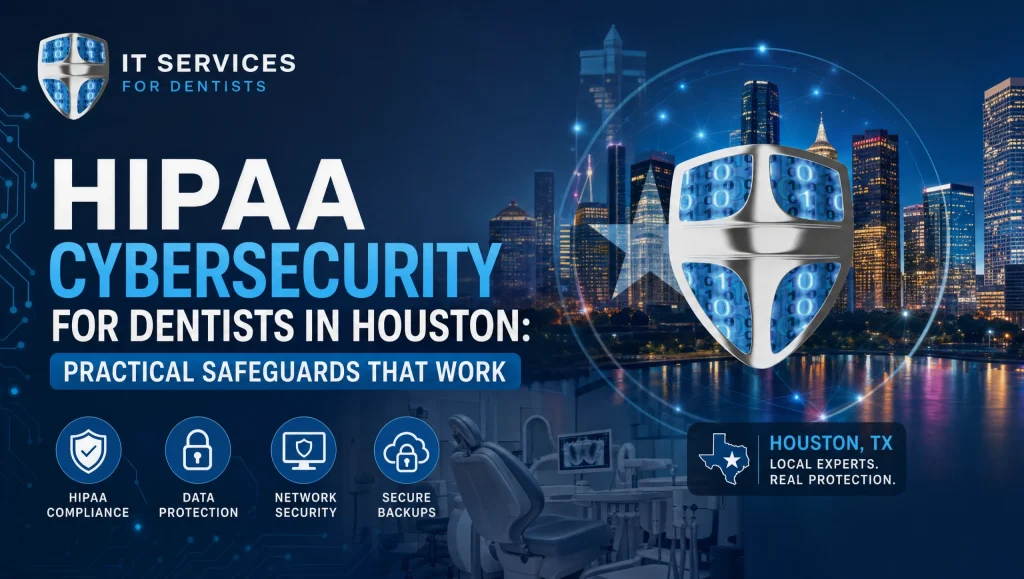
HIPAA Cybersecurity for Dentists in Houston: Practical Safeguards That Work
Dental practices across Greater Houston handle more electronic patient data than ever—from digital X-rays to insurance claims and referral files. That volume makes your systems a target and puts daily operations at risk if something goes wrong. This guide turns HIPAA cybersecurity for dentists into simple, workflow-ready steps your team can actually use—without the jargon.
At its core, HIPAA cybersecurity for dentists means applying the HIPAA Security Rule to protect dental ePHI with practical controls—like risk assessments, MFA, email filtering, and patch management—baked into everyday workflows across practice management, imaging, and patient communications.
What HIPAA Cybersecurity for Dentists Means for Houston Practices
Quick definition and what counts as ePHI in a dental office
- ePHI (electronic protected health information) is any patient-identifying health data stored or transmitted electronically. In a dental setting, that includes treatment notes, X-rays, intraoral photos, referral letters, insurance attachments, appointment reminders with health details, and even call recordings tied to a patient file.
- HIPAA requires “reasonable and appropriate” technical and administrative safeguards. Think of these as everyday controls that keep ePHI confidential, intact, and available when you need it.
Common risks in dental workflows (imaging, front desk, texting, referrals)
- Imaging: Imaging servers and workstations (Dexis, Sidexis/Sirona) can run legacy drivers and older OS versions if not maintained, making them soft targets.
- Front desk: Phishing emails and spoofed patient or vendor messages slip in during busy check-ins.
- Texting/communication: Unsecured texting or ad hoc file sharing to coordinate care can leak ePHI.
- Referrals: Large image attachments and referral notes often route through email—prime ground for impersonation attempts and malware.
Start with a HIPAA Risk Assessment (Your Roadmap)
Inventory systems: practice management, imaging, email, cloud storage, mobile
- List every system that touches ePHI: Dentrix, Eaglesoft, Open Dental, imaging software (Dexis, Sidexis/Sirona), intraoral scanners, email accounts, cloud storage, backup solutions, patient forms, billing platforms, laptops, tablets, and phones used by providers or admins.
- Don’t forget networking gear (firewall, Wi‑Fi), vendor remote access tools, and any third-party integrations.
Rank risks and document controls; update at least annually and after changes
- Prioritize by likelihood and impact. For example, unpatched imaging boxes might be “high” risk due to operational criticality.
- Map each risk to a control: MFA, email filtering, patch management, encryption, backups, access control, or training. Document who owns it and how you’ll verify it.
- Update the assessment yearly, after significant software or equipment changes, or before adding new integrations.
How CompTSS conducts HIPAA-focused assessments for dental workflows
- We tailor assessments to dental realities: image-heavy workflows, specialty devices, chairside computers, and busy front desks. Findings are translated into short, prioritized action items with timelines your team can live with.
- For broader guidance on strengthening your posture, see our HIPAA cybersecurity audit resources covering endpoint protection and Zero Trust approaches: Ultimate Cybersecurity Audit and Zero Trust & Endpoint Protection Guide.
MFA for Healthcare: Lock Down Logins Without Slowing Care
Where to enforce MFA: email, EHR/PMS portals, VPNs, backups, admin tools
- Enforce MFA first on: email accounts, remote access/VPN tools, administrator logins, and backup/recovery portals. These are the highest-value targets for attackers.
Choosing methods: app-based, hardware keys for admins, fallback codes
- App-based push prompts are the easiest for most dental teams.
- Hardware security keys are ideal for admin and server access.
- Provide single-use backup codes in sealed envelopes for outages, with a clear retrieval policy.
Training staff for smooth MFA adoption at the front desk and operatories
- Keep it simple with a 10-minute walkthrough and a one-page quick start showing screenshots for your email and practice software portals.
- Test MFA during a planned maintenance window, not during morning huddles or peak check-in times.
Email Filtering That Actually Catches Phishing
Layered filtering: DNS filtering, secure email gateway, impersonation protection
- Combine DNS filtering (blocks known bad domains), a secure email gateway (attachment/URL scanning), and impostor detection (flags lookalike domains using display-name spoofing).
- Configure DMARC/DKIM/SPF properly to reduce spoofing of your practice domain.
Quarantine routines and safe release; banner warnings for external senders
- Set clear review times for quarantined messages (e.g., twice daily), and provide safe-release steps to avoid rushed approvals.
- Add “External sender” banners to emails originating outside your domain to help the front desk spot invoice and referral scams.
Phishing simulations and just‑in‑time coaching for dental teams
- Run brief, monthly simulations. When someone clicks, show a quick, friendly tip explaining what to look for next time. Keep it positive and practical.
Patch Management: Keep Systems and Imaging Devices Current
Automate OS and third‑party updates; verify with reports
- Use centralized tools to automate Windows/macOS and third‑party software patching. Require success/failure reporting—no guessing.
Special care for imaging workstations (Dexis, Sidexis/Sirona) and drivers
- Test vendor-approved updates and drivers in a lab or on a spare workstation first. Imaging drivers can be sensitive to OS builds; stage before wide rollout.
Maintenance windows to avoid chairside disruptions
- Schedule patching after hours or on weekends. Aim for short, predictable windows and communicate what’s changing and when. Houston-area practices also benefit from pre‑hurricane season patch and backup checks.
Encrypt, Back Up, and Test: Your Safety Net
Full‑disk encryption on laptops and workstations handling ePHI
- Enable full‑disk encryption on all systems storing or accessing ePHI, including traveling laptops and operatories.
Automated, encrypted offsite backups with immutable copies
- Back up servers, imaging data, and PMS databases to encrypted offsite storage. Keep an immutable backup tier so ransomware can’t alter prior restore points.
- Learn more about encrypted cloud backups and practical system recovery insights: Unlock IT Success: Cloud Backup & System Recovery Insights Revealed.
Disaster recovery testing and documented RTO/RPO for dental ops
- Define recovery time objectives (RTO) for front desk check‑in, X‑ray viewing, and scheduling; define recovery point objectives (RPO) for databases and imaging.
- Perform test restores at least twice a year and before hurricane season. For deeper planning guidance, see Master Ransomware Recovery: Unbeatable Defense & Disaster Planning.
Access Control and Least Privilege for Dental Teams
Role-based access for hygienists, front desk, billing, and providers
- Limit each role to the minimum access needed. Hygienists shouldn’t have full billing exports; billing staff don’t need imaging admin rights.
Strong passwords + MFA + timed auto‑lock at the operatory
- Enforce strong passphrases, MFA, and auto-lock after brief inactivity—especially on chairside computers that may be unattended between patients.
Joiners/movers/leavers: swift account provisioning and deprovisioning
- Use documented checklists to create, change, and disable accounts the same day. Coordinate with HR so role changes trigger permission updates.
Protect Imaging and Integrations
Secure PACS/imaging servers and integrations (Dexis, Sirona)
- Keep imaging servers on supported OS builds, restrict administrative access, and log all changes. Require HTTPS for web-based viewers where supported.
Network segmentation for X‑ray, scanners, and IoT dental devices
- Place imaging and device networks on separate VLANs with firewall rules that only allow required traffic from PMS, imaging servers, and authorized admin stations.
Vendor remote access: time‑bound, logged, MFA‑protected
- Give vendors time-limited access with MFA and logging. Disable accounts once work is complete. Maintain an access log tied to tickets or change requests.
Train, Test, and Document
Annual HIPAA security training with practical, role‑based modules
- Short, role-focused training beats hour-long lectures. Front desk modules should emphasize phishing, impersonation, and safe handling of referral attachments; clinical modules can stress operatory auto-lock, device handling, and secure imaging workflows.
Tabletop incident response drills and contact trees
- Run a 30–45 minute tabletop scenario twice a year. Walk through who calls whom, how to isolate a compromised computer, and how to continue patient care while investigating.
Keep your HIPAA documentation tidy: policies, logs, BAAs, reports
- Maintain a central, organized repository with your risk assessment, policies, vendor BAAs, training logs, access logs, backup reports, and incident response plan. This reduces stress in audits and accelerates recovery if an incident occurs.
Local Help in Houston When You Need It
24/7 monitoring and fast remote response; on‑site support for Katy/Sugar Land
- CompTSS provides continuous monitoring and quick remote remediation, with on-site service across Greater Houston, including Katy and Sugar Land, when hands-on help is needed. When an issue pops up during morning huddle, you shouldn’t wait until the afternoon to fix it.
Flat‑rate Assurance plan with scalable workstation add‑ons
- Budget predictably with a flat-rate model that scales as your operatories and front-desk stations grow. Adding a new imaging workstation shouldn’t break your plan.
How CompTSS aligns safeguards to your unique dental software stack
- We support Dentrix, Eaglesoft, Open Dental, and common imaging suites like Dexis and Sidexis/Sirona. Controls like MFA, email filtering, patch management, and encrypted backups are tuned to dental workflows so your team stays productive. For broader practice support, explore our HIPAA‑compliant dental IT support in Houston.
Myth vs. Fact: Everyday HIPAA Cybersecurity in Dental Offices
- Myth: “MFA will slow down the front desk.” Fact: With app-based prompts and remembered devices, most logins add only a few seconds—and dramatically reduce account takeovers.
- Myth: “Imaging PCs can’t be updated without breaking drivers.” Fact: You can patch safely by staging updates, testing vendor-approved drivers, and scheduling changes during maintenance windows.
- Myth: “We’re too small to be targeted.” Fact: Attackers automate scans for exposed email and remote access; small practices are hit because they’re perceived as easier targets.
Real‑world note from the field
Last spring, our Houston team scheduled a Saturday maintenance window for a multi‑op dental clinic to roll out MFA and catch up on imaging workstation patches. We staged updates on a spare Dexis box first, matched driver versions, then pushed changes in waves. Monday morning, the front desk cleared MFA with app prompts in under 10 seconds, and operations ran without a hiccup—no chairtime lost.
Practical Safeguards That Work: Your Quick-Action Checklist
- Perform an annual HIPAA risk assessment and update after any major change
- Enforce MFA on email, remote access, admin accounts, and backup portals
- Deploy layered email filtering with impersonation and phishing protection
- Automate OS and third‑party patch management with verification reports
- Encrypt laptops and workstations; secure, immutable, offsite backups
- Segment the network for imaging devices and restrict vendor remote access
- Use role‑based access, strong passwords, and auto‑lock at operatories
- Run phishing simulations and brief, role‑based HIPAA security training
- Test disaster recovery and document RTO/RPO and incident response steps
Houston Realities to Keep in Mind
- Common ISP and firewall setups: Coordinate MFA, email filtering, and DNS filtering with your existing modems/routers/firewalls to avoid login or imaging viewer issues.
- Hurricane-season readiness: Test restores and generator/UPS capacity; verify cloud backup immutability and ensure critical contact trees are up to date and printed.
- Rapid on‑site support: For clinics in Katy, Sugar Land, and around the Loop, plan who can arrive quickly if a device fails during production.
How These Safeguards Map to HIPAA (No Legalese)
- Risk assessment: Your roadmap for reasonable, documented controls.
- Access control + MFA: Limits who can see or change ePHI.
- Email filtering + training: Reduces phishing and impersonation risk.
- Patch management: Fixes known vulnerabilities before they’re exploited.
- Encryption + backups: Protects data at rest and ensures recovery if lost or stolen.
- Audit logs + documentation: Shows you’re managing security consistently.
Image suggestions for this article
- Local image: Houston skyline or a clinic exterior, alt text: HIPAA cybersecurity for dentists—Houston practice MFA setup
- In-practice image: A secured workstation with screen privacy filter and auto‑lock reminder, alt text: HIPAA cybersecurity for dentists—secured operatory workstation
How CompTSS Helps You Put This Into Practice
- We design safeguards around dental software and chairtime realities, not theoretical checklists. Our 24/7 remote helpdesk and rapid system recovery support keep your team moving: Unlocking IT Support: Remote Helpdesk & System Recovery Secrets.
- Need help building your roadmap? Start with a focused review that aligns with HIPAA compliance insights and current healthcare IT trends: Unlocking Healthcare IT: HIPAA, EHR & Cutting-Edge System Trends.
Frequently Asked Questions
Q1. What is HIPAA cybersecurity for dentists, and what counts as ePHI?
Short answer: It means applying the HIPAA Security Rule to protect electronic patient data in everyday dental workflows.
Expanded answer: HIPAA cybersecurity for dentists focuses on practical controls—risk assessments, MFA, email filtering, patch management, encryption, backups, and access control—built into your practice management, imaging, and communication tools. ePHI includes anything identifiable and health-related stored or sent electronically, such as treatment notes, X-rays, intraoral photos, referral files, insurance attachments, and patient-linked call recordings.
Q2. How often should our Houston dental practice complete a HIPAA risk assessment?
Short answer: At least annually—and after major software, equipment, or workflow changes.
Expanded answer: Treat the HIPAA risk assessment as your roadmap. Inventory all systems touching ePHI (Dentrix, Eaglesoft, Open Dental, Dexis, Sidexis/Sirona, email, backups, mobile devices), rank risks by likelihood and impact, map each to controls, assign owners, and document verification. Update yearly, after new integrations, and before seasonal risks like hurricanes.
Q3. Where should we enable MFA first to strengthen healthcare logins?
Short answer: Start with email, VPN/remote access, admin accounts, and backup/recovery portals.
Expanded answer: These are high‑value targets for attackers. App‑based prompts work well for most staff, while hardware security keys fit admins and servers. Provide single‑use backup codes with a clear retrieval process, and roll out MFA during a planned maintenance window—not during morning check‑ins.
Q4. What email filtering setup actually stops front‑desk phishing?
Short answer: Use layered protections—DNS filtering, a secure email gateway, and impersonation detection—plus correct DMARC/DKIM/SPF.
Expanded answer: DNS filtering blocks known‑bad domains; a secure gateway scans attachments and links; and impersonation protection flags lookalike domains and spoofed display names. Add “External sender” banners, set specific quarantine review times, and reinforce with short monthly phishing simulations and just‑in‑time coaching.
Q5. How do we keep imaging PCs (Dexis, Sidexis/Sirona) patched without breaking drivers?
Short answer: Stage and test vendor‑approved updates first, then roll out during off‑hours.
Expanded answer: Use centralized patching with success/failure reports. Test imaging drivers and OS updates on a spare or lab workstation before pushing changes. Schedule after‑hours maintenance with clear communication to avoid chairside disruptions; in Houston, add a pre‑hurricane season patch check.
Q6. What backups and encryption are recommended for fast, HIPAA‑aligned recovery?
Short answer: Full‑disk encryption on all systems plus automated, encrypted offsite backups with an immutable tier.
Expanded answer: Encrypt laptops and workstations that access ePHI. Back up servers, imaging data, and PMS databases to encrypted offsite storage with immutable copies to resist ransomware. Define RTO/RPO for front desk, scheduling, and imaging, and test restores at least twice a year. For deeper guidance, see: Unlock IT Success: Cloud Backup & System Recovery Insights Revealed (https://comptss.com/cloud-backup-unlock-it-success-cloud-backup-sys).
Q7. How should access be limited across hygienists, front desk, billing, and providers?
Short answer: Use least privilege with role‑based access, strong passphrases, MFA, and auto‑lock.
Expanded answer: Hygienists shouldn’t access full billing exports; billing staff don’t need imaging admin rights. Enforce strong passwords plus MFA, and set short auto‑lock timers on operatories. Use joiner/mover/leaver checklists so account changes and deprovisioning happen the same day.
Q8. What should Houston dental offices do for hurricane‑season readiness?
Short answer: Test restores, verify backup immutability, check UPS/generator capacity, and print contact trees.
Expanded answer: Confirm that offsite backups are encrypted and immutable, run a test restore, and review RTO/RPO for critical workflows. Validate DNS/email filtering with your ISP/firewall setup to prevent access issues. Make sure escalation paths and vendor contacts are current and accessible offline.
Q9. How do we secure vendor remote access for imaging and integrations?
Short answer: Require MFA, time‑bound access, logging, and prompt deactivation.
Expanded answer: Give vendors only what they need, only when they need it: limit to approved windows, enforce MFA, and log sessions tied to tickets or change requests. Remove accounts or disable credentials as soon as work ends, and review access logs during your regular security checks.
Q10. Can smaller practices afford this—and how does CompTSS support Houston clinics?
Short answer: Yes—CompTSS offers flat‑rate Assurance plans with scalable add‑ons and rapid local response.
Expanded answer: We align controls (MFA, filtering, patching, encrypted backups) to dental workflows so your team stays efficient. Our 24/7 monitoring and fast remote helpdesk address issues quickly, with on‑site support across Greater Houston, Katy, and Sugar Land when hands‑on help is needed. Explore our HIPAA‑compliant dental IT support in Houston: https://comptss.com/
Q11. What does a practical rollout look like in a busy multi‑op clinic?
Short answer: Plan a short weekend window, stage imaging updates, then roll out MFA and patches in waves.
Expanded answer: In our Houston field work, scheduling a Saturday maintenance window, testing Dexis drivers on a spare box, and enabling app‑based MFA let the front desk sign in within seconds on Monday. The key is staged testing, clear staff instructions, and predictable timing—so no chairtime is lost. For broader audit guidance, see: Ultimate Cybersecurity Audit and Zero Trust & Endpoint Protection Guide (https://comptss.com/cybersecurity-audit-ultimate-cybersecurity-audit).
Closing Thoughts and Next Step
HIPAA cybersecurity for dentists doesn’t require a complete overhaul—it requires the right basics, consistently applied to your daily workflows. Start with a documented HIPAA risk assessment, turn on MFA where it matters most, deploy layered email filtering, keep systems patched, encrypt and back up everything, and test your recovery plan before you need it. If you want a partner who understands Dexis drivers, Open Dental updates, and Houston’s real-world operating tempo, reach out to CompTSS for HIPAA‑compliant dental IT support in Houston. We’ll help you translate today’s safeguards into smooth, secure care—so your team can stay focused on patients.