Dental Office Network Segmentation: Protect PHI & Speed Up CBCT in Houston Practices
Dental Office Network Segmentation: Keep Imaging & Guest Wi‑Fi Separate in Houston Clinics
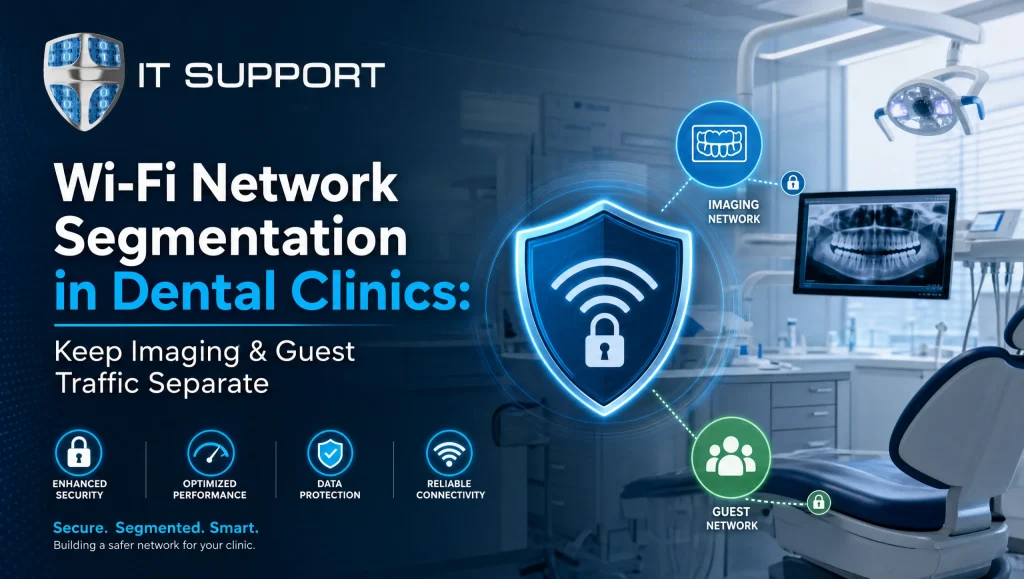
Dental office network segmentation is the practice of separating a clinic’s networks—imaging systems, practice management workstations, medical IoT, and guest Wi‑Fi—into distinct VLANs with firewall policies so only the right devices can talk. For Houston dental clinics, dental office network segmentation is a practical way to protect PHI, reduce ransomware risk, and keep CBCT and sensor images loading fast. With a sound VLAN design and the right firewall rules, you can deliver secure Wi‑Fi for patients and stable performance for Dexis, Sidexis/Sirona, Dentrix, Eaglesoft, and Open Dental—without ripping and replacing your hardware.
What Is Dental Office Network Segmentation?
-
Simple definition and how VLANs, SSIDs, and ACLs work together
Segmentation breaks one “flat” network into smaller, protected lanes. Each lane (a VLAN) has its own IP range and rules (ACLs/firewall policies) for what’s allowed in and out. On Wi‑Fi, each network lane is broadcast as a unique SSID (e.g., Staff, Imaging, Guest), and each SSID maps to a VLAN. The firewall sits at the center, denying inter‑VLAN traffic by default and only permitting specific, documented flows—like a Dexis imaging workstation to a PACS server on TCP 104 or a Dentrix client to its server on required ports. The payoff is straightforward: fewer attack paths, simpler troubleshooting, and predictable performance. -
Why imaging, practice management, and guest networks must be separate
Imaging devices and practice management systems handle sensitive patient data and often rely on legacy protocols that don’t belong on an open wireless network. Guest Wi‑Fi is inherently untrusted and should never have a route to PHI. When these segments sit on separate VLANs with tight firewall policies, malware has a harder time moving laterally, guests can’t probe your servers, and imaging retains the bandwidth it needs.
Why Segmentation Matters for Houston Dental Clinics
-
Protect PHI with least‑privilege access and secure Wi‑Fi
Houston’s multi‑tenant medical buildings and shared internet backbones can increase exposure. Segmentation enforces least‑privilege: staff get what they need and nothing more; guests get internet access only. Pair this with WPA2/3‑Enterprise for staff SSIDs and client isolation for guests, and you meaningfully reduce your attack surface. -
Keep imaging fast: QoS and isolating bandwidth‑heavy modalities
CBCT and high‑resolution sensors can saturate a flat network. Isolating imaging on its own VLAN and prioritizing traffic with QoS (mark CBCT and PACS flows with DSCP AF41/EF as supported) helps images render faster and more consistently—especially critical during busy operatory schedules. -
Reduce ransomware blast radius and lateral movement
Flat networks act like freeways for ransomware. Segmentation forces attackers to hit a dead end at the firewall. If a front‑desk PC is compromised, strict policies can prevent a pivot into imaging servers or PMS databases.
Core Segments to Build in a Dental Practice
-
Imaging VLAN (Dexis, Sidexis/Sirona, sensors, PACS, 3D CBCT)
Purpose‑built for imaging devices and servers. Allow only the ports needed between imaging workstations and PACS/viewers. Deny internet access except for necessary vendor updates via explicit FQDN rules whenever possible. -
Practice Management VLAN (Dentrix, Eaglesoft, Open Dental, servers)
Permit PMS clients to communicate with their server/database, block inbound from other VLANs, and allow secure remote support via VPN/MFA from an admin VLAN only. -
Medical IoT VLAN (cameras, printers, scanners, sterilizers with IP)
Many dental peripherals run embedded OSs with limited security. Keep them fenced in their own VLAN, block peer‑to‑peer communication, and allow only the destinations they need (print server, update server if required). -
Admin/Back‑Office VLAN (billing, HR, secure file shares)
Restrict access to PMS reports and financial shares by role. Consider a separate SSID and wired VLAN with tighter content filtering and 2FA for privileged tools. -
Guest Wi‑Fi VLAN (internet‑only, rate‑limited, client‑isolated)
Guests should only reach the internet—nothing else. Enforce client isolation, DNS filtering, bandwidth caps, and schedule controls to prevent after‑hours abuse.
How to Implement Secure Wi‑Fi and VLAN for Healthcare
-
Step 1 — Assess current gear, cabling, floor plan, and coverage
Inventory switches, firewall, APs, and cabling. Map operatory locations, lead‑lined rooms, and waiting areas to plan Wi‑Fi coverage and minimize RF dead spots. -
Step 2 — Design VLANs, IP schemes, DHCP, and SSIDs (WPA3‑Enterprise where possible)
Create a clear IP plan (e.g., 10.10.10.0/24 Imaging, 10.10.20.0/24 PMS, 10.10.30.0/24 IoT, 10.10.40.0/24 Admin, 10.10.50.0/24 Guest). Map SSIDs to VLANs: Staff, Imaging, Guest. Use WPA2‑Enterprise today; prefer WPA3‑Enterprise where supported. Point each VLAN to the right DHCP scope and DNS controls. -
Step 3 — Set firewall policies (deny by default, allow only required ports/flows)
Block all inter‑VLAN traffic by default. Then open narrow rules:
– PMS clients > PMS server: required app/database ports
– Imaging workstations > PACS: DICOM/TCP 104 or vendor‑specific
– IoT > print server only; block outbound SMB to the internet
– Guest > internet only; block RFC1918 destinations
Add geo‑controls and FQDN rules to limit update traffic to vendor domains. -
Step 4 — Configure AP groups, band steering, and client isolation
Use AP groups to tune SSID availability by area, steer staff to 5 GHz/6 GHz, and enforce client isolation on Guest. Disable legacy data rates if possible to reduce airtime hogs. -
Step 5 — Apply QoS for imaging traffic and VoIP
Classify imaging and VoIP flows with DSCP and ensure switches honor queues. Prioritize EF for VoIP and a high‑priority AF class for CBCT/PACS transfers so phone calls and images both stay clear. -
Step 6 — Test, document, and monitor 24/7
Validate that a guest device cannot ping or browse to imaging/PMS. Time image loads, simulate a busy clinic, then document the topology, VLANs, and firewall rules. Set up alerts for policy violations, rogue APs, and unusual east‑west traffic. Continuous monitoring helps catch drift and misconfigurations early.
Firewall Policies That Make Segmentation Work
-
Deny inter‑VLAN by default; allow only PACS and PMS dependencies
This is the cornerstone. Explicitly list allowed flows and keep a change log. If a rule can’t be tied to a business function, remove it. -
Internet‑only for guest VLAN; DNS filtering and content controls
Guests should resolve and reach the internet, not your servers. Apply DNS filtering to block malicious domains and enforce safe search. Rate‑limit to preserve bandwidth for clinical work. -
Restrict admin tools (RDP/SSH) to IT‑admin VLAN with MFA/VPN
Remote access tools should never be open clinic‑wide. Limit to an admin VLAN, require MFA over a VPN, and log sessions. -
Log, alert, and review: SIEM‑ready event forwarding
Forward firewall, switch, and authentication logs to a central system. Weekly quick reviews, monthly deeper dives, and quarterly policy audits help you stay aligned with HIPAA’s addressable controls.
Medical IoT Security Essentials
-
Inventory, firmware patching, and vendor hardening guides
Keep a living inventory of every IP‑connected device (sterilizers, sensors, cameras). Apply firmware updates during maintenance windows and follow vendor hardening checklists when available. -
Block peer‑to‑peer and multicast where not needed
Many IoT devices attempt discovery via multicast. Disable or limit it at the VLAN boundary unless explicitly required. -
Device certificates and MAC‑based policies where feasible
Where your infrastructure supports it, use device certificates for trusted onboarding and MAC‑based access controls for non‑802.1X devices.
Compliance and HIPAA‑Aligned Practices
-
Role‑based access, encryption in transit, and BAA with IT vendors
Segmentation supports HIPAA’s minimum necessary standard. Pair it with strong authentication, TLS where supported, email filtering, and current encryption for backups and data in motion. Ensure you have BAAs with IT and cloud vendors who touch PHI. For broader policy alignment, explore our HIPAA and EHR insights at Unlocking Healthcare IT: HIPAA, EHR & Cutting‑Edge System Trends: https://comptss.com/hipaa-compliance-unlocking-healthcare-it-hipaa (see HIPAA Security Rule (HHS.gov)) -
Documented network diagrams and change control
Maintain updated diagrams, IP plans, and an approvals log for changes. These assets speed incident response and help during audits. -
Backups and disaster recovery for critical servers
PMS, imaging databases, and file servers need automated, encrypted backups with tested restores. Houston practices can explore cloud backup and recovery approaches that fit their risk profile; for practical options, see Unlock IT Success: Cloud Backup & System Recovery Insights Revealed: https://comptss.com/cloud-backup-unlock-it-success-cloud-backup-sys
Common Mistakes to Avoid
-
Shared SSID for staff and guests
Even with a password, a shared SSID invites snooping and lateral movement. Separate SSIDs mapped to VLANs is the safer, cleaner design. -
Flat networks without ACLs
A single 192.168.1.0/24 for everything seems easy—until malware spreads or imaging slows to a crawl. Start with deny‑by‑default and open only what’s required. -
Unrestricted imaging shares and open SMB
Lock down SMB to specific hosts. Never expose SMB to the internet. Use signed SMB where supported and limit admin shares. -
Ignoring AP placement and RF interference from lead‑lined rooms
Lead‑lined walls and dense cabinetry can deaden signals. Site surveys and heatmaps help place APs so operatories and the waiting room get strong, reliable coverage.
Myth vs. Fact: Quick Reality Check
-
Myth: “VLANs are overkill for a small two‑op clinic.”
Fact: Even two VLANs—Clinical and Guest—plus a couple of rules dramatically cut risk and stabilize performance. -
Myth: “If I use strong Wi‑Fi passwords, I don’t need segmentation.”
Fact: Passwords don’t stop lateral movement on a flat LAN. Segmentation limits what a compromised device can reach. -
Myth: “Segmentation breaks vendor support.”
Fact: Properly documented rules that allow the required ports keep vendors satisfied—and make troubleshooting faster.
From the Field in Houston
In a two‑op clinic near the Galleria, our team re‑mapped imaging devices to their own VLAN, rate‑limited guest Wi‑Fi, and tightened firewall rules. The CBCT viewer stopped stuttering during peak hours, and the front desk noticed fewer timeouts in their practice management app the same week—no hardware refresh required.
Tools and a Simple Starter Topology
-
Managed switches, business‑grade firewalls, Wi‑Fi 6/6E APs
Choose gear that supports VLANs, 802.1X, band steering, and application‑aware firewalls. Wi‑Fi 6/6E improves airtime efficiency and reduces congestion, especially in busy multi‑suite buildings. -
Sample topology: WAN > NGFW > L3 switch > APs with mapped VLANs
One clean path:
– ISP modem/ONT to Next‑Gen Firewall (NGFW)
– NGFW trunks VLANs to a Layer‑3 switch handling inter‑VLAN routing under policy
– Managed access switches feed operatory drops
– APs broadcast SSIDs mapped to the VLANs (Staff, Imaging, Guest)
Starter VLAN/IP plan example:
– VLAN 10 Imaging: 10.10.10.0/24
– VLAN 20 PMS: 10.10.20.0/24
– VLAN 30 IoT: 10.10.30.0/24
– VLAN 40 Admin: 10.10.40.0/24
– VLAN 50 Guest: 10.10.50.0/24
Policy examples:
– Allow PMS clients (VLAN 20) to PMS server (VLAN 20 or 40) on app ports only
– Allow Imaging (VLAN 10) to PACS (VLAN 10 or 40) on DICOM 104
– Deny IoT (VLAN 30) to all private networks; allow DNS/NTP and print server only
– Deny Guest (VLAN 50) to all private networks; allow internet via filtered DNS
Local Nuance for Houston Clinics
-
Multi‑tenant medical buildings can host dozens of APs—survey channels and consider 6 GHz for staff where supported.
-
Lead‑lined operatories around the Medical Center and West Houston can create dead zones—design for more AP density and careful placement.
-
Construction in fast‑growing areas like Katy may mean mixed cabling—verify Cat6 runs and PoE budgets before adding new APs or imaging stations.
When to Call a Local Expert
-
Multi‑suite buildings, multiple offices (Katy, Sugar Land), or cloud PMS
If you’re spanning floors or connecting branches in Katy or Sugar Land, or moving to a cloud PMS, routing, QoS, and VPN design get more complex. Local familiarity with medical build‑outs and carriers helps avoid surprises. -
24/7 monitoring, patching, and tested disaster recovery by CompTSS
Segmentation is not “set and forget.” Houston dental practices often partner with healthcare‑focused teams for proactive monitoring, HIPAA‑aligned cybersecurity, and recoverability. Explore Houston dental IT support for end‑to‑end help: Dental & Healthcare IT Support in Houston | CompTSS: https://comptss.com/
For broader policy alignment and training, see Unlocking Healthcare IT: HIPAA, EHR & Cutting‑Edge System Trends: https://comptss.com/hipaa-compliance-unlocking-healthcare-it-hipaa
For deeper security posture reviews, visit Ultimate Cybersecurity Audit: Zero Trust & Endpoint Protection Guide » CompTSS Corporation: https://comptss.com/cybersecurity-audit-ultimate-cybersecurity-audit
And for business continuity planning, review Master Ransomware Recovery: Unbeatable Defense & Disaster Planning » CompTSS Corporation: https://comptss.com/ransomware-recovery-master-ransomware-recovery
Suggested images with alt text
-
Diagram of VLAN layout in a dental clinic — alt: dental office network segmentation diagram Houston
-
AP placement heatmap example — alt: dental office network segmentation Wi‑Fi coverage
-
Firewall policy example screen — alt: dental office network segmentation firewall policies
Quick, Practical Checklist
-
Inventory and label: imaging, PMS, IoT, admin, guest devices
-
Map VLANs, IP ranges, and SSIDs; use WPA2/3‑Enterprise for staff
-
Enforce deny‑by‑default inter‑VLAN rules; open only documented ports
-
Enable guest client isolation, DNS filtering, and bandwidth limits
-
Prioritize imaging and VoIP with QoS; test during busy hours
-
Document diagrams, rules, and changes; review logs weekly
-
Patch firmware and OS regularly; monitor 24/7 and alert on anomalies
-
Back up PMS and imaging servers with encrypted, tested restores; see Unlock IT Success: Cloud Backup & System Recovery Insights Revealed: https://comptss.com/cloud-backup-unlock-it-success-cloud-backup-sys
Where CompTSS Fits
CompTSS is a Houston‑based team focused on healthcare and dental IT. We help clinics plan, deploy, and monitor segmented networks: HIPAA‑focused cybersecurity, secure Wi‑Fi, VLAN designs for healthcare devices, and automated, encrypted backups with tested disaster recovery. Our team supports dental software like Dentrix, Eaglesoft, Open Dental, Dexis, and Sidexis/Sirona, and we respond fast—remote first, with on‑site help when needed.
Conclusion
Dental office network segmentation keeps imaging and guest Wi‑Fi separate, aligns with HIPAA principles, and improves daily performance. By carving your environment into clear VLANs, enforcing tight firewall policies, and applying secure Wi‑Fi practices, you reduce breach risk and keep CBCT, sensors, and PMS running smoothly. If you’re in Houston, Katy, or Sugar Land and want a straightforward plan—from design to 24/7 monitoring—reach out for Houston dental IT support at https://comptss.com/. We’ll meet you where you are and build a secure, reliable network that fits your clinic.
Frequently Asked Questions
What is dental office network segmentation?
Short answer: It’s separating your clinic’s network into VLANs with firewall rules so only the right devices can talk.
Expanded answer: Dental office network segmentation breaks a flat LAN into distinct VLANs (e.g., Imaging, Practice Management, IoT, Admin, Guest). Each VLAN has its own IP range, SSID (for Wi‑Fi), and deny‑by‑default firewall policies that only permit specific, documented flows. This reduces attack paths, protects PHI, and keeps imaging and PMS traffic predictable.
Why keep imaging and guest Wi‑Fi separate in a Houston dental clinic?
Short answer: To protect PHI and keep CBCT and sensors fast—guests should only reach the internet.
Expanded answer: Guest Wi‑Fi is untrusted and must never route to PHI or clinical systems. In Houston’s busy multi‑tenant buildings, segmentation prevents lateral movement from guest devices and preserves bandwidth for imaging. With client isolation, DNS filtering, and rate‑limits, guests stay online while clinical traffic stays secure and responsive.
Do we need new hardware to implement dental office network segmentation?
Short answer: Not always—many clinics can use existing managed switches, a capable firewall, and business‑grade APs.
Expanded answer: If your current gear supports VLANs, 802.1X/WPA2‑Enterprise or WPA3‑Enterprise, and policy‑based routing, you can often segment without ripping and replacing. A typical design is ISP > NGFW > L3 switch > managed access switches and Wi‑Fi 6/6E APs broadcasting mapped SSIDs.
Which VLANs should a dental practice create first?
Short answer: Start with Imaging, Practice Management, Medical IoT, Admin, and Guest.
Expanded answer: A practical plan is: VLAN 10 Imaging, VLAN 20 PMS, VLAN 30 IoT, VLAN 40 Admin, VLAN 50 Guest. Map SSIDs (Staff, Imaging, Guest) to the right VLANs, assign DHCP/DNS per segment, and apply deny‑by‑default inter‑VLAN rules with only the required exceptions.
How do firewall policies make segmentation effective?
Short answer: Block everything between VLANs by default; then allow only the ports and destinations business needs.
Expanded answer: Examples include: PMS clients to their server ports only; Imaging to PACS on DICOM/TCP 104; IoT to print server/DNS/NTP only; Guest to internet only with RFC1918 blocked. Add FQDN rules for vendor updates, geo‑controls, and require VPN/MFA for admin tools like RDP/SSH. Log and review changes.
Will dental office network segmentation speed up CBCT and imaging software?
Short answer: It helps by isolating bandwidth‑heavy imaging and applying QoS.
Expanded answer: CBCT and high‑res sensor transfers can saturate a flat LAN. Placing imaging on its own VLAN and prioritizing CBCT/PACS flows (e.g., DSCP AF41/EF as supported) reduces contention, improving load times and consistency during peak hours.
How should we secure guest Wi‑Fi without risking PHI?
Short answer: Put guests on a dedicated VLAN with client isolation, DNS filtering, and bandwidth caps—internet only.
Expanded answer: Broadcast a separate Guest SSID mapped to the Guest VLAN. Block access to private IP ranges, enable client isolation, enforce safe search/malware domain blocking with DNS filtering, and rate‑limit to protect clinical bandwidth. Schedule controls can curb after‑hours abuse.
What’s the best approach to medical IoT security in a dental office?
Short answer: Fence IoT in its own VLAN, block peer‑to‑peer, and allow only required destinations.
Expanded answer: Inventory devices (cameras, scanners, sterilizers), patch firmware on a schedule, and follow vendor hardening guides. Disable unnecessary multicast, limit outbound SMB, use device certificates or MAC‑based policies where 802.1X isn’t feasible, and strictly control what each device can reach.
How does segmentation support HIPAA in Houston practices?
Short answer: It enforces minimum necessary access and protects PHI in motion with strong controls.
Expanded answer: Role‑based access and least‑privilege are easier with segmented VLANs and tight firewall policies. Pair segmentation with WPA2/3‑Enterprise for staff SSIDs, encryption in transit, documented diagrams and change control, and BAAs with vendors. For broader alignment, see Unlocking Healthcare IT: HIPAA, EHR & Cutting‑Edge System Trends: https://comptss.com/hipaa-compliance-unlocking-healthcare-it-hipaa
What common mistakes should we avoid when segmenting?
Short answer: Don’t share SSIDs between staff and guests, don’t run a flat 192.168.1.0/24 for everything, and don’t leave SMB or imaging shares open.
Expanded answer: Use separate SSIDs mapped to VLANs, start with deny‑by‑default ACLs, and restrict SMB to specific hosts—never to the internet. Plan AP placement carefully, especially near lead‑lined rooms in Houston clinics, to prevent Wi‑Fi dead spots.
What does this look like in a real Houston clinic?
Short answer: Separating Imaging and Guest, tightening rules, and adding QoS can stabilize imaging without new hardware.
Expanded answer: In a two‑op clinic near the Galleria, mapping imaging to its own VLAN, rate‑limiting guest Wi‑Fi, and refining firewall policies reduced viewer stutters and front‑desk timeouts the same week—no hardware refresh needed. Results vary, but this mirrors what we see when clinics apply the basics well.
When should we call a local expert?
Short answer: Multi‑suite sites, multiple offices (Katy, Sugar Land), cloud PMS, or when you need 24/7 monitoring and tested recovery.
Expanded answer: Routing, QoS, VPNs, and Wi‑Fi planning get complex across floors and branches. A Houston‑based healthcare IT team like CompTSS can design VLANs, firewall policies, secure Wi‑Fi, and disaster recovery tailored to dental workflows. Explore Dental & Healthcare IT Support in Houston: https://comptss.com/