
24/7 Monitoring Healthcare IT: What’s Watched and Why It Matters (Houston)
24/7 Monitoring Healthcare IT: What’s Actually Watched and Why It Matters for Houston Clinics
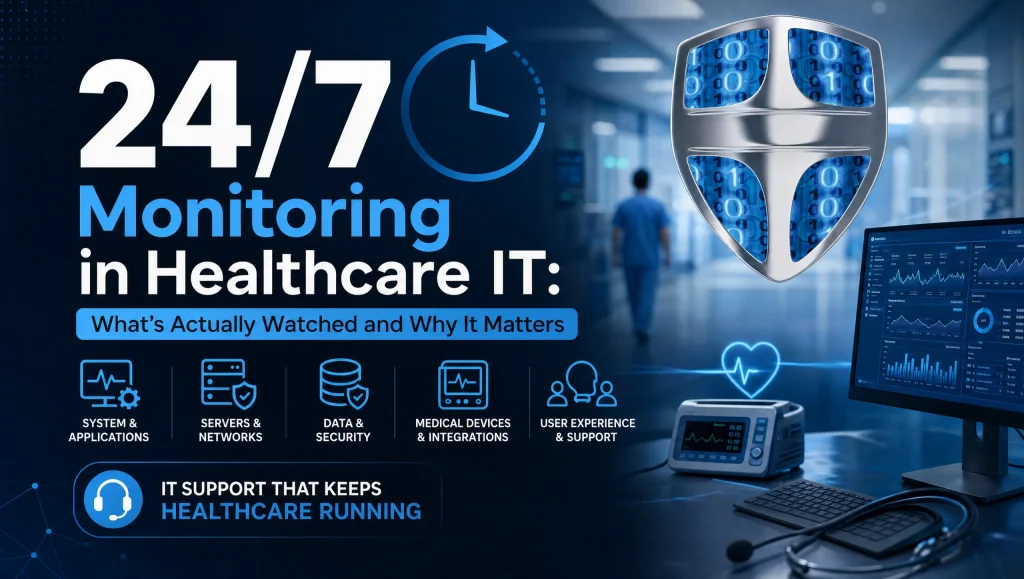
Healthcare and dental practices across Houston rely on technology for every step of care—charting, imaging, scheduling, billing—often from the first patient check‑in to the last claim of the day. 24/7 monitoring healthcare IT means maintaining continuous, automated visibility across that entire environment—endpoints, networks, firewalls, email, backups, and clinical systems—so real alerts reach qualified security analysts who can triage and respond quickly. The aim is straightforward: protect uptime, safeguard data, and support HIPAA compliance without the noise or hype.
Put simply, 24/7 monitoring healthcare IT combines always‑on sensors with human‑led managed detection and response (MDR). Alerts are correlated, verified, and acted on—so incidents are contained early, systems stay available, and audit trails are complete.
What 24/7 Healthcare IT Monitoring Means (and Doesn’t)
- 24/7 monitoring vs. MDR (who watches, who responds)Monitoring is the continuous collection of logs, events, and health data from your systems. MDR is the human‑led layer that correlates signals, validates threats, and takes action—such as isolating a device or blocking a domain. In short:
- Monitoring: sensors and software watch everything, always.
- MDR: a trained team interprets alerts and responds—especially after hours.
- What monitoring can detect vs. what requires scheduled maintenance or projectsMonitoring can flag suspicious processes, failed backups, unusual logins, failing disks, and bandwidth spikes. It cannot replace patching, network reconfiguration, or long‑overdue upgrades. Those remain planned maintenance or project work that prevent issues monitoring would otherwise surface later.
- HIPAA context: audit trails, access monitoring, and breach notification timelinesHIPAA expects you to know who accessed what, when, and whether that access was authorized. Effective monitoring centralizes those audit trails (EHR, email, VPN, file servers) and helps your team investigate quickly. It doesn’t, by itself, fulfill all HIPAA requirements—but it supports timely incident detection, documentation, and response within required notification timelines.
What’s Actually Watched in a Clinic or Dental Practice
- Endpoint monitoring
- EDR/AV health and signatures up to date
- Suspicious processes and known bad hashes
- USB activity on operatory and front‑desk PCs
- Admin privilege changes and new local accounts
- Script and PowerShell anomalies on imaging workstations
- Clinic network monitoring
- Switch and Wi‑Fi controller health
- Bandwidth spikes from imaging or backups
- New, unknown devices on the LAN
- East–west traffic and lateral movement indicators
- Guest Wi‑Fi isolation and rogue SSID detection
- Firewall and VPN
- IDS/IPS events and geoblocking hits
- Failed VPN logins and brute‑force patterns
- Risky outbound connections to command‑and‑control domains
- Unusual ports or protocols leaving the network
- Email and identity
- Phishing detections and malicious attachment blocks
- Suspicious inbox rules (auto‑forwarding, hidden rules)
- MFA fatigue or repeated push prompts
- “Impossible travel” sign‑ins and credential misuse
- Servers, EHR, and dental software logs
- Service health for practice management and imaging
- SQL performance for EHR databases
- Login anomalies in Dentrix, Eaglesoft, and Open Dental
- License service failures in Dexis, Sidexis/Sirona
- Patching alerts and vulnerabilities
- Missing critical updates on Windows and third‑party apps
- End‑of‑life operating systems and firmware
- Exposed services or weak cipher suites on VPN and web portals
- Backup and disaster recovery
- Nightly backup job success/failure
- Encryption status and storage health
- Scheduled restore test results and RTO/RPO variance
- Replication status for imaging archives
- Physical and environmental
- Room temperature and humidity in server or imaging rooms
- Power events and UPS battery health
- Camera/NVR status for facilities that monitor entrances or equipment areas
Why It Matters to Houston Healthcare and Dental Practices
- Uptime and patient flowIf a front‑desk workstation fails during check‑in or your image server lags during a full‑mouth series, the schedule backs up fast. Continuous monitoring with rapid response keeps operatories moving and back‑office tasks on time.
- HIPAA‑aligned security and auditabilityCentralized logs and access monitoring support investigations, show due diligence, and help your team respond within HIPAA timeframes. This matters for covered entities and business associates alike.
- Early ransomware and phishing containmentEndpoint monitoring and MDR help spot the telltale signs—malicious scripts, command‑and‑control callbacks, mass file modifications—and contain threats early to limit scope. For structured preparation, see our ransomware recovery planning guidance (https://comptss.com/ransomware-recovery-master-ransomware-recovery).
- Reducing after‑hours surprises before the morning huddleOvernight alerting and remediation can fix a failing backup job, isolate a compromised device, or schedule a quick patch—so your team starts on time in the morning.
How Alerts Turn into Action: MDR in Plain English
- Triage: SIEM/EDR correlation and severity scoringYour logs feed into a SIEM that correlates signals (for example, a new admin account on a workstation aligned with a spike in outbound traffic). MDR analysts validate whether it’s benign or malicious, score severity, and open an incident record.
- Response: isolate endpoint, block IP/domain, reset credentials, update rulesFor confirmed threats, MDR can quarantine a device, block a malicious IP or domain at the firewall, revoke tokens, or reset credentials. If an inbox rule is exfiltrating mail, they remove it and harden authentication. If a phishing domain is active, they push updated blocks to edge devices and DNS.
- Escalation: when remote becomes on‑site in Greater Houston (Katy, Sugar Land)Some issues need hands‑on support—failed switches, cabling faults, or imaging PC re‑imaging. Remote response comes first; if needed, on‑site CompTSS technicians are dispatched across Greater Houston, including Katy and Sugar Land, to restore service safely.
- Communication: who’s notified, what’s documented, and plain‑language summariesPractice admins and designated privacy/security officers receive timely, plain‑English updates: what happened, what changed, what’s next, and what to tell staff. Each step is documented to support compliance and post‑incident review.
What 24/7 Monitoring Does Not Include (Common Misconceptions)
- It’s not a replacement for patching, training, or risk assessmentsMonitoring surfaces issues; disciplined patching, user training, and periodic risk assessments reduce the issues in the first place. These are complementary, not interchangeable.
- It doesn’t automatically fix misconfigurations without change approvalGood security avoids surprise changes. MDR teams recommend and request approval before altering firewall rules, GPOs, or email settings—except during active threat containment.
- It won’t write policies, BAAs, or compliance manuals for youMonitoring supports evidence and response, but policies, procedures, and business associate agreements remain organizational responsibilities.
Myth vs. Fact
- Myth: “If we have 24/7 monitoring, we can skip phishing training.”
Fact: Monitoring helps catch attacks; trained staff stop them earlier. - Myth: “MDR will patch everything automatically.”
Fact: Patching follows tested schedules and change control to avoid breaking clinical apps. - Myth: “Monitoring equals HIPAA compliance.”
Fact: It supports compliance but does not replace your full HIPAA program.
Practical Metrics That Prove It’s Working
- Mean Time to Detect (MTTD) and Mean Time to Respond (MTTR)Lower times mean quicker containment and less disruption. Track these monthly and after any incident.
- Patch compliance rates and EDR coverageKnow what percentage of endpoints are fully patched and protected by EDR. Gaps should be remediated or formally accepted with a timeline.
- Backup success and restore test cadenceBackups that “succeed” but don’t restore are a common blind spot. Maintain a restore testing schedule and log the outcomes. For deeper planning, explore cloud backup and system recovery best practices (https://comptss.com/cloud-backup-unlock-it-success-cloud-backup-sys).
- Phishing simulation improvementsTrack participation and click‑through reductions over time. Use results to tune email filtering and awareness topics.
How to Evaluate a 24/7 Monitoring Partner in Houston
- Healthcare experience: HIPAA, EHR, dental software supportYour partner should speak the language of Dentrix, Eaglesoft, Open Dental, Dexis, and imaging workflows—and understand HIPAA logging and minimum necessary access. See our healthcare IT support in Houston to learn how CompTSS approaches this (https://comptss.com/).
- MDR playbooks and after‑hours response commitmentsAsk for documented playbooks: isolating devices, blocking IPs, credential resets, and incident communication. Clarify response times on nights and weekends.
- Flat‑rate assurance and scalable endpointsTransparent pricing helps clinics budget. CompTSS offers a flat‑rate Assurance plan with scalable workstation add‑ons to grow with your practice.
- Local presence with remote‑first speedRemote triage resolves most alerts quickly. You also want a team that can be on‑site fast across Greater Houston—including Katy and Sugar Land—when hands‑on help is needed. Review our remote helpdesk support approach (https://comptss.com/remote-helpdesk-unlocking-it-support-remote).
First‑hand Experience from the Field (CompTSS)
During a recent Houston dental office go‑live, our team saw after‑hours EDR alerts on a brand‑new imaging workstation. Remote triage pointed to a misconfigured driver pulling an outdated dependency. We paused the rollout, applied the vendor’s update, and the next morning the team started on time with no disruption at the chair.
Getting Started in Houston: A Simple, Safe Rollout
- Baseline risk assessment and asset inventoryMap your endpoints, servers, network gear, EHR, and imaging systems. Identify critical paths for care delivery and billing.
- Agent deployment and log integrationsDeploy endpoint agents and connect logs from firewalls, VPNs, email, servers, and EHR/dental apps to a centralized SIEM.
- Alert tuning for clinic workflows and dental softwareSuppress noisy but safe events (for example, scheduled backup spikes) while flagging specific anomalies like new Dentrix admin accounts or unusual SQL performance.
- 30‑day review and steady‑state reportingAfter the first month, review MTTD/MTTR, alert volume, false positives, patching alerts, and backup test results. Establish a reporting cadence that practice admins can read at a glance.
Houston‑Local Considerations That Improve Results
- Clinic network segmentationSeparate imaging devices, front‑desk workstations, clinical endpoints, and guest Wi‑Fi using VLANs. This reduces lateral movement risk and keeps bandwidth predictable. If you’re exploring segmentation and guest Wi‑Fi with HIPAA in mind, request a walkthrough of clinic network monitoring practices and see our Houston IT support overview (https://comptss.com/).
- Risk‑based patch windowsSchedule patches outside clinical hours aligned to typical Houston appointment rhythms—consider lunch downtimes or early‑evening windows—while prioritizing critical updates tied to active exploits.
- Dental app coordinationCoordinate change control with your dental software vendors (Dentrix, Eaglesoft, Open Dental, Dexis) so updates don’t clash with imaging drivers or database engines. For how we plan these updates to avoid chairside disruption, visit our dental IT solutions page (https://comptss.com/it-solutions-revolutionize-dental-practice-it-s).
Alert Examples You Should Expect to See (and What They Mean)
- Endpoint monitoring“EDR unhealthy on Op 3 PC” → Investigate agent health; do not use for radiographs until confirmed.
“Suspicious PowerShell on imaging host” → Quarantine host, validate script origin, review logs for lateral movement. - Clinic network monitoring“New device on VLAN 10” → Verify it’s approved equipment; rogue devices are removed from the network.
“Bandwidth spike from front desk after hours” → Check for unsanctioned cloud sync or data exfiltration. - Firewall/VPN“Multiple failed VPN logins from foreign IP” → Block IP, require MFA re‑prompt, audit sign‑in logs.
“Outbound C2 domain contact attempt” → Block domain, isolate source endpoint, scan for malware. - Email/identity“New auto‑forward rule created to external address” → Remove rule, reset credentials, enable spillage checks.
“MFA push fatigue detected” → Educate user, enforce number‑matching or phishing‑resistant MFA.
How CompTSS Aligns Monitoring with HIPAA and Uptime
- HIPAA‑focused cybersecurityWe centralize audit logs (EHR, VPN, file access), enforce MFA and encryption, and document incident handling. For deeper policy and control mapping, explore our Zero Trust and endpoint protection overview (https://comptss.com/cybersecurity-audit-ultimate-cybersecurity-audit).
- Rapid, remote‑first response with local backupMost alerts are resolved remotely within the same session. When a fix needs hands‑on work, a local Houston technician is scheduled to minimize downtime.
- Disaster recovery you can trustMonitoring validates backup completion and encryption; scheduled restore tests confirm data is actually recoverable. If you’re building a stronger plan, our ransomware recovery resource is a helpful next step (https://comptss.com/ransomware-recovery-master-ransomware-recovery).
Suggested images and alt text
- Image: Secure clinic network dashboard. Alt: 24/7 monitoring healthcare IT dashboard view
- Image: Dental operatory workstation security agent. Alt: 24/7 monitoring healthcare IT on dental endpoint
- Image: Houston skyline with network overlay. Alt: 24/7 monitoring healthcare IT in Houston
Choosing the Right Next Step
If your practice is new to continuous monitoring, start with a focused pilot:
- Protect a subset of endpoints (front desk, one operatory, one imaging PC).
- Integrate firewall/VPN, email, and EHR logs.
- Tune alerts around your exact workflows.
- Review results at 30 days, then scale to the rest of the clinic.
For established practices, a maturity assessment can uncover blind spots—often in backup testing, identity monitoring, or neglected firmware. From there, align monitoring with documented MDR playbooks, change control, and staff training.
Conclusion
24/7 monitoring healthcare IT gives Houston clinics the visibility and response muscle to keep schedules on track, protect PHI, and meet HIPAA’s expectations for timely detection and investigation. With managed detection and response turning alerts into action—and local on‑site support when needed—you reduce downtime, contain threats faster, and build patient trust. If you’re ready to roll out monitoring that fits your dental and medical workflows, CompTSS is here to help with remote‑first speed, clear communication, and practical next steps. Explore our healthcare IT support in Houston (https://comptss.com/) or reach out to plan a safe, MDR‑backed rollout tailored to your clinic.
Frequently Asked Questions
What is 24/7 monitoring healthcare IT, and how is it different from MDR?
Short answer: 24/7 monitoring healthcare IT watches your systems continuously; MDR adds human analysts who verify alerts and take action.
Expanded: Monitoring collects logs and health data from endpoints, networks, firewalls, email, backups, and clinical systems at all times. Managed detection and response (MDR) is the human layer that correlates signals, validates real threats, and responds—like isolating a device, blocking a domain, or resetting credentials—especially after hours.
What parts of our clinic are actually being monitored?
Short answer: Endpoints, networks, firewalls/VPN, email/identity, servers/EHR/dental software, patching alerts, backups/DR, and some physical/environmental signals.
Expanded: Expect endpoint monitoring (EDR, suspicious processes, USB activity), clinic network monitoring (switches, Wi‑Fi, unknown devices), firewall/VPN events (IDS/IPS, failed logins), email and identity signals (phishing, inbox rules, MFA fatigue), EHR and dental app logs (Dentrix, Eaglesoft, Open Dental, Dexis/Sidexis), patching alerts, backup/restore status, and server room conditions.
Does 24/7 monitoring healthcare IT make us HIPAA compliant by itself?
Short answer: No—monitoring supports HIPAA but does not replace your full compliance program.
Expanded: Monitoring centralizes audit trails, speeds investigations, and helps meet breach-notification timelines. You still need policies, BAAs, training, risk assessments, and access controls. Monitoring is a key support for HIPAA, not a complete substitute.
What can monitoring detect versus what needs planned maintenance or projects?
Short answer: Monitoring flags issues (suspicious activity, failed backups, unusual logins); maintenance handles fixes like patching or upgrades.
Expanded: Real-time alerts catch anomalies—malware behaviors, bandwidth spikes, failing disks, license or service failures. But tasks like patching, reconfiguring networks, firmware updates, and major upgrades are scheduled changes outside of monitoring.
How are alerts handled after hours, and when do you come on-site in Greater Houston?
Short answer: MDR triages and responds remotely 24/7; on-site visits happen when hands-on work is required.
Expanded: Analysts validate alerts, quarantine endpoints, block IPs/domains, or reset credentials overnight so your morning huddle isn’t derailed. If an issue demands physical intervention—like a failed switch—CompTSS dispatches technicians across Greater Houston, including Katy and Sugar Land. See our remote-first approach: https://comptss.com/remote-helpdesk-unlocking-it-support-remote
How does 24/7 monitoring healthcare IT help with ransomware and phishing?
Short answer: It detects early indicators and enables fast containment with MDR actions.
Expanded: Monitoring spots malicious scripts, suspicious PowerShell, command‑and‑control callbacks, mass file changes, and risky inbox rules. MDR then isolates devices, blocks domains, and hardens identity to limit spread. For planning, review: https://comptss.com/ransomware-recovery-master-ransomware-recovery
What metrics show our monitoring program is working?
Short answer: Track MTTD/MTTR, patch compliance and EDR coverage, backup success and restore tests, and phishing simulation trends.
Expanded: Shorter detection/response times indicate less disruption. Keep patch and EDR coverage high, validate backups with scheduled restores, and measure lower phishing click-through over time to prove real improvement.
Will MDR automatically patch our systems or change firewall rules?
Short answer: Not without change approval, except during active threat containment.
Expanded: Monitoring surfaces issues; MDR recommends fixes and follows change control for patches, GPOs, and firewall/email rule changes. During an active incident, urgent blocks or isolations may be applied to contain the threat.
How do backups and disaster recovery tie into monitoring?
Short answer: Monitoring verifies backup success, encryption, replication, and restore test results.
Expanded: Nightly jobs, storage health, and scheduled restore testing are tracked so you know data restores work—not just that backups ran. For deeper guidance, see: https://comptss.com/cloud-backup-unlock-it-success-cloud-backup-sys
How do we start a safe rollout in Houston, and what happens in the first 30 days?
Short answer: Begin with a pilot, integrate core logs, tune alerts, then review results and scale.
Expanded: Start with a focused set of endpoints and connect firewall/VPN, email, and EHR logs. Tune alerts to your workflows (e.g., Dentrix admin changes). After 30 days, review MTTD/MTTR, alert volume, false positives, patch gaps, and backup test results—then expand.
How does clinic network monitoring work with guest Wi‑Fi and dental apps?
Short answer: Use segmentation (VLANs) and tailored alerting to isolate risks and protect performance.
Expanded: Separate imaging, front‑desk, clinical endpoints, and guest Wi‑Fi. Monitor for unknown devices, lateral movement, rogue SSIDs, and bandwidth spikes from imaging/backups. Coordinate changes with dental vendors (Dentrix, Eaglesoft, Open Dental, Dexis) to avoid workflow conflicts.
Any real-world example of 24/7 monitoring preventing disruption?
Short answer: Yes—after-hours alerts can surface issues before clinic open, avoiding chairside delays.
Expanded: As noted in the article’s field story, catching a misconfigured imaging driver via EDR alerts after hours allowed a quick fix before patients arrived—no disruption at the operatory.


