Remote Helpdesk Strategies: Enhancing IT Support Efficiency
In today’s rapidly evolving technological landscape, the demand for efficient IT support has never been more critical. As organizations increasingly rely on digital infrastructure to drive their operations, the need for robust remote helpdesk strategies becomes paramount. These strategies not only ensure seamless operations but also enhance the overall efficiency of IT support services. By leveraging advanced technologies and adopting innovative approaches, companies can significantly improve their remote helpdesk capabilities, thereby ensuring that technical issues are resolved swiftly and effectively.
One of the key components of an effective remote helpdesk strategy is the implementation of comprehensive training programs for IT support staff. By equipping team members with the necessary skills and knowledge, organizations can ensure that they are well-prepared to handle a wide range of technical issues. This includes familiarizing them with the latest software tools, troubleshooting techniques, and customer service best practices. Moreover, continuous training and development programs can help IT support staff stay updated with the latest technological advancements, thereby enabling them to provide more efficient and effective support.
In addition to training, the use of advanced remote support tools is crucial in enhancing IT support efficiency. These tools allow support staff to remotely access and troubleshoot users’ devices, thereby reducing the need for on-site visits and minimizing downtime. By utilizing remote desktop software, screen sharing applications, and automated diagnostic tools, IT support teams can quickly identify and resolve issues, often before they escalate into more significant problems. This not only improves the speed and efficiency of support services but also enhances user satisfaction by providing timely solutions.
Furthermore, the integration of artificial intelligence (AI) and machine learning into remote helpdesk operations can significantly boost efficiency. AI-powered chatbots, for instance, can handle routine inquiries and provide instant solutions to common problems, freeing up human agents to focus on more complex issues. Machine learning algorithms can also analyze historical data to predict potential system failures and proactively address them before they impact users. By harnessing the power of AI and machine learning, organizations can streamline their IT support processes and deliver more proactive and personalized services.
Another critical aspect of remote helpdesk strategies is effective communication. Clear and concise communication between IT support staff and users is essential in ensuring that issues are accurately diagnosed and resolved. By establishing standardized communication protocols and utilizing collaboration tools, support teams can facilitate better interaction with users, thereby improving the overall support experience. Additionally, regular feedback mechanisms can help organizations identify areas for improvement and make necessary adjustments to their support strategies.
Moreover, the adoption of a centralized knowledge base can greatly enhance the efficiency of remote helpdesk operations. By compiling a comprehensive repository of information, including troubleshooting guides, FAQs, and best practices, organizations can empower both support staff and users to find solutions independently. This not only reduces the volume of support requests but also accelerates the resolution process, as users can quickly access the information they need without waiting for assistance.
In conclusion, the implementation of effective remote helpdesk strategies is essential in enhancing IT support efficiency. By focusing on comprehensive training, leveraging advanced tools, integrating AI and machine learning, ensuring effective communication, and adopting a centralized knowledge base, organizations can significantly improve their IT support services. As technology continues to evolve, these strategies will play a crucial role in ensuring that organizations can meet the growing demands of their digital infrastructure and provide exceptional support to their users.
System Recovery Best Practices: Ensuring Business Continuity
In the ever-evolving landscape of information technology, ensuring business continuity is paramount for organizations of all sizes. System recovery, a critical component of IT support, plays a vital role in maintaining operational stability and minimizing downtime. As businesses increasingly rely on digital infrastructure, understanding and implementing best practices for system recovery becomes essential. This article delves into the key strategies that organizations can adopt to ensure seamless system recovery and, consequently, business continuity.
To begin with, a comprehensive disaster recovery plan is the cornerstone of effective system recovery. This plan should outline the procedures and protocols to be followed in the event of a system failure or data loss. It is crucial for organizations to conduct a thorough risk assessment to identify potential vulnerabilities and threats. By doing so, they can prioritize resources and develop targeted recovery strategies. Moreover, regular updates and reviews of the disaster recovery plan are necessary to accommodate changes in technology and business operations.
In addition to a robust disaster recovery plan, data backup is another critical aspect of system recovery. Organizations should implement a multi-layered backup strategy that includes both on-site and off-site storage solutions. On-site backups provide quick access to data, while off-site backups ensure data protection in case of physical damage to the primary location. Furthermore, cloud-based backup solutions offer scalability and flexibility, allowing businesses to adapt to changing data storage needs. Regular testing of backup systems is essential to verify their effectiveness and ensure that data can be restored promptly when needed.
Transitioning from data backup, it is important to consider the role of automation in system recovery. Automation tools can significantly reduce recovery time by streamlining processes and minimizing human error. Automated recovery solutions can quickly identify and rectify issues, allowing IT teams to focus on more complex tasks. Additionally, automation facilitates regular testing and monitoring of recovery systems, ensuring that they remain functional and up-to-date.
Another best practice in system recovery is the implementation of redundancy measures. Redundancy involves duplicating critical components or systems to provide a failover option in case of a failure. This can include redundant servers, network connections, and power supplies. By incorporating redundancy into their IT infrastructure, organizations can enhance their resilience and reduce the risk of prolonged downtime.
Furthermore, effective communication is crucial during the system recovery process. Clear communication channels should be established to ensure that all stakeholders are informed of the recovery status and any potential impacts on business operations. Regular updates and transparent communication can help manage expectations and maintain trust among employees, customers, and partners.
Finally, investing in employee training and awareness is essential for successful system recovery. Employees should be familiar with the disaster recovery plan and understand their roles and responsibilities in the event of a system failure. Regular training sessions and simulations can help reinforce this knowledge and ensure that employees are prepared to respond effectively during a crisis.
In conclusion, system recovery is a multifaceted process that requires careful planning and execution. By developing a comprehensive disaster recovery plan, implementing robust data backup solutions, leveraging automation, incorporating redundancy, ensuring effective communication, and investing in employee training, organizations can enhance their ability to recover from system failures and maintain business continuity. As technology continues to advance, staying informed about the latest system recovery best practices will be crucial for organizations seeking to safeguard their operations and thrive in an increasingly digital world.
Cloud Backup Solutions: Safeguarding Your Data
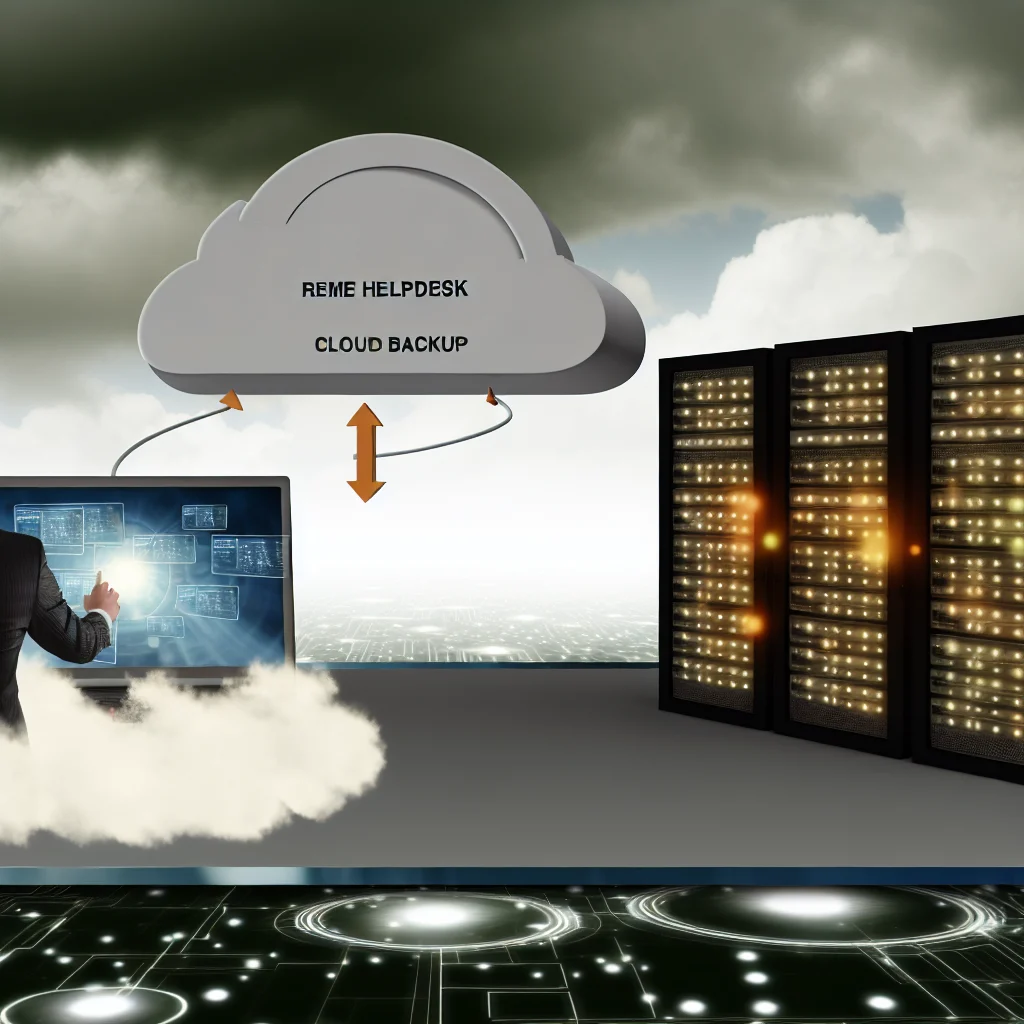
In today’s digital age, safeguarding data has become a paramount concern for businesses and individuals alike. As the reliance on digital information grows, so does the need for effective data protection strategies. One of the most reliable methods to ensure data security is through cloud backup solutions. These solutions offer a robust framework for data preservation, providing peace of mind in an era where data breaches and losses are increasingly common.
Cloud backup solutions operate by storing copies of data on remote servers, which are maintained by third-party service providers. This approach offers several advantages over traditional on-premises backup methods. Firstly, cloud backups provide enhanced data security. Service providers employ advanced encryption techniques to protect data both in transit and at rest, ensuring that sensitive information remains confidential and secure from unauthorized access. Additionally, these providers often have multiple data centers in different geographic locations, which adds an extra layer of protection against data loss due to natural disasters or localized technical failures.
Moreover, cloud backup solutions offer unparalleled convenience and accessibility. Unlike traditional backup methods that require physical storage devices, cloud backups can be accessed from anywhere with an internet connection. This feature is particularly beneficial for businesses with remote or distributed teams, as it allows employees to retrieve and restore data without being physically present at a specific location. Furthermore, the scalability of cloud solutions means that businesses can easily adjust their storage capacity to accommodate growing data volumes, without the need for significant infrastructure investments.
Transitioning to cloud backup solutions also brings about cost efficiencies. Traditional backup systems often involve substantial upfront costs for hardware, software, and maintenance. In contrast, cloud services typically operate on a subscription-based model, allowing businesses to pay only for the storage they use. This model not only reduces initial expenditures but also provides predictable ongoing costs, which can be more easily managed within a budget. Additionally, by outsourcing data backup responsibilities to specialized providers, businesses can free up internal resources and focus on core operations, further enhancing productivity and efficiency.
Despite these advantages, it is crucial for organizations to carefully evaluate potential cloud backup providers. Factors such as data transfer speeds, service level agreements, and customer support should be thoroughly assessed to ensure that the chosen solution aligns with the organization’s specific needs and expectations. Furthermore, businesses must remain vigilant about compliance with data protection regulations, such as the General Data Protection Regulation (GDPR) or the Health Insurance Portability and Accountability Act (HIPAA), depending on their industry and location. Ensuring that a cloud provider adheres to these regulations is essential to avoid legal repercussions and maintain customer trust.
In conclusion, cloud backup solutions represent a vital component of modern data protection strategies. By offering enhanced security, convenience, scalability, and cost-effectiveness, these solutions address many of the challenges associated with traditional backup methods. As technology continues to evolve, the importance of safeguarding data will only increase, making cloud backup solutions an indispensable tool for businesses and individuals seeking to protect their valuable information. By carefully selecting a reputable provider and remaining compliant with relevant regulations, organizations can leverage the full potential of cloud technology to secure their data against the myriad threats of the digital world.
IT Optimization Techniques: Streamlining Tech Support Operations
In the ever-evolving landscape of information technology, optimizing tech support operations has become a critical component for organizations striving to maintain efficiency and customer satisfaction. As businesses increasingly rely on complex IT infrastructures, the demand for effective tech support has surged, necessitating a strategic approach to streamline operations. By implementing a series of IT optimization techniques, companies can enhance their tech support services, ultimately leading to improved performance and user experience.
One of the primary techniques for optimizing tech support operations is the adoption of automation tools. Automation can significantly reduce the time and effort required to resolve common technical issues. For instance, automated ticketing systems can categorize and prioritize support requests, ensuring that critical issues are addressed promptly. Additionally, chatbots and virtual assistants can handle routine inquiries, freeing up human agents to focus on more complex problems. This not only accelerates response times but also enhances the overall efficiency of the support team.
Moreover, leveraging data analytics is another powerful strategy for optimizing tech support. By analyzing patterns in support requests, organizations can identify recurring issues and address them proactively. This data-driven approach enables companies to implement preventive measures, reducing the frequency of similar problems in the future. Furthermore, analytics can provide insights into the performance of support agents, highlighting areas for improvement and training opportunities. Consequently, data analytics not only streamlines operations but also contributes to the continuous development of the support team.
In addition to automation and analytics, fostering a culture of knowledge sharing within the tech support team is essential. Creating a centralized knowledge base allows support agents to access and share information quickly, facilitating faster problem resolution. This repository of information should be regularly updated with solutions to new issues, ensuring that all team members have access to the latest resources. Encouraging collaboration among team members can also lead to innovative solutions and improved service delivery.
Furthermore, integrating remote support capabilities is crucial in today’s digital age. With the increasing prevalence of remote work, tech support teams must be equipped to assist users regardless of their location. Remote support tools enable agents to diagnose and resolve issues without the need for physical presence, thus expanding the reach and flexibility of the support team. This capability not only enhances user satisfaction but also reduces the logistical challenges associated with on-site support.
Another vital aspect of optimizing tech support operations is continuous training and development. As technology evolves, so too must the skills of support agents. Regular training sessions ensure that the team remains up-to-date with the latest technological advancements and support methodologies. This commitment to professional development not only improves the competence of individual agents but also strengthens the overall capability of the support team.
Finally, maintaining open lines of communication with users is paramount. Gathering feedback from users provides valuable insights into their experiences and expectations, allowing organizations to tailor their support services accordingly. By actively listening to user feedback, companies can identify areas for improvement and implement changes that enhance the overall quality of support.
In conclusion, optimizing tech support operations requires a multifaceted approach that combines automation, data analytics, knowledge sharing, remote support capabilities, continuous training, and user feedback. By embracing these techniques, organizations can streamline their tech support services, ultimately leading to increased efficiency, improved user satisfaction, and a more robust IT infrastructure. As the demand for effective tech support continues to grow, these optimization strategies will play a pivotal role in shaping the future of IT support operations.
Troubleshooting Tips: Overcoming Common IT Maintenance Challenges
In the ever-evolving landscape of information technology, maintaining the seamless operation of IT systems is crucial for businesses to thrive. However, IT maintenance often presents a myriad of challenges that can disrupt operations and hinder productivity. Understanding these challenges and implementing effective troubleshooting strategies is essential for IT professionals tasked with ensuring system reliability and performance. One of the most common challenges in IT maintenance is hardware failure. Hardware components, such as hard drives, memory modules, and power supplies, are prone to wear and tear over time. To mitigate the impact of hardware failures, it is imperative to establish a proactive maintenance schedule. Regularly inspecting and testing hardware components can help identify potential issues before they escalate into critical failures. Additionally, maintaining an inventory of spare parts can significantly reduce downtime when replacements are necessary.
Transitioning from hardware to software, another prevalent challenge is software compatibility issues. As software applications are updated or replaced, compatibility problems can arise, leading to system instability or failure. To address this, IT professionals should conduct thorough compatibility testing before deploying new software or updates. This involves creating a controlled environment to simulate the production system, allowing for the identification and resolution of potential conflicts. Furthermore, maintaining detailed documentation of software configurations and dependencies can aid in troubleshooting compatibility issues swiftly.
Network connectivity problems also pose significant challenges in IT maintenance. Network issues can stem from a variety of sources, including faulty cables, misconfigured routers, or bandwidth congestion. To effectively troubleshoot network problems, IT professionals should employ a systematic approach. This includes verifying physical connections, checking network configurations, and utilizing diagnostic tools to pinpoint the source of the issue. Implementing network monitoring solutions can also provide real-time insights into network performance, enabling proactive identification and resolution of potential bottlenecks.
In addition to hardware, software, and network challenges, cybersecurity threats remain a persistent concern in IT maintenance. Cyberattacks can compromise system integrity, leading to data breaches and financial losses. To combat these threats, IT professionals must implement robust security measures, such as firewalls, intrusion detection systems, and regular security audits. Educating employees about cybersecurity best practices is equally important, as human error often plays a role in security breaches. By fostering a culture of security awareness, organizations can significantly reduce their vulnerability to cyber threats.
Moreover, data backup and recovery are critical components of IT maintenance that cannot be overlooked. Data loss can occur due to hardware failures, cyberattacks, or human error, making it essential to have a reliable backup strategy in place. Regularly scheduled backups, both on-site and off-site, ensure that data can be restored quickly in the event of a loss. Additionally, testing backup and recovery procedures is crucial to verify their effectiveness and ensure that data can be retrieved without complications.
In conclusion, overcoming common IT maintenance challenges requires a comprehensive approach that encompasses hardware, software, network, cybersecurity, and data management. By adopting proactive maintenance practices, conducting thorough testing, and implementing robust security measures, IT professionals can effectively troubleshoot and resolve issues, ensuring the smooth operation of IT systems. As technology continues to advance, staying informed about emerging trends and adapting maintenance strategies accordingly will be vital for organizations seeking to maintain a competitive edge in the digital age.
Unlock the full potential of your IT infrastructure with expert insights from Tech Support (16). Discover more at Comptss.