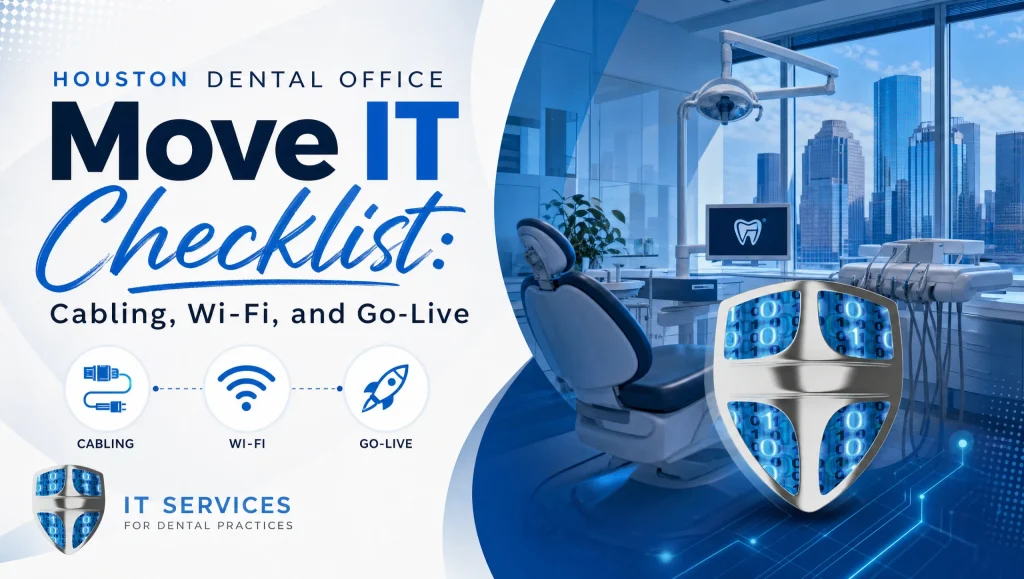
Dental Office IT Move Checklist: Houston Cabling, Wi‑Fi, and Go‑Live
A dental office IT move checklist gives you a clear, step‑by‑step plan to align low‑voltage cabling, clinic network setup, and HIPAA Wi‑Fi segmentation—so your Houston practice can relocate or open new operatories and go live on time with minimal downtime. Use this vendor‑ready guide with your GC, electrician, low‑voltage cabling contractor, and ISP—with CompTSS as your single point of contact to coordinate details and support your go‑live.
Why Your Dental Office IT Move Checklist Matters in Houston
Houston build‑outs move quickly, and coordination across trades can make or break your first patient day. This dental office IT move checklist helps you prevent last‑minute scrambles, pass local inspections, and keep imaging and VoIP humming from day one.
Timeline and Roles for a Smooth Dental IT Move
When to start (ideal 8–12 weeks before keys)
- 8–12 weeks out: Share floor plans; draft cabling markups; start ISP quoting and confirm lead times; begin AP heat mapping and coverage planning; finalize firewall, switch, and UPS specifications.
- 6–8 weeks out: Lock in low‑voltage drawings and labeling standards; place hardware orders; submit phone number porting requests; schedule the ISP install window; align inspection timelines with your GC.
- 3–4 weeks out: Conduct a pre‑wire walk‑through; validate operatory drops and the server/IDF location; confirm rack, patch panels, and cable management; prepare the static IP and VLAN plan.
- 1–2 weeks out: Complete rough‑in inspections; hang drywall; perform a wireless verification pass; stage and pre‑configure firewall, switches, APs, and servers/NAS off‑site.
- Final week: Perform acceptance testing on cabling; verify the ISP handoff; complete software installs and imaging validation; run a full go‑live rehearsal.
Who’s involved: GC, electrician, low‑voltage cabler, ISP, CompTSS project lead
- General Contractor (GC): Schedules trades, manages inspections, and coordinates build milestones.
- Electrician: Confirms dedicated circuits for the server rack/IDF, imaging equipment, and UPS placement.
- Low‑voltage cabler: Pulls and terminates Cat6/Cat6a; labels, tests, and certifies runs; installs the rack and patch panels.
- ISP: Delivers the demarc handoff and primary circuit; provisions static IPs if needed.
- CompTSS project lead: Orchestrates all parties; finalizes network design, HIPAA Wi‑Fi segmentation, QoS, and server/backup/security; provides on‑site and remote go‑live support.
Permit and inspection checkpoints in Greater Houston
- Coordinate early with your GC on any required low‑voltage permits and rough‑in/final inspections per the City of Houston Permitting Center or your local Authority Having Jurisdiction (AHJ), including fire and building inspections.
- Confirm demarcation location approvals for your ISP, and ensure any penetrations or cable pathways meet code.
- Maintain a clean, labeled rack and a documented cable schedule for inspector walk‑throughs.
Houston Low‑Voltage Cabling: Drops, Labels, and Code
Floor plan markups: ops, front desk, pano/CBCT, sterilization, server/IDF
- Operatories: Plan at least two data drops at each chair (PC and imaging/sensor hub), plus one for VoIP as needed. Include ceiling drops for overhead monitors or APs if part of the design.
- Front desk/check‑in/checkout: Provide multiple drops for PCs, scanners, VoIP, payment terminals, and printers.
- Pano/CBCT rooms: Use dedicated shielded runs if recommended by the manufacturer; confirm conduit/raceway paths.
- Sterilization/lab: Include drops for label printers, scanners, and workstations.
- Server/IDF room: Ensure adequate power, ventilation, wall‑mounted or freestanding rack space, and sufficient patch panel capacity.
Cat6/Cat6a runs, shielding considerations near imaging
- Use Cat6 as the baseline; upgrade to Cat6a for longer runs or higher‑bandwidth backbones.
- In pano/CBCT rooms or other high‑EMI areas, confirm shielding requirements and maintain separation from power per equipment guidelines.
Labeling standards, patch panel, rack, cable management
- Adopt a room‑position‑port labeling standard (e.g., OP3‑N‑01) on both the jack and the patch panel.
- Use vertical and horizontal cable management; place a well‑ventilated rack in a lockable cabinet or cage for HIPAA security.
- Maintain a living cable schedule that maps every drop to a patch panel port and switch port.
Demarc/ISP handoff location and battery‑backed equipment
- Place the ISP handoff near the rack, with room for the modem/ONT, firewall, and LTE/5G failover device.
- Size a UPS (line‑interactive or online) for the firewall, switches, ISP modem/ONT, and VoIP gear to keep services running during brief outages.
Acceptance testing: continuity, certification, documentation
- Require continuity testing and certification (Cat6/Cat6a) for all drops.
- Collect complete as‑builts: floor plans with drop IDs, test results, and photos of rack terminations.
Clinic Network Setup for Dental Workflows
Network diagram: WAN, firewall, switches, VLANs
- Document a straightforward diagram: ISP/WAN > Next‑gen firewall > Core switch > Access switches/APs > Endpoints.
- Separate VLANs for clinical workstations, imaging devices, VoIP, guest Wi‑Fi, and admin systems. Map subnets, DHCP scopes, and inter‑VLAN rules.
HIPAA Wi‑Fi segmentation: staff, VoIP, imaging devices, guest
- Create unique SSIDs mapped to VLANs: Staff, VoIP handsets, Imaging/Devices, and Guest.
- Apply firewall policies to keep guest traffic isolated from ePHI systems and restrict vendor access to only required services.
QoS for voice and imaging; static IPs for sensors, scanners, and CBCT
- Enable QoS for VoIP and time‑sensitive imaging transfers so phone calls stay clear and images import reliably.
- Assign static IPs or DHCP reservations for sensors, scanners, pano/CBCT workstations, and server resources to stabilize integrations.
Wireless heat map and AP placement for lead‑lined rooms
- Run a predictive heat map during design, then verify after drywall—especially around lead‑lined rooms that attenuate signal.
- Place APs in hallways or ceilings for overlapping coverage; consider additional APs near CBCT areas or thick walls.
Secure remote access and MFA for vendors and staff
- Use VPN with MFA for remote support and after‑hours work; create least‑privilege accounts with time‑bound access for vendors.
- Log and audit all remote sessions to support HIPAA compliance.
Core Systems: Server, Backup, and Cybersecurity
On‑prem server/NAS vs. cloud roles
- On‑prem servers/NAS commonly host practice management and imaging databases for Dentrix, Eaglesoft, Open Dental, Dexis, and Sidexis/Sirona.
- Cloud services can handle email, secure file exchange, and off‑site backups. Choose the mix that best meets performance and compliance needs.
Automated, encrypted backups and tested disaster recovery
- Implement automated, encrypted backups with both on‑site and off‑site copies; test restores before go‑live.
- Validate retention policies and recovery time objectives (RTOs) for business continuity. For deeper planning, see our guidance on cloud backup and system recovery insights.
Patch management, email filtering, and endpoint protection
- Standardize automated patching for Windows, drivers, and dental software.
- Deploy email filtering and advanced endpoint protection across all workstations and servers to reduce phishing and malware risk. For a structured security review, explore our HIPAA‑focused Ultimate Cybersecurity Audit: Zero Trust & Endpoint Protection Guide: https://comptss.com/cybersecurity-audit-ultimate-cybersecurity-audit
HIPAA considerations: BAAs, audit trails, access controls
- Execute Business Associate Agreements (BAAs) with IT, backup, and software vendors that handle ePHI.
- Enforce unique user accounts, role‑based access, and audit logs on servers and practice software.
Dental Software and Imaging: Install, Integrate, Validate
Dentrix, Eaglesoft, Open Dental, Dexis, Sidexis/Sirona support
- Pre‑stage server roles, licenses, and database migrations.
- Confirm supported versions, workstation prerequisites, and imaging bridges for each platform.
Imaging chains: sensors, intraoral cams, scanners, pano/CBCT
- Map USB hubs and powered extenders where needed; assign static IPs for networked imaging equipment; confirm DICOM and TWAIN configurations as applicable.
Print servers, label printers, signature pads, credit card terminals
- Centralize drivers on a print server; standardize naming; test barcodes and labels; confirm USB passthrough or reliable network print queues.
Test scripts: charting, imaging capture, printing, eRx, claims
- Before go‑live, run a full test script in each operatory and at the front:
- Create/recall a patient chart
- Capture sensor images and import pano/CBCT
- Print treatment plans and labels
- Send eRx (test mode where applicable)
- Submit a mock claim/eligibility check
- Document results and remediate any issues before patients arrive.
ISP, Phone, and Redundancy
Primary and failover internet options in Houston
- Engage major Houston providers early for fiber or coax options and lead times; request static IPs if your software or remote access requires them.
- Build a failover path (second ISP, LTE/5G) to maintain operations during primary outages.
VoIP readiness, porting timelines, E911 address checks
- Confirm LAN QoS for voice, proper VLAN isolation for handsets, and PoE budgets on switches.
- Start number porting 2–4 weeks before cutover; validate E911 addresses for each location.
LTE/5G backup and UPS sizing for edge gear
- Configure automatic failover on the firewall with a tested LTE/5G modem.
- Size UPS runtime to keep the firewall, modem/ONT, switches, and phones online through brief power events.
Go‑Live Rehearsal and Day‑Of Checklist
Mock patient flow test the day before
- Walk a mock patient through check‑in, imaging, clinical notes, billing, and checkout.
- Verify insurance eligibility, claims submission, and payment processing under production conditions.
- Confirm backups ran successfully overnight and that restores are functional.
Final security hardening and user onboarding
- Enforce MFA on remote access and admin accounts; disable default passwords; finalize firewall rules.
- Load user accounts, role assignments, login instructions, and quick‑reference guides at each operatory.
On‑site and remote support coverage plan
- Set defined coverage hours for go‑live day with on‑site engineers and a remote helpdesk. If you need reliable coverage, our team offers responsive Remote Helpdesk & System Recovery Support.
Vendor‑Ready Checklist You Can Hand to Your GC and Cabler
- Floor plan with all data drops marked (ops, front desk, pano/CBCT, sterilization, server/IDF)
- Labeling convention and cable schedule (jack to patch panel to switch port)
- Rack layout with patch panels, switches, UPS, and ISP gear
- ISP demarc location and power plan (with battery backup)
- VLAN/SSID plan: Staff, Imaging/Devices, VoIP, Guest; DHCP scopes and firewall rules
- Wireless heat map with AP locations and channel plan
- Static IP/DHCP reservations for imaging devices and servers
- QoS policy for VoIP and imaging
- Backup plan: schedule, encryption, off‑site copy, test restore report
- Software list and versions (Dentrix/Eaglesoft/Open Dental, Dexis, Sidexis/Sirona, etc.)
- Test scripts for charting, imaging, printing, eRx, and claims
- Go‑live day runbook and contact list for GC, cabler, ISP, and CompTSS
Myth vs. Fact: “Wi‑Fi Is Wi‑Fi” in Dental Clinics
- Myth: Any business Wi‑Fi will work fine everywhere, even through lead‑lined walls.
- Fact: Lead‑lined rooms and dense construction in dental suites can severely attenuate signals. Proper AP planning, a wireless heat map, and HIPAA Wi‑Fi segmentation with VLANs ensure coverage, protect ePHI, and keep imaging transfers and VoIP reliable.
Real‑World Note from Our Houston Team
Last summer, our Houston team supported a multi‑op relocation off I‑10. We walked the space with the cabling crew, marked every operatory drop, and ran a quick AP heat map after drywall to confirm coverage through lead‑lined walls. On go‑live morning, a mislabeled switch port surfaced during imaging tests—we traced and corrected it within minutes, and the first patient was seated on schedule.
What CompTSS Handles for Your Houston Dental Move
- Project leadership: One point of contact to coordinate the GC, electrician, low‑voltage cabler, and ISP from planning through go‑live.
- Managed IT for dental: 24/7 monitoring, patching, and fast remote response with on‑site help when needed.
- HIPAA‑focused cybersecurity: Risk assessments, MFA, encryption, email filtering, and endpoint protection aligned to dental workflows.
- Automated, encrypted backups: Tested disaster recovery with on‑site and off‑site options.
- Dental software support: Dentrix, Eaglesoft, Open Dental, Dexis, Sidexis/Sirona, plus custom programming and integrations.
- Flat‑rate Assurance plan: Predictable pricing with scalable workstation add‑ons.
- Marketing support when you’re ready: Website design, SEO for local patient acquisition, and Google Business 360° virtual tours.
If you want a deeper look at comprehensive support, explore our Business Continuity IT Support: https://comptss.com/it-support-services-ultimate-it-support-servi, and our Specialized Dental IT Solutions: https://comptss.com/it-solutions-revolutionize-dental-practice-it-s. For resilience planning, review our Ransomware Recovery & Disaster Planning guide: https://comptss.com/ransomware-recovery-master-ransomware-recovery. To see our broader Houston‑area capabilities, start here: Dental & Healthcare IT Support in Houston | CompTSS.
Suggested internal images for your planning packet
- Annotated floor plan showing cabling drops per operatory
- Alt: dental office IT move checklist cabling plan Houston
- Network diagram with VLANs for staff, devices, and guest
- Alt: dental office IT move checklist HIPAA Wi‑Fi segmentation
- Go‑live day runbook snapshot
- Alt: dental office IT move checklist go‑live plan
How CompTSS Keeps Your Downtime Low (What to Expect)
- Before drywall: We mark every drop and confirm AP placement with your cabler.
- One week out: We pre‑configure and label the firewall, switches, APs, and servers off‑site so on‑site time is shorter.
- Day before: We rehearse charting, imaging, and printing so the morning rush is predictable.
- Day of: Our engineers are on‑site while our helpdesk monitors remotely, resolving small snags before they become big delays.
Signs You’re at Risk of Delays
- No finalized cabling drawings or labeling plan two weeks before drywall
- ISP install not scheduled or demarc location not confirmed
- No AP heat map planned for lead‑lined rooms
- Backups not tested with a real restore
- Missing static IP plan for imaging devices and sensors
Quick Tips to Avoid Common Pitfalls
- Confirm each operatory has at least two data drops near the chair and one at the ceiling if needed for monitors.
- Place the server/IDF room away from wet areas, with locking and ventilation.
- Document your VLANs/SSIDs up front and label switches with port‑to‑room maps.
- Stage loaner gear (APs, modem, switches) in case a vendor shipment slips.
- Run your go‑live rehearsal with actual staff and workflows, not just an IT smoke test.
Your Next Step
- Share your floor plan for a free cabling mark‑up and Wi‑Fi heat map review.
- Schedule a Houston site walk to validate drops and AP placement before drywall.
Conclusion
With a clear dental office IT move checklist, Houston practices can align low‑voltage cabling, clinic network setup, and HIPAA Wi‑Fi segmentation to avoid last‑minute delays and go live with confidence. CompTSS serves as your hands‑on project lead—from markups and AP heat mapping to backups, cybersecurity, and day‑of support—so your team can focus on patients, not patch panels. Ready to review your plans? Send us your floor plan, and we’ll help you build a clean path to a smooth go‑live.
Frequently Asked Questions
When should we start our dental office IT move checklist in Houston?
Short answer: Begin 8–12 weeks before you get the keys.
Expanded: At 8–12 weeks out, you can align floor plans, cabling markups, ISP quotes/lead times, wireless heat mapping, and firewall/switch/UPS specs. By 6–8 weeks, lock drawings and place hardware orders. The remaining weeks focus on walk-throughs, staging/pre-config, acceptance testing, and a full go-live rehearsal to avoid last-minute scrambles.
Who coordinates the GC, electrician, cabling contractor, and ISP during the move?
Short answer: Your CompTSS project lead acts as the single point of contact.
Expanded: The GC manages build milestones and inspections, the electrician handles dedicated circuits, and the low-voltage cabler installs and certifies Cat6/Cat6a runs. The ISP delivers the demarc and static IPs if needed. CompTSS orchestrates all parties, finalizes network design, HIPAA Wi‑Fi segmentation, QoS, server/backup/security, and supports your go-live on-site and remotely.
How many data drops does each operatory need?
Short answer: Plan at least two at the chair, plus one for VoIP if needed.
Expanded: Most operatories need two drops for the PC and imaging/sensor hub, with an optional third for VoIP phones. Include ceiling drops if you’ll mount monitors or access points. Keep a clean, labeled rack and a living cable schedule mapping each jack to patch panel and switch ports.
Do we need Cat6a or shielding near pano/CBCT rooms?
Short answer: Use Cat6 as baseline; Cat6a or shielded runs may be needed near imaging or for longer backbones.
Expanded: Cat6 supports most clinical endpoints. Upgrade to Cat6a for higher-bandwidth trunks or longer runs, and follow manufacturer guidance for shielded cable or power separation around pano/CBCT and other high‑EMI areas. Always require certification testing on all drops.
What is HIPAA Wi‑Fi segmentation and why does it matter?
Short answer: It separates traffic by role/device to protect ePHI and reliability.
Expanded: Create unique SSIDs mapped to VLANs (Staff, VoIP, Imaging/Devices, Guest). Apply firewall rules to isolate guests from clinical systems, limit vendor access to only what’s required, and enforce MFA for remote access. This reduces risk, keeps voice clear, and ensures smooth imaging transfers.
How do VLANs, QoS, and static IPs help imaging and VoIP?
Short answer: They prioritize and stabilize traffic so calls and images don’t compete.
Expanded: VLANs logically separate clinical, imaging, VoIP, admin, and guest networks. QoS ensures time‑sensitive voice and imaging packets get priority. Static IPs or DHCP reservations for sensors, scanners, pano/CBCT, and servers keep integrations consistent and easier to troubleshoot.
How should we plan ISP service and failover in Houston?
Short answer: Engage major providers early and build LTE/5G or second‑ISP failover.
Expanded: Confirm fiber/coax options and lead times, request static IPs if your software or VPN requires them, and validate the demarc near your rack. Configure automatic failover on the firewall with a tested LTE/5G modem and size the UPS to keep the firewall, modem/ONT, switches, and phones up during brief outages.
What backup and disaster recovery steps are required before go‑live?
Short answer: Implement automated, encrypted on‑site and off‑site backups and test restores.
Expanded: Validate retention policies and RTOs, and complete a successful test restore prior to seeing patients. This protects practice management and imaging databases (Dentrix, Eaglesoft, Open Dental, Dexis, Sidexis/Sirona). For deeper planning, see cloud backup and system recovery insights.
How do we validate dental software and imaging integrations before opening?
Short answer: Run a scripted rehearsal across charting, imaging, printing, eRx, and claims.
Expanded: Pre‑stage server roles and licenses, confirm supported versions and bridges, and map imaging chains (sensors, cameras, scanners, pano/CBCT). Then run the test script in each operatory and at check‑in/out, document results, and remediate issues before day one. This reduces surprises during the morning rush.
What belongs in the vendor‑ready packet for my GC and cabler?
Short answer: Floor plan drops, labeling/cable schedule, rack layout, ISP demarc/power, VLAN/SSID plan, AP heat map, static IP list, QoS, backup plan, software versions, test scripts, and a go‑live contact list.
Expanded: These documents keep trades aligned and inspections smooth. They also speed acceptance testing and make troubleshooting faster if anything goes off‑plan. Share updated versions as changes occur so everyone stays in sync.
What does go‑live rehearsal and day‑of support look like?
Short answer: A full mock patient flow the day before, then on‑site engineers plus remote helpdesk on go‑live.
Expanded: Rehearse check‑in, imaging, clinical notes, billing, eRx (test mode where applicable), claims, and printing. On go‑live, enforce MFA, finalize firewall rules, and provide quick‑reference guides. If you need dependable coverage, CompTSS offers responsive Remote Helpdesk & System Recovery Support.
What exactly does CompTSS handle for a Houston dental move?
Short answer: Project leadership, managed IT, HIPAA‑focused cybersecurity, automated backups, dental software support, and flat‑rate plans.
Expanded: We coordinate GC/electrician/cabler/ISP, design VLANs and HIPAA Wi‑Fi segmentation, deploy QoS, and stage firewall/switch/APs/servers. We support Dentrix, Eaglesoft, Open Dental, Dexis, and Sidexis/Sirona, with 24/7 monitoring and on‑site help as needed. Explore Business Continuity IT Support: https://comptss.com/it-support-services-ultimate-it-support-servi and Specialized Dental IT Solutions: https://comptss.com/it-solutions-revolutionize-dental-practice-it-s
A quick real‑world note from our Houston team
Short answer: A mislabeled switch port once surfaced during imaging tests; we traced it and kept the schedule on track.
Expanded: During a multi‑op relocation off I‑10, we walked the space with the cabling crew, confirmed drops, and verified Wi‑Fi after drywall—especially near lead‑lined rooms. On go‑live morning, a switch port label didn’t match the map. Because the rack and cable schedule were clean, we identified and corrected it within minutes, and the first patient was seated as planned.