
Houston Dental IT Support: What Flat-Rate Assurance Should Include
If you’re comparing MSP proposals, the safest path is clarity. Houston dental IT support under a flat-rate Assurance plan should be a predictable, all‑in managed service that bundles 24/7 monitoring, HIPAA‑focused cybersecurity, encrypted backups with tested recovery, a responsive helpdesk, and full dental software support for one monthly fee. The right plan reduces downtime, eliminates “gotcha” charges, and lines up IT with how dentistry actually runs day to day. As a Houston IT company focused on healthcare IT services and managed IT for dentists, CompTSS builds plans around real dental workflows, local on‑site coverage, and a transparent scope.
Must-have inclusions at a glance
- 24/7 monitoring, alerting, and proactive patching
- HIPAA‑focused security: risk assessments, MFA, encryption, email filtering
- Managed endpoint protection and secure remote access
- Automated, encrypted onsite + cloud backups with recovery testing
- Ransomware readiness and incident response procedures
- Helpdesk with fast remote support and on‑site visits in Greater Houston
- Dental software support: Dentrix, Eaglesoft, Open Dental, Dexis, Sidexis/Sirona
- Vendor coordination and routine updates without surprise fees
What is a flat-rate Assurance plan for dentists?
- It’s a fixed monthly service that covers the day‑to‑day IT essentials your practice relies on—monitoring, maintenance, cybersecurity, backup and recovery, helpdesk, and vendor coordination—without per‑incident charges. In Houston, where chair time and patient expectations are high, predictable scope and costs matter as much as technical skill.
Core Coverage Every Flat-Rate Dental IT Plan Should Include
24/7 Monitoring, Alerting, and Proactive Maintenance
Round‑the‑clock monitoring should cover servers, workstations, network equipment, imaging PCs, and critical services (databases, backups, AV status). A true flat‑rate IT support plan includes:
- Automated patch management for Windows, servers, and key apps
- Health checks for storage, performance, and network bottlenecks
- Routine maintenance windows coordinated with your hours
- Clear thresholds for alerting and documented response times
HIPAA-Focused Cybersecurity (Risk Assessments, MFA, Encryption, Email Filtering, Patching)
In dental and healthcare environments, security is more than antivirus. Your plan should embed HIPAA‑minded controls into the monthly scope:
- Periodic risk assessments mapped to administrative, physical, and technical safeguards
- Multi‑factor authentication (MFA) for email, VPN/remote access, and admin accounts
- Full‑disk encryption on laptops and appropriate encryption on servers and backups
- Business‑class email security: filtering, impersonation protection, and safe links/attachments
- Secure configuration baselines plus ongoing patching of OS, browsers, and Java/.NET where in use
If you want to go deeper on security expectations and controls, review a HIPAA‑focused cybersecurity audit and Zero Trust approach here: Ultimate Cybersecurity Audit: Zero Trust & Endpoint Protection Guide (https://comptss.com/cybersecurity-audit-ultimate-cybersecurity-audit).
Managed Endpoint Protection and Secure Remote Access
- Centrally managed endpoint protection/EDR on all clinical and admin endpoints
- Web filtering and application control where appropriate
- Secure remote access for doctors and approved vendors with MFA, least privilege, and audit trails
Helpdesk and Fast Remote Support, with On-Site as Needed in Greater Houston
Your team needs a responsive helpdesk that understands dental workflows:
- Phone, portal, and email ticketing with clear triage and escalation
- Remote resolution for most issues, with on‑site support across Houston, Katy, and Sugar Land when hands‑on help is required
- Coverage for common front desk and operatory issues: label printers, intraoral cameras, imaging bridges, and claims clearinghouse connections
Data Protection That Reduces Downtime and Compliance Risk
Automated, Encrypted Backups (Onsite + Cloud)
A resilient backup strategy is non‑negotiable:
- Automated, encrypted backups with both onsite (for speed) and cloud (for resilience) copies
- Coverage for practice management databases, imaging archives, and critical file shares
- Backup status reporting you can read at a glance
Tested Disaster Recovery and Recovery Time Objectives
Backups aren’t enough; you need proof they restore. Flat‑rate should include:
- Scheduled recovery tests (file‑level and system‑level) with documented results
- Defined Recovery Time Objective (RTO) and Recovery Point Objective (RPO) appropriate to dental operations
- Written restoration procedures for practice management and imaging systems
Explore cloud backup best practices and system recovery insights to set realistic targets: Unlock IT Success: Cloud Backup & System Recovery Insights Revealed (https://comptss.com/cloud-backup-unlock-it-success-cloud-backup-sys).
Ransomware Readiness and Incident Response Playbooks
Preparedness is part of daily operations:
- Hardened backup storage with immutability or separate credentials
- Isolation and triage steps for suspected infections
- Communication templates, escalation paths, and post‑incident reviews
If you’re comparing vendors, ask to see their playbook. For a deeper look at planning, see Master Ransomware Recovery: Unbeatable Defense & Disaster Planning (https://comptss.com/ransomware-recovery-master-ransomware-recovery).
Dental Software and Clinical Workflow Support
Dentrix, Eaglesoft, Open Dental, Dexis, Sidexis/Sirona
Your MSP should know these systems well enough to troubleshoot efficiently:
- Practice management: database maintenance, backup coordination, update planning, and performance tuning
- Imaging and sensors: driver versions, bridge settings, and TWAIN integration
- Vendor coordination: scheduling updates with Dentrix, Eaglesoft, Open Dental, Dexis, or Sirona so you’re not stuck translating technical details
Imaging, Sensors, 3D/CBCT, and Network Performance Tuning
Dental imaging is network‑sensitive:
- Segmented networks or QoS for large CBCT datasets without slowing front‑desk traffic
- Proper workstation specs for acquisition PCs and read stations
- PACS/image archive storage planning with growth in mind
- Cable, switch, and Wi‑Fi assessments to keep sensors and cameras responsive
Vendor Coordination and Updates Without Surprise Fees
A true flat‑rate Assurance plan should include routine vendor coordination (updates, driver installs, integration fixes) without per‑call charges. Ask what counts as “routine” versus “project,” and get it in writing.
What Flat-Rate Should Mean for Billing and Scope
Clear Inclusions vs. Common Exclusions in MSP Contracts
Look for a documented list that states:
- Included: monitoring, patching, endpoint protection, helpdesk, routine vendor coordination, backups, recovery testing, security controls (MFA, encryption, email filtering), and standard onboarding
- Clarify gray areas: new software rollouts, complex server migrations, office moves, or major imaging overhauls—these are usually projects
- Confirm there are no ticket caps, remote support fees, or nickel‑and‑dime travel charges for routine on‑site needs in Greater Houston
Flat-Rate Assurance with Scalable Workstation Add-Ons
Flat‑rate doesn’t mean “one size fits all.” The best plans scale per workstation or provider while keeping the core protections universal. As your practice grows, add operatories or admin stations without renegotiating the entire agreement.
Hardware, Licensing, and Projects: What’s Typically Separate
- Hardware (PCs, servers, switches, firewalls), third‑party licensing, and major upgrades are typically separate from the monthly fee
- Still, your MSP should specify preferred standards, quote options, and handle imaging/practice software vendors to minimize downtime
Local Matters: Why Choose a Houston IT Company for Houston Dental IT Support
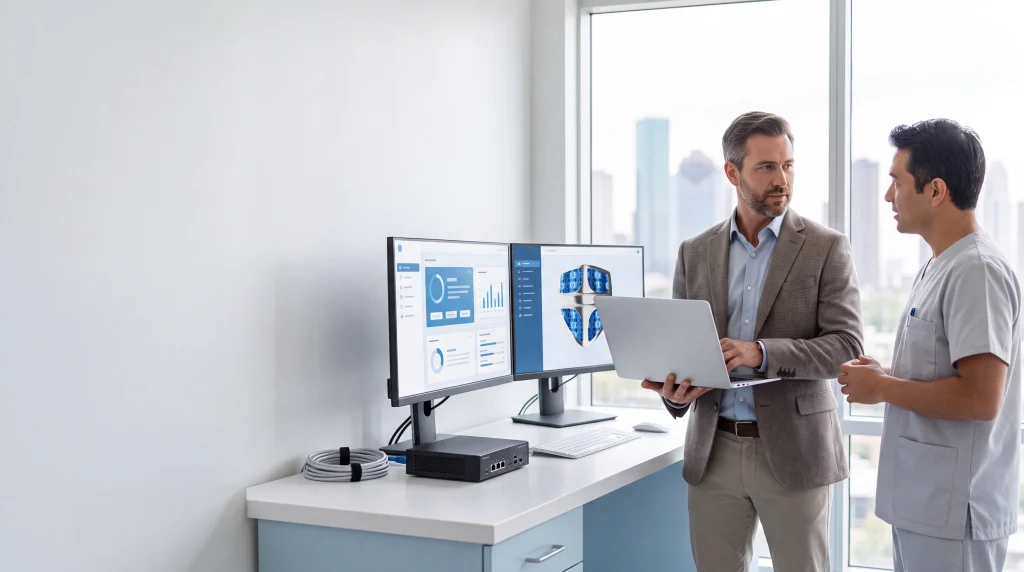
Remote tools resolve most issues, but a sensor that won’t initialize or a switch that fails still needs hands‑on help. A Houston‑based team can get on the road quickly when time is critical, especially for imaging workstations or front‑desk systems that halt check‑in.
Familiarity with Dental Compliance and Office Operations
A healthcare‑focused MSP understands HIPAA requirements, charting realities, and how downtime during hygiene blocks ripples into production. That fluency leads to better change windows, safer updates, and more realistic RTO/RPO commitments. For a broader view of healthcare technology and compliance trends, see Unlocking Healthcare IT: HIPAA, EHR & Cutting‑Edge System Trends (https://comptss.com/hipaa-compliance-unlocking-healthcare-it-hipaa).
How CompTSS Structures Flat-Rate Assurance for Dentists
What’s Included with CompTSS (aligned to sections above)
- 24/7 monitoring, alerting, and proactive maintenance across workstations, servers, and network gear
- HIPAA‑focused cybersecurity: risk assessments, MFA, encryption, email filtering, and patching
- Managed endpoint protection and secure remote access
- Automated, encrypted backups (onsite + cloud) with scheduled recovery testing
- Ransomware readiness and incident response procedures
- Helpdesk and fast remote support with on‑site service across Greater Houston
- Dental software support: Dentrix, Eaglesoft, Open Dental, Dexis, and Sidexis/Sirona
- Vendor coordination and routine updates without surprise fees
You can learn more about our broader dental and healthcare IT support in Houston and how we approach HIPAA‑compliant IT for dentists here: Dental & Healthcare IT Support in Houston | CompTSS (https://comptss.com/).
Optional Services: Websites, SEO, 360° Tours, Custom Apps
Beyond core managed IT for dentists, CompTSS offers:
- Website design and SEO for local patient acquisition
- Google Business 360° virtual tours to boost trust and visibility
- Custom web and mobile apps, portals, and integrations
Explore related dental IT solutions if you’re planning growth or modernization: Revolutionize Dental Practice: IT Solutions for Secure, Efficient Ops (https://comptss.com/it-solutions-revolutionize-dental-practice-it-s).
Real-World Experience
In our Houston client work, we’ve watched front desks breathe easier after we standardized updates and added MFA and email filtering; one dental office in Katy saw ticket volume drop noticeably once we optimized their imaging network and coordinated a vendor update for sensors—no big claims, just steady gains from tightening the basics under a clear flat‑rate plan.
Myth vs. Fact: Flat-Rate IT for Dental Practices
- Myth: Flat‑rate means “everything, no matter what.”
Fact: The strongest plans cover daily operations, security, and recovery. Hardware, major projects, and large‑scale upgrades are scoped separately—clearly. - Myth: Any MSP can handle dental because “IT is IT.”
Fact: Dental imaging, sensor drivers, and practice management databases are specialized. Experience with Dentrix, Eaglesoft, Open Dental, Dexis, and Sirona shortens downtime. - Myth: Backups alone protect you from ransomware.
Fact: You also need MFA, patching, email filtering, endpoint protection, and tested restorations. See how these pieces work together: Master Ransomware Recovery: Unbeatable Defense & Disaster Planning (https://comptss.com/ransomware-recovery-master-ransomware-recovery).
Checklist: Evaluate Your Flat-Rate Proposal
Use this line‑item checklist to compare offers and avoid scope gaps:
- Monitoring and Maintenance
- 24/7 monitoring of servers, workstations, and network devices
- Automated OS and third‑party patching with maintenance windows
- Security and Compliance
- HIPAA risk assessments included (frequency stated)
- MFA for email, VPN/remote access, and admin roles
- Full‑disk encryption on mobile devices and appropriate server encryption
- Business email filtering and impersonation protection
- Managed endpoint protection/EDR with centralized policies
- Backup and Recovery
- Automated, encrypted onsite + cloud backups for PM and imaging data
- Scheduled recovery tests with documented RTO/RPO targets
- Ransomware playbook and immutable or access‑controlled backups
- Dental Workflow Support
- Named support for Dentrix, Eaglesoft, Open Dental, Dexis, and Sidexis/Sirona
- Imaging/sensor driver support and bridge configuration
- Network performance tuning for CBCT and imaging traffic
- Helpdesk and On‑Site
- Unlimited remote support (no ticket caps)
- On‑site response included for Greater Houston routine needs
- Defined SLAs and escalation paths
- Vendor and Updates
- Vendor coordination for routine updates included (no per‑call fees)
- Clear definition of what is “routine” vs. “project”
- Billing Clarity
- Flat‑rate coverage with scalable workstation/provider add‑ons
- Hardware, licensing, and projects itemized separately, with estimates
- Reporting and Communication
- Monthly health/security reports you can read in minutes
- Named account manager and quarterly check‑ins
Next Steps for Houston Practices
If you want a second set of eyes on an MSP proposal, we’re glad to help. Request a plan review and see how our HIPAA‑focused, flat‑rate approach compares. To dive deeper into specific areas:
- Book a HIPAA‑focused cybersecurity audit to benchmark controls: Ultimate Cybersecurity Audit: Zero Trust & Endpoint Protection Guide (https://comptss.com/cybersecurity-audit-ultimate-cybersecurity-audit)
- Review cloud backup best practices and system recovery insights: Unlock IT Success: Cloud Backup & System Recovery Insights Revealed (https://comptss.com/cloud-backup-unlock-it-success-cloud-backup-sys)
- Explore remote helpdesk support and how we resolve issues fast: Unlocking IT Support: Remote Helpdesk & System Recovery Secrets (https://comptss.com/remote-helpdesk-unlocking-it-support-remote)
- See how we approach ransomware recovery planning: Master Ransomware Recovery: Unbeatable Defense & Disaster Planning (https://comptss.com/ransomware-recovery-master-ransomware-recovery)
Or start here to learn more about our dental and healthcare IT support in Houston and how we structure managed IT for dentists around predictable outcomes: Dental & Healthcare IT Support in Houston | CompTSS (https://comptss.com/).
Conclusion: Choose Predictability and Clinical Focus with Houston Dental IT Support
A reliable flat‑rate Assurance plan wraps your essentials—24/7 monitoring, HIPAA‑focused security, encrypted backups with tested recovery, a responsive helpdesk, and true dental software expertise—into one predictable monthly service. For Houston dental practices, that means fewer interruptions, clearer costs, and a partner who can be on‑site when it matters. If you’re evaluating options, let CompTSS align IT with your workflows and growth plans—so your team can focus on patients, not tickets.
Frequently Asked Questions
1) What is a flat-rate Assurance plan for dental practices?
Short answer: A predictable monthly service that covers core IT needs without per-incident fees.
Expanded answer: A flat-rate Assurance plan for dentists bundles 24/7 monitoring, proactive maintenance, HIPAA-focused cybersecurity, automated encrypted backups with tested recovery, helpdesk support, and vendor coordination for one monthly fee. For Houston practices, the goal is clear scope, fewer surprises, and IT aligned to daily clinical workflows.
2) What should Houston dental IT support include under a flat-rate plan?
Short answer: Monitoring, maintenance, HIPAA-minded security, backups and recovery tests, responsive helpdesk, dental software support, and vendor coordination.
Expanded answer: The essentials include automated patching, risk assessments, MFA, encryption, business-class email filtering, managed endpoint protection/EDR, secure remote access, onsite + cloud backups with scheduled restoration tests, and named support for Dentrix, Eaglesoft, Open Dental, Dexis, and Sidexis/Sirona—plus routine vendor coordination without surprise fees.
3) Does flat-rate Houston dental IT support include on-site help?
Short answer: Yes—remote-first with on-site visits across Greater Houston as needed.
Expanded answer: Most issues are resolved quickly via phone, portal, or email ticketing. When hands-on help is required—like a sensor that won’t initialize—on-site support is included for routine needs across Houston, Katy, and Sugar Land, without nickel-and-dime travel fees for those routine visits.
4) How does the plan address HIPAA compliance and cybersecurity?
Short answer: By embedding HIPAA-focused controls into monthly service.
Expanded answer: Expect periodic risk assessments, MFA on email and remote access, full‑disk encryption on laptops and appropriate server/backup encryption, secure configuration baselines, ongoing patching, and business email filtering. To benchmark controls, see Ultimate Cybersecurity Audit: Zero Trust & Endpoint Protection Guide: https://comptss.com/cybersecurity-audit-ultimate-cybersecurity-audit
5) What backup and disaster recovery should be included?
Short answer: Automated, encrypted onsite + cloud backups with scheduled recovery tests.
Expanded answer: Coverage should include practice management databases, imaging archives, and critical shares, with clear RTO/RPO targets and documented restoration procedures. You should receive readable backup status reports. For best practices, review: Unlock IT Success: Cloud Backup & System Recovery Insights Revealed: https://comptss.com/cloud-backup-unlock-it-success-cloud-backup-sys
6) How is ransomware readiness handled in a flat-rate plan?
Short answer: With hardened backups, isolation/triage steps, and a written playbook.
Expanded answer: Look for immutable or access-controlled backup storage, documented incident response steps, communication templates, escalation paths, and post-incident reviews. Ask your MSP to show the playbook. Learn more at Master Ransomware Recovery: Unbeatable Defense & Disaster Planning: https://comptss.com/ransomware-recovery-master-ransomware-recovery
7) Which dental software is supported?
Short answer: Dentrix, Eaglesoft, Open Dental, Dexis, and Sidexis/Sirona.
Expanded answer: Support should cover database maintenance, update planning, performance tuning, imaging bridges, driver versions, and TWAIN integrations. Your MSP should also coordinate directly with vendors for routine updates so your team isn’t stuck translating technical details.
8) What’s typically not included in flat-rate IT support?
Short answer: Hardware, third‑party licensing, and major projects.
Expanded answer: While daily operations, security, backups, and routine vendor tasks are covered, new software rollouts, complex server migrations, office moves, or major imaging overhauls are usually scoped as projects. Hardware (PCs, servers, switches, firewalls) and licensing are itemized separately with estimates.
9) How does billing scale as we add operatories or staff?
Short answer: Via scalable workstation/provider add‑ons.
Expanded answer: A well-structured flat-rate plan keeps core protections universal while letting you add workstations or providers predictably—no need to renegotiate the whole agreement as the practice grows.
10) Why choose a Houston IT company for Houston dental IT support?
Short answer: Faster on‑site response and stronger dental workflow fluency.
Expanded answer: Remote tools fix most issues, but local presence matters when imaging PCs, sensors, or network gear disrupt check‑in or clinical care. A Houston-based team understands HIPAA, hygiene blocks, and realistic RTO/RPOs. Explore our approach: Dental & Healthcare IT Support in Houston | CompTSS: https://comptss.com/
Real practice note from the team
Short answer: Tightening basics reduces noise.
Expanded answer: In our Houston client work, we’ve seen ticket volume drop after standardizing updates, enabling MFA, tuning imaging networks, and coordinating sensor vendor patches—steady, practical gains under a clear flat-rate plan.


