IT Optimization Strategies: Enhancing Efficiency in Tech Support
In the ever-evolving landscape of information technology, optimizing tech support operations is crucial for enhancing efficiency and ensuring seamless service delivery. As organizations increasingly rely on complex IT infrastructures, the demand for effective tech support strategies has never been more pronounced. By implementing a series of optimization strategies, companies can significantly improve their tech support services, thereby enhancing overall operational efficiency and customer satisfaction.
To begin with, one of the most effective strategies for optimizing tech support is the integration of advanced automation tools. Automation can streamline routine tasks, such as ticket management and issue categorization, allowing support teams to focus on more complex problems that require human intervention. By reducing the time spent on repetitive tasks, automation not only increases productivity but also minimizes the likelihood of human error. Furthermore, automated systems can provide real-time data analytics, offering valuable insights into common issues and enabling proactive problem-solving.
In addition to automation, investing in comprehensive training programs for tech support staff is essential. As technology continues to advance, support teams must be equipped with the latest knowledge and skills to address emerging challenges. Regular training sessions can ensure that staff are well-versed in new technologies and best practices, thereby improving their ability to resolve issues efficiently. Moreover, fostering a culture of continuous learning within the organization can motivate employees to stay updated with industry trends, ultimately enhancing the quality of support provided.
Another critical aspect of optimizing tech support is the implementation of a robust knowledge management system. By creating a centralized repository of information, support teams can access a wealth of resources, including troubleshooting guides, FAQs, and past case studies. This not only accelerates the problem-solving process but also ensures consistency in the solutions provided. A well-maintained knowledge base can serve as a valuable tool for both new and experienced support staff, reducing the time required to resolve issues and improving the overall customer experience.
Furthermore, leveraging data analytics can play a pivotal role in optimizing tech support operations. By analyzing patterns in support requests, organizations can identify recurring issues and address them at their root cause. This proactive approach not only reduces the volume of support tickets but also enhances system reliability and performance. Additionally, data-driven insights can inform strategic decision-making, enabling organizations to allocate resources more effectively and prioritize areas for improvement.
Moreover, enhancing communication channels between tech support teams and end-users is vital for optimizing service delivery. Implementing multi-channel support options, such as live chat, email, and phone support, can cater to diverse customer preferences and ensure timely assistance. Additionally, utilizing customer feedback mechanisms can provide valuable insights into user satisfaction and areas for improvement. By actively engaging with customers and addressing their concerns, organizations can build trust and foster long-term relationships.
In conclusion, optimizing tech support operations is a multifaceted endeavor that requires a combination of automation, training, knowledge management, data analytics, and effective communication. By adopting these strategies, organizations can enhance the efficiency of their tech support services, ultimately leading to improved customer satisfaction and operational success. As the IT landscape continues to evolve, staying ahead of the curve with innovative optimization strategies will be key to maintaining a competitive edge in the industry.
System Recovery Best Practices: Ensuring Business Continuity
In the ever-evolving landscape of information technology, ensuring business continuity is paramount for organizations of all sizes. System recovery, a critical component of IT support, plays a vital role in maintaining operational stability and minimizing downtime. As businesses increasingly rely on digital infrastructure, understanding best practices for system recovery becomes essential. This article delves into the key strategies that organizations can implement to ensure seamless recovery processes, thereby safeguarding their operations against unforeseen disruptions.
To begin with, a comprehensive disaster recovery plan is the cornerstone of effective system recovery. This plan should outline the procedures and protocols to be followed in the event of a system failure or data loss. It is crucial for organizations to conduct a thorough risk assessment to identify potential vulnerabilities and prioritize recovery efforts accordingly. By doing so, businesses can allocate resources efficiently and focus on the most critical aspects of their operations.
Moreover, regular data backups are indispensable in the realm of system recovery. Organizations should implement a robust backup strategy that includes both on-site and off-site storage solutions. This dual approach ensures that data remains accessible even if one location is compromised. Additionally, leveraging cloud-based backup services can provide an extra layer of security and flexibility, allowing businesses to recover data swiftly and efficiently.
Transitioning from data backups, it is equally important to test recovery procedures regularly. Conducting routine drills and simulations can help identify potential weaknesses in the recovery plan and provide valuable insights into areas that require improvement. By involving key stakeholders in these exercises, organizations can foster a culture of preparedness and ensure that all team members are well-versed in their roles during a recovery scenario.
Furthermore, maintaining up-to-date documentation is a critical aspect of system recovery best practices. Detailed records of system configurations, network architecture, and software inventories can significantly expedite the recovery process. In the event of a system failure, having access to accurate and current documentation allows IT support teams to restore operations more efficiently, minimizing downtime and reducing the impact on business continuity.
In addition to documentation, organizations should invest in advanced monitoring tools to detect anomalies and potential threats in real-time. Proactive monitoring enables IT teams to address issues before they escalate into full-blown crises, thereby enhancing the overall resilience of the system. By integrating these tools into their IT infrastructure, businesses can gain valuable insights into system performance and identify areas for optimization.
As technology continues to advance, organizations must also consider the role of automation in system recovery. Automated recovery solutions can streamline the process, reducing the likelihood of human error and accelerating recovery times. By automating routine tasks, such as data restoration and system reboots, businesses can free up valuable resources and focus on more strategic initiatives.
In conclusion, system recovery is an integral component of ensuring business continuity in today’s digital age. By implementing best practices such as comprehensive disaster recovery planning, regular data backups, routine testing, meticulous documentation, advanced monitoring, and automation, organizations can enhance their resilience and safeguard their operations against unforeseen disruptions. As the technological landscape continues to evolve, staying informed and proactive in system recovery efforts will be crucial for businesses seeking to maintain a competitive edge and ensure long-term success.
Troubleshooting Techniques: Solving Common IT Issues

In the ever-evolving landscape of information technology, troubleshooting remains a critical skill for IT support professionals. As technology becomes increasingly integral to business operations, the ability to swiftly and effectively resolve common IT issues is paramount. This article delves into some of the most prevalent IT problems and offers insights into troubleshooting techniques that can enhance the efficiency and reliability of tech support services.
To begin with, connectivity issues are among the most frequent challenges faced by IT support teams. Whether it involves a network outage or a device failing to connect to the internet, these problems can significantly disrupt business operations. A systematic approach to troubleshooting connectivity issues often starts with verifying the physical connections and ensuring that all cables and hardware are properly connected. Following this, checking the network settings and configurations can help identify any discrepancies that might be causing the issue. Additionally, rebooting the router or modem can sometimes resolve temporary glitches, restoring connectivity.
Transitioning to another common issue, software malfunctions can also pose significant challenges. These can range from application crashes to software not responding as expected. In such cases, it is essential to first ensure that the software is up to date, as updates often contain patches for known bugs and vulnerabilities. If the problem persists, examining the system logs can provide valuable insights into the root cause of the malfunction. Furthermore, reinstalling the software or restoring it to a previous version can sometimes resolve persistent issues.
Moreover, hardware failures are another area where IT support professionals frequently find themselves troubleshooting. From malfunctioning peripherals to complete system failures, hardware issues can be particularly daunting. A methodical approach is crucial, starting with a thorough inspection of the hardware components to identify any visible signs of damage or wear. Running diagnostic tests can also help pinpoint the faulty component, allowing for targeted repairs or replacements. In some cases, simply reseating or reconnecting hardware components can resolve the issue.
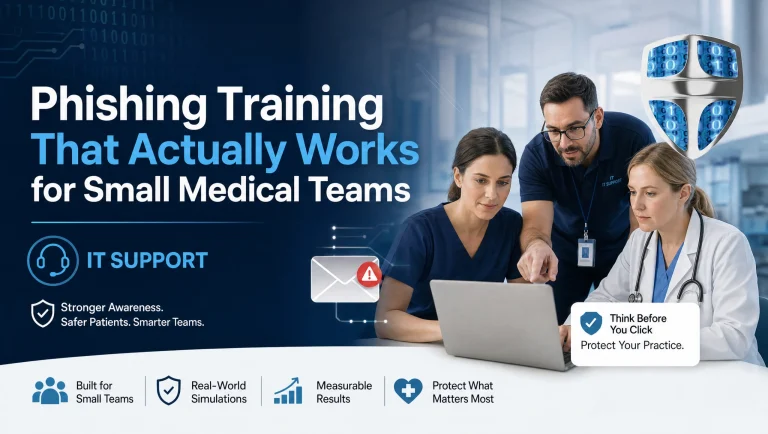
In addition to these specific problems, security concerns are an ever-present challenge in the realm of IT support. With cyber threats becoming more sophisticated, ensuring the security of IT systems is a top priority. Troubleshooting security issues often involves conducting a comprehensive security audit to identify vulnerabilities. Implementing robust security protocols, such as firewalls and encryption, can help mitigate risks. Additionally, educating users about safe computing practices is an essential component of a comprehensive security strategy.
Furthermore, user errors are a common source of IT issues, often stemming from a lack of understanding or familiarity with the technology. Providing clear and concise instructions, as well as offering training sessions, can empower users to resolve minor issues independently. This not only reduces the burden on IT support teams but also enhances overall productivity.
In conclusion, effective troubleshooting is a cornerstone of successful IT support. By adopting a systematic approach to diagnosing and resolving common IT issues, support professionals can ensure the smooth operation of technology systems. Whether dealing with connectivity problems, software malfunctions, hardware failures, security concerns, or user errors, a methodical and informed approach is key. As technology continues to advance, staying abreast of the latest troubleshooting techniques will remain essential for IT support professionals striving to deliver exceptional service.
Remote Helpdesk Solutions: Revolutionizing IT Support Services
In recent years, the landscape of IT support services has undergone a significant transformation, largely driven by the advent of remote helpdesk solutions. These solutions have revolutionized the way businesses manage their IT needs, offering a more efficient, cost-effective, and flexible approach to technical support. As organizations increasingly rely on digital infrastructure, the demand for robust IT support has never been greater. Remote helpdesk solutions have emerged as a pivotal component in meeting this demand, providing a seamless and responsive service that caters to the evolving needs of modern businesses.
One of the primary advantages of remote helpdesk solutions is their ability to offer immediate assistance to users, regardless of their geographical location. This is particularly beneficial for organizations with a distributed workforce or multiple office locations. By leveraging cloud-based technologies and remote access tools, IT support teams can diagnose and resolve issues in real-time, minimizing downtime and ensuring business continuity. This immediacy not only enhances productivity but also contributes to a more positive user experience, as employees can quickly return to their tasks without prolonged interruptions.
Moreover, remote helpdesk solutions offer a level of scalability that traditional on-site support models simply cannot match. As businesses grow and their IT needs become more complex, remote support can easily adapt to these changes. Whether an organization is expanding its operations or integrating new technologies, remote helpdesk services can scale accordingly, providing the necessary support without the need for additional on-site resources. This scalability is particularly advantageous for small to medium-sized enterprises, which may lack the budget or infrastructure to maintain a large in-house IT team.
In addition to scalability, remote helpdesk solutions also offer significant cost savings. By reducing the need for on-site visits, organizations can lower their operational expenses and allocate resources more efficiently. Furthermore, remote support allows IT teams to manage multiple clients or departments simultaneously, optimizing their workload and improving overall service delivery. This cost-effectiveness is a compelling factor for many businesses, especially in an economic climate where maximizing return on investment is crucial.
Security is another critical aspect where remote helpdesk solutions excel. With the increasing prevalence of cyber threats, safeguarding sensitive data and maintaining robust security protocols are paramount. Remote helpdesk providers often employ advanced security measures, such as encryption and multi-factor authentication, to protect client information and ensure secure remote access. This focus on security not only mitigates risks but also instills confidence in clients, who can trust that their data is being handled with the utmost care.
Furthermore, remote helpdesk solutions facilitate a proactive approach to IT support. By utilizing monitoring tools and analytics, support teams can identify potential issues before they escalate into major problems. This proactive stance allows for timely interventions, reducing the likelihood of system failures and enhancing overall network performance. Consequently, businesses can maintain a competitive edge by ensuring their IT infrastructure operates smoothly and efficiently.
In conclusion, remote helpdesk solutions have fundamentally transformed IT support services, offering a range of benefits that include immediacy, scalability, cost savings, enhanced security, and proactive management. As technology continues to evolve, the role of remote support will undoubtedly become even more integral to business operations. Organizations that embrace these solutions are well-positioned to navigate the complexities of the digital age, ensuring they remain agile, resilient, and competitive in an ever-changing landscape.
Cloud Backup Essentials: Safeguarding Data with IT Maintenance
In today’s digital age, the importance of safeguarding data cannot be overstated. As businesses increasingly rely on digital platforms to store and manage their information, the need for robust data protection strategies becomes paramount. One of the most effective ways to ensure data security is through cloud backup solutions, which offer a reliable means of preserving critical information. Cloud backup, when integrated with comprehensive IT maintenance, provides a formidable defense against data loss, ensuring that businesses can operate smoothly even in the face of unforeseen disruptions.
Cloud backup solutions offer several advantages over traditional data storage methods. Firstly, they provide scalability, allowing businesses to adjust their storage needs as they grow. This flexibility is crucial for organizations that experience fluctuating data volumes, as it ensures that they only pay for the storage they use. Additionally, cloud backup solutions offer enhanced accessibility, enabling authorized personnel to access data from anywhere with an internet connection. This feature is particularly beneficial for businesses with remote or distributed teams, as it facilitates seamless collaboration and data sharing.
Moreover, cloud backup solutions are designed with redundancy in mind, meaning that data is stored across multiple servers and locations. This redundancy ensures that even if one server fails, the data remains accessible from another location. Consequently, businesses can rest assured that their information is protected against hardware failures and other technical issues. Furthermore, cloud backup providers often implement stringent security measures, such as encryption and multi-factor authentication, to safeguard data from unauthorized access. These security protocols are essential in maintaining the confidentiality and integrity of sensitive information.
However, while cloud backup solutions offer numerous benefits, they must be complemented by regular IT maintenance to maximize their effectiveness. IT maintenance involves routine checks and updates to ensure that all systems are functioning optimally. This includes monitoring the performance of cloud backup services, ensuring that data is being backed up correctly, and verifying that recovery processes are in place and functional. Regular maintenance also involves updating software and security protocols to protect against emerging threats, such as malware and ransomware attacks.
In addition to technical maintenance, businesses should also establish clear data management policies. These policies should outline the procedures for data backup, storage, and recovery, as well as the roles and responsibilities of IT personnel. By having a well-defined data management strategy, businesses can ensure that all employees are aware of the importance of data protection and are equipped to respond effectively in the event of a data breach or loss.
Furthermore, businesses should conduct regular training sessions to keep employees informed about the latest data protection practices and technologies. This training should emphasize the importance of data security and provide practical guidance on how to identify and respond to potential threats. By fostering a culture of awareness and vigilance, businesses can significantly reduce the risk of data breaches and ensure that their information remains secure.
In conclusion, cloud backup solutions, when combined with diligent IT maintenance, offer a comprehensive approach to data protection. By leveraging the scalability, accessibility, and security features of cloud technology, businesses can safeguard their information against a wide range of threats. However, to fully realize the benefits of cloud backup, organizations must also prioritize regular maintenance and employee training. Through these efforts, businesses can create a resilient data protection strategy that supports their long-term success in an increasingly digital world.
Unlock the full potential of your IT infrastructure with expert insights and support. Discover more about Tech Support (22) and enhance your business operations today! Learn More