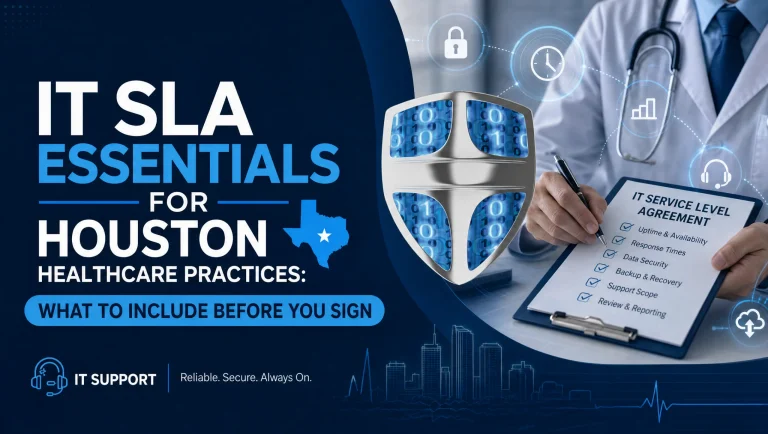
Maximizing Efficiency: IT Optimization Strategies for Tech Support Teams
In the ever-evolving landscape of information technology, tech support teams play a crucial role in ensuring the seamless operation of organizational systems. As businesses increasingly rely on digital solutions, the demand for efficient IT support has never been greater. To meet this demand, tech support teams must adopt optimization strategies that enhance their efficiency and effectiveness. By focusing on key areas such as process improvement, technology integration, and team development, organizations can significantly improve their IT support operations.
One of the primary strategies for optimizing IT support is streamlining processes. This involves evaluating existing workflows to identify bottlenecks and redundancies that may hinder productivity. By implementing standardized procedures and leveraging automation tools, tech support teams can reduce response times and improve service delivery. For instance, automating routine tasks such as password resets or system updates allows support staff to focus on more complex issues, thereby enhancing overall efficiency. Additionally, adopting a ticketing system can help prioritize and track support requests, ensuring that critical issues are addressed promptly.
In conjunction with process optimization, integrating advanced technologies can further enhance the capabilities of tech support teams. Artificial intelligence (AI) and machine learning (ML) are increasingly being utilized to provide predictive analytics and automated solutions. These technologies can analyze patterns in support requests, enabling teams to anticipate potential issues before they escalate. Moreover, AI-powered chatbots can handle basic inquiries, providing instant assistance to users and freeing up human resources for more intricate problems. By embracing these technological advancements, organizations can offer a more proactive and responsive support experience.
Another critical aspect of IT optimization is the continuous development of the support team. Investing in training and professional development ensures that team members are equipped with the latest skills and knowledge to tackle emerging challenges. Regular workshops and certifications can keep staff updated on new technologies and industry best practices. Furthermore, fostering a culture of collaboration and knowledge sharing within the team can lead to more innovative solutions and improved problem-solving capabilities. Encouraging open communication and feedback can also help identify areas for improvement and drive continuous enhancement of support services.
Moreover, effective communication with end-users is essential for optimizing IT support. Clear and concise communication can prevent misunderstandings and ensure that users are well-informed about the status of their requests. Providing self-service resources, such as knowledge bases and FAQs, empowers users to resolve minor issues independently, reducing the volume of support requests. Additionally, soliciting feedback from users can provide valuable insights into their needs and expectations, allowing support teams to tailor their services accordingly.
Finally, measuring and analyzing performance metrics is vital for assessing the effectiveness of optimization strategies. Key performance indicators (KPIs) such as response time, resolution time, and customer satisfaction can provide a comprehensive view of the support team’s performance. Regularly reviewing these metrics enables organizations to identify trends, assess the impact of implemented changes, and make data-driven decisions for further improvements.
In conclusion, maximizing efficiency in IT support requires a multifaceted approach that encompasses process optimization, technology integration, team development, effective communication, and performance measurement. By adopting these strategies, tech support teams can enhance their operational efficiency, deliver superior service, and ultimately contribute to the overall success of the organization. As the digital landscape continues to evolve, staying ahead of the curve in IT support will be essential for meeting the growing demands of modern businesses.
The Role of Cloud Backup in Modern IT Maintenance and System Recovery
In the rapidly evolving landscape of information technology, the role of cloud backup has become increasingly pivotal in modern IT maintenance and system recovery. As organizations continue to rely heavily on digital infrastructure, the need for robust data protection strategies has never been more critical. Cloud backup solutions offer a compelling answer to this need, providing a reliable and efficient means of safeguarding data against potential loss or corruption.
One of the primary advantages of cloud backup is its ability to provide continuous data protection. Unlike traditional backup methods, which often require manual intervention and are typically performed at scheduled intervals, cloud backup solutions can automatically and continuously back up data as changes occur. This ensures that the most recent versions of files are always available, significantly reducing the risk of data loss in the event of a system failure or cyberattack. Moreover, the automation inherent in cloud backup systems minimizes the potential for human error, which is a common cause of data loss in manual backup processes.
In addition to continuous data protection, cloud backup offers unparalleled scalability. As organizations grow and their data storage needs increase, cloud solutions can easily accommodate this growth without the need for significant investment in additional hardware. This scalability is particularly beneficial for small and medium-sized enterprises, which may not have the resources to invest in extensive on-premises storage infrastructure. By leveraging cloud backup, these organizations can ensure that their data protection strategies evolve in tandem with their business needs.
Furthermore, cloud backup plays a crucial role in system recovery, a critical component of any comprehensive IT maintenance strategy. In the event of a system failure, whether due to hardware malfunction, software issues, or a cyberattack, the ability to quickly restore data is essential to minimizing downtime and maintaining business continuity. Cloud backup solutions facilitate rapid data recovery by storing data in secure, offsite locations that are accessible from anywhere with an internet connection. This not only ensures that data can be restored quickly but also provides an additional layer of protection against localized disasters, such as fires or floods, that could compromise on-premises backup systems.
Security is another key consideration in the adoption of cloud backup solutions. With cyber threats becoming increasingly sophisticated, ensuring the security of backed-up data is paramount. Reputable cloud backup providers employ advanced encryption techniques to protect data both in transit and at rest, ensuring that sensitive information remains secure from unauthorized access. Additionally, many providers offer features such as multi-factor authentication and regular security audits, further enhancing the security posture of cloud backup solutions.
While the benefits of cloud backup are numerous, it is important for organizations to carefully evaluate their specific needs and choose a solution that aligns with their IT maintenance and system recovery objectives. Factors such as data volume, recovery time objectives, and budget constraints should all be considered when selecting a cloud backup provider. By doing so, organizations can ensure that they are well-equipped to protect their data and maintain operational resilience in the face of potential disruptions.
In conclusion, cloud backup has emerged as a vital component of modern IT maintenance and system recovery strategies. Its ability to provide continuous data protection, scalability, rapid recovery, and robust security makes it an indispensable tool for organizations seeking to safeguard their digital assets. As the digital landscape continues to evolve, the role of cloud backup in ensuring data integrity and business continuity will undoubtedly become even more pronounced.
Enhancing Remote Helpdesk Services: Best Practices for Effective Tech Support
In today’s rapidly evolving digital landscape, the demand for efficient and effective remote helpdesk services has never been more critical. As organizations increasingly rely on technology to drive their operations, the need for robust tech support systems becomes paramount. Enhancing remote helpdesk services requires a strategic approach that combines technical expertise with customer-centric practices. By adopting best practices, organizations can ensure that their tech support not only resolves issues promptly but also enhances user satisfaction and operational efficiency.
To begin with, a well-structured remote helpdesk service should prioritize clear communication. Effective communication is the cornerstone of successful tech support, as it ensures that both the support team and the end-users are on the same page. Utilizing multiple communication channels, such as email, chat, and video calls, can cater to diverse user preferences and facilitate real-time problem-solving. Moreover, implementing a ticketing system can help track and manage user requests systematically, ensuring that no issue goes unresolved.
In addition to communication, investing in comprehensive training for helpdesk personnel is crucial. Tech support staff should possess not only technical skills but also the ability to empathize with users and understand their concerns. Regular training sessions can keep the team updated on the latest technological advancements and troubleshooting techniques. Furthermore, fostering a culture of continuous learning encourages helpdesk personnel to stay curious and proactive, ultimately leading to more effective problem resolution.
Another best practice involves leveraging technology to streamline support processes. Automation tools, such as chatbots and AI-driven diagnostics, can handle routine inquiries and initial troubleshooting, freeing up human agents to focus on more complex issues. This not only improves response times but also enhances the overall efficiency of the helpdesk. Additionally, implementing remote access tools allows support staff to diagnose and resolve issues directly on users’ devices, minimizing downtime and enhancing user satisfaction.
Moreover, establishing a robust knowledge base is an invaluable asset for any remote helpdesk service. A well-organized repository of articles, FAQs, and troubleshooting guides empowers users to find solutions independently, reducing the volume of support requests. Regularly updating this knowledge base with new information and insights from resolved cases ensures its relevance and effectiveness. Encouraging users to consult the knowledge base before reaching out to support can significantly alleviate the workload on helpdesk personnel.
Furthermore, measuring and analyzing performance metrics is essential for continuous improvement. Key performance indicators (KPIs) such as response time, resolution time, and user satisfaction scores provide valuable insights into the effectiveness of the helpdesk service. By regularly reviewing these metrics, organizations can identify areas for improvement and implement targeted strategies to enhance service quality. Additionally, soliciting feedback from users through surveys or follow-up calls can offer a deeper understanding of their experiences and expectations.
Finally, fostering a collaborative environment within the helpdesk team can lead to more innovative solutions and improved service delivery. Encouraging open communication and knowledge sharing among team members can facilitate the exchange of ideas and best practices. Regular team meetings and brainstorming sessions can also help identify common challenges and develop strategies to address them collectively.
In conclusion, enhancing remote helpdesk services requires a multifaceted approach that combines effective communication, comprehensive training, technological integration, and continuous performance evaluation. By adopting these best practices, organizations can ensure that their tech support not only meets but exceeds user expectations, ultimately contributing to a more seamless and productive digital experience.
Troubleshooting Techniques: Common IT Support Challenges and Solutions
In the ever-evolving landscape of information technology, IT support professionals are frequently confronted with a myriad of challenges that require adept troubleshooting techniques. These challenges, while diverse, often share commonalities that can be addressed through systematic approaches. Understanding these common IT support challenges and their solutions is crucial for ensuring seamless operations and minimizing downtime.
One of the most prevalent issues faced by IT support teams is connectivity problems. Whether it involves a single user’s inability to connect to the network or a widespread outage affecting multiple users, connectivity issues can significantly disrupt business operations. To address these challenges, IT professionals often begin by verifying the physical connections, such as cables and routers, to ensure they are properly connected and functioning. Additionally, checking the network settings and configurations can help identify any discrepancies that may be causing the issue. By systematically isolating the problem, IT support can efficiently restore connectivity and ensure that users can resume their tasks without prolonged interruptions.
Another common challenge in IT support is software malfunctions. These can range from application crashes to compatibility issues that hinder productivity. To troubleshoot software-related problems, IT professionals typically start by ensuring that the software is up to date with the latest patches and updates. This step is crucial as updates often contain fixes for known bugs and vulnerabilities. If the problem persists, IT support may delve deeper into the system logs to identify any error messages or patterns that could provide insights into the root cause. In some cases, reinstalling the software or rolling back to a previous version may be necessary to resolve the issue. By employing these techniques, IT support can effectively mitigate software malfunctions and enhance user experience.
Hardware failures also pose significant challenges for IT support teams. From malfunctioning hard drives to faulty peripherals, hardware issues can lead to data loss and operational inefficiencies. To address these challenges, IT professionals often begin by conducting a thorough diagnostic of the hardware components. This may involve running tests to assess the health of the hard drive or checking the connections of peripheral devices. In instances where hardware replacement is necessary, IT support must ensure that the new components are compatible with the existing system to prevent further complications. By proactively monitoring hardware performance and addressing issues promptly, IT support can minimize the impact of hardware failures on business operations.
Security threats represent another critical challenge for IT support teams. With the increasing sophistication of cyberattacks, IT professionals must be vigilant in safeguarding sensitive data and systems. To combat security threats, IT support often implements robust security protocols, including firewalls, antivirus software, and regular security audits. Educating users about best practices, such as recognizing phishing attempts and using strong passwords, is also essential in creating a secure IT environment. By adopting a proactive approach to security, IT support can effectively mitigate risks and protect organizational assets.
In conclusion, the challenges faced by IT support teams are multifaceted, yet they can be effectively managed through systematic troubleshooting techniques. By addressing connectivity issues, software malfunctions, hardware failures, and security threats with a structured approach, IT professionals can ensure the smooth operation of technology systems. As the IT landscape continues to evolve, staying informed about emerging challenges and solutions will be paramount for IT support teams striving to maintain optimal performance and security.
Proactive IT Maintenance: Ensuring System Reliability and Performance
In the ever-evolving landscape of information technology, maintaining system reliability and performance is paramount for businesses seeking to remain competitive and efficient. Proactive IT maintenance emerges as a critical strategy in achieving these objectives, as it involves anticipating potential issues and addressing them before they escalate into significant problems. This approach not only enhances system performance but also minimizes downtime, ultimately contributing to a more productive and seamless operational environment.
To begin with, proactive IT maintenance involves regular system monitoring, which allows IT professionals to keep a vigilant eye on the health of the network and its components. By utilizing advanced monitoring tools, IT teams can detect anomalies and irregularities in real-time, enabling them to take swift corrective actions. This continuous oversight ensures that potential threats, such as hardware failures or security breaches, are identified and mitigated before they can cause substantial disruptions. Consequently, businesses can maintain a stable and secure IT infrastructure, which is essential for supporting day-to-day operations.
Moreover, regular software updates and patch management are integral components of proactive IT maintenance. Software vendors frequently release updates to address vulnerabilities, improve functionality, and enhance security. By systematically applying these updates, organizations can protect their systems from known threats and ensure that their software operates at optimal efficiency. This practice not only fortifies the system against cyber threats but also enhances the overall user experience by providing access to the latest features and improvements.
In addition to software updates, hardware maintenance plays a crucial role in ensuring system reliability. Over time, hardware components can degrade, leading to performance issues or complete failures. Proactive maintenance involves routine inspections and servicing of hardware to identify signs of wear and tear. By replacing or repairing components before they fail, businesses can prevent unexpected downtime and maintain a high level of system performance. This foresight is particularly important for critical infrastructure, where even minor disruptions can have significant repercussions.
Furthermore, data backup and recovery planning are essential aspects of proactive IT maintenance. In the event of data loss due to hardware failure, cyberattacks, or human error, having a robust backup strategy ensures that critical information can be quickly restored. Regularly scheduled backups, combined with a well-defined recovery plan, enable organizations to resume operations with minimal delay, thereby safeguarding against potential financial and reputational damage.
Transitioning from maintenance to optimization, proactive IT strategies also encompass performance tuning and capacity planning. By analyzing system performance metrics, IT teams can identify bottlenecks and areas for improvement. This analysis allows for informed decisions regarding resource allocation and system upgrades, ensuring that the IT infrastructure can accommodate current and future demands. Capacity planning, in particular, is vital for scaling operations and avoiding performance degradation as the organization grows.
In conclusion, proactive IT maintenance is a comprehensive approach that encompasses monitoring, updates, hardware servicing, data protection, and performance optimization. By adopting this strategy, businesses can ensure system reliability and performance, thereby enhancing their operational efficiency and resilience. As technology continues to advance, the importance of proactive maintenance will only grow, making it an indispensable component of any successful IT strategy. Through diligent planning and execution, organizations can navigate the complexities of the digital age with confidence and agility.
Unlock the full potential of your IT infrastructure with expert insights from Tech Support (16). Discover cutting-edge solutions and strategies to enhance your tech support capabilities. Explore IT Support Insights now!