System Recovery Strategies: Ensuring Business Continuity
In the ever-evolving landscape of information technology, businesses are increasingly reliant on their digital infrastructure to maintain operations and ensure seamless service delivery. Consequently, the importance of robust system recovery strategies cannot be overstated. These strategies are essential for ensuring business continuity in the face of unexpected disruptions, such as hardware failures, cyberattacks, or natural disasters. By implementing comprehensive recovery plans, organizations can minimize downtime, protect critical data, and maintain customer trust.
To begin with, a fundamental aspect of system recovery is the development of a detailed disaster recovery plan. This plan should outline the specific steps to be taken in the event of a system failure, including the identification of key personnel responsible for executing the recovery process. It is crucial for businesses to conduct regular risk assessments to identify potential vulnerabilities within their IT infrastructure. By understanding these risks, organizations can prioritize their recovery efforts and allocate resources effectively.
Moreover, data backup is a cornerstone of any system recovery strategy. Regularly scheduled backups ensure that critical information is preserved and can be restored in the event of data loss. Businesses should consider employing a combination of on-site and off-site backup solutions to safeguard their data. On-site backups provide quick access to recent data, while off-site backups protect against localized disasters. Additionally, cloud-based backup solutions offer scalability and flexibility, allowing businesses to adjust their storage needs as they grow.
In addition to data backup, system redundancy plays a vital role in maintaining business continuity. By implementing redundant systems, organizations can ensure that critical operations continue even if one component fails. This can be achieved through the use of failover systems, which automatically switch to a backup system in the event of a failure. Redundancy can also be applied to network infrastructure, ensuring that communication channels remain open during a disruption.
Furthermore, regular testing and updating of recovery plans are essential to ensure their effectiveness. Businesses should conduct routine drills to simulate various disaster scenarios, allowing them to identify potential weaknesses in their recovery strategies. These exercises provide valuable insights into the readiness of the organization and highlight areas for improvement. Additionally, as technology evolves, recovery plans must be updated to incorporate new tools and methodologies that enhance recovery capabilities.
Another critical component of system recovery is employee training. Staff members should be well-versed in the recovery procedures and understand their roles in the event of a disruption. Regular training sessions and workshops can help reinforce this knowledge and ensure that employees are prepared to respond effectively. By fostering a culture of preparedness, businesses can enhance their resilience and reduce the impact of unexpected events.
Finally, collaboration with external partners can significantly enhance an organization’s recovery efforts. Engaging with IT support providers and disaster recovery specialists can provide access to expertise and resources that may not be available in-house. These partnerships can offer valuable guidance in developing and implementing recovery strategies, as well as provide support during the recovery process.
In conclusion, system recovery strategies are indispensable for ensuring business continuity in today’s digital age. By developing comprehensive disaster recovery plans, implementing robust data backup and redundancy measures, and fostering a culture of preparedness, organizations can mitigate the impact of disruptions and maintain their operations. Through regular testing, employee training, and collaboration with external partners, businesses can enhance their resilience and safeguard their future in an increasingly uncertain world.
Troubleshooting Common IT Issues: A Step-by-Step Guide
In the ever-evolving landscape of information technology, troubleshooting common IT issues remains a critical skill for both seasoned professionals and everyday users. Understanding the intricacies of these problems and their solutions can significantly enhance productivity and reduce downtime. This guide aims to provide a step-by-step approach to resolving some of the most frequently encountered IT issues, ensuring a seamless experience for users.
To begin with, one of the most prevalent issues users face is connectivity problems. Whether it is a Wi-Fi connection dropping intermittently or a complete lack of internet access, these issues can be frustrating. The first step in addressing connectivity problems is to check the physical connections. Ensure that all cables are securely plugged in and that the router is powered on. If the issue persists, restarting the router can often resolve temporary glitches. Additionally, verifying the network settings on the device and ensuring that it is connected to the correct network can help. If these steps do not resolve the issue, contacting the internet service provider may be necessary to check for outages or service disruptions.
Another common issue is slow computer performance, which can be attributed to various factors. To tackle this, start by closing unnecessary programs and browser tabs that may be consuming system resources. Running a virus scan can also identify and eliminate malware that might be affecting performance. Furthermore, checking for software updates and installing them can improve system efficiency. If the problem continues, consider upgrading the hardware, such as adding more RAM or replacing an old hard drive with a solid-state drive, to enhance performance.
Printer malfunctions are another frequent concern in IT support. When a printer fails to print, the first step is to check for paper jams and ensure that there is enough paper and ink or toner. Verifying that the printer is properly connected to the computer, either via USB or network, is also crucial. If the printer is networked, confirming that it is connected to the correct network can resolve connectivity issues. Additionally, reinstalling the printer drivers or updating them to the latest version can often solve persistent problems.
Software crashes and application errors are also common issues that users encounter. When an application crashes, restarting the program or the computer can often resolve the issue. Checking for software updates and installing them can also prevent future crashes by addressing known bugs. If the problem persists, uninstalling and reinstalling the application may be necessary. In some cases, consulting the software’s support documentation or contacting the vendor’s support team can provide additional insights and solutions.
Finally, data loss is a critical issue that can have severe consequences. To mitigate the risk of data loss, regular backups are essential. In the event of accidental deletion or corruption, having a recent backup can facilitate data recovery. Utilizing cloud storage solutions or external hard drives for backups can provide an additional layer of security. If data recovery is necessary, specialized software tools or professional data recovery services may be required to retrieve lost files.
In conclusion, troubleshooting common IT issues requires a methodical approach and a basic understanding of the underlying technology. By following these step-by-step guidelines, users can effectively resolve many of the typical problems they encounter, thereby enhancing their overall IT experience. As technology continues to advance, staying informed about the latest troubleshooting techniques will remain an invaluable asset in navigating the digital world.
IT Maintenance Best Practices for Optimal Performance
In the ever-evolving landscape of information technology, maintaining optimal performance of IT systems is crucial for businesses to ensure seamless operations and competitive advantage. As organizations increasingly rely on complex IT infrastructures, implementing best practices for IT maintenance becomes essential. These practices not only enhance system performance but also mitigate risks associated with downtime and security breaches. To achieve this, a comprehensive approach that encompasses regular updates, proactive monitoring, and strategic planning is necessary.
Firstly, regular software and hardware updates are fundamental to maintaining system efficiency and security. Software vendors frequently release updates that address vulnerabilities, improve functionality, and enhance performance. By ensuring that all systems are up-to-date, organizations can protect themselves against potential threats and ensure that their IT infrastructure operates at peak efficiency. Similarly, hardware components should be regularly assessed for wear and tear, and upgrades should be considered when necessary to prevent bottlenecks and maintain optimal performance.
In addition to updates, proactive monitoring plays a pivotal role in IT maintenance. By continuously monitoring system performance, IT teams can identify potential issues before they escalate into significant problems. This involves using advanced monitoring tools that provide real-time insights into system health, network traffic, and application performance. With these insights, IT professionals can quickly address anomalies, optimize resource allocation, and ensure that systems are running smoothly. Moreover, proactive monitoring allows for the early detection of security threats, enabling swift action to prevent data breaches and other cyber incidents.
Furthermore, strategic planning is essential for effective IT maintenance. This involves developing a comprehensive maintenance schedule that outlines regular tasks such as backups, system audits, and performance reviews. By adhering to a well-structured plan, organizations can ensure that maintenance activities are conducted consistently and efficiently. Additionally, strategic planning should include disaster recovery and business continuity plans to prepare for unexpected events. These plans should be regularly tested and updated to ensure that they remain effective in the face of evolving threats and changing business needs.
Another critical aspect of IT maintenance is the management of IT assets. Keeping an accurate inventory of all hardware and software assets allows organizations to track their lifecycle, plan for replacements, and ensure compliance with licensing agreements. Asset management also facilitates better budgeting and resource allocation, as it provides a clear overview of the organization’s IT infrastructure and its needs.
Moreover, fostering a culture of continuous improvement within the IT department can significantly enhance maintenance practices. Encouraging IT staff to stay informed about the latest industry trends, technologies, and best practices ensures that the organization remains at the forefront of innovation. Regular training and professional development opportunities can empower IT professionals to implement more effective maintenance strategies and adapt to new challenges.
In conclusion, maintaining optimal performance of IT systems requires a multifaceted approach that includes regular updates, proactive monitoring, strategic planning, asset management, and continuous improvement. By implementing these best practices, organizations can enhance system efficiency, reduce the risk of downtime and security breaches, and ultimately support their business objectives. As technology continues to advance, staying vigilant and adaptable in IT maintenance practices will be key to sustaining competitive advantage and ensuring long-term success.
Cloud Backup Solutions: Protecting Your Data in the Digital Age
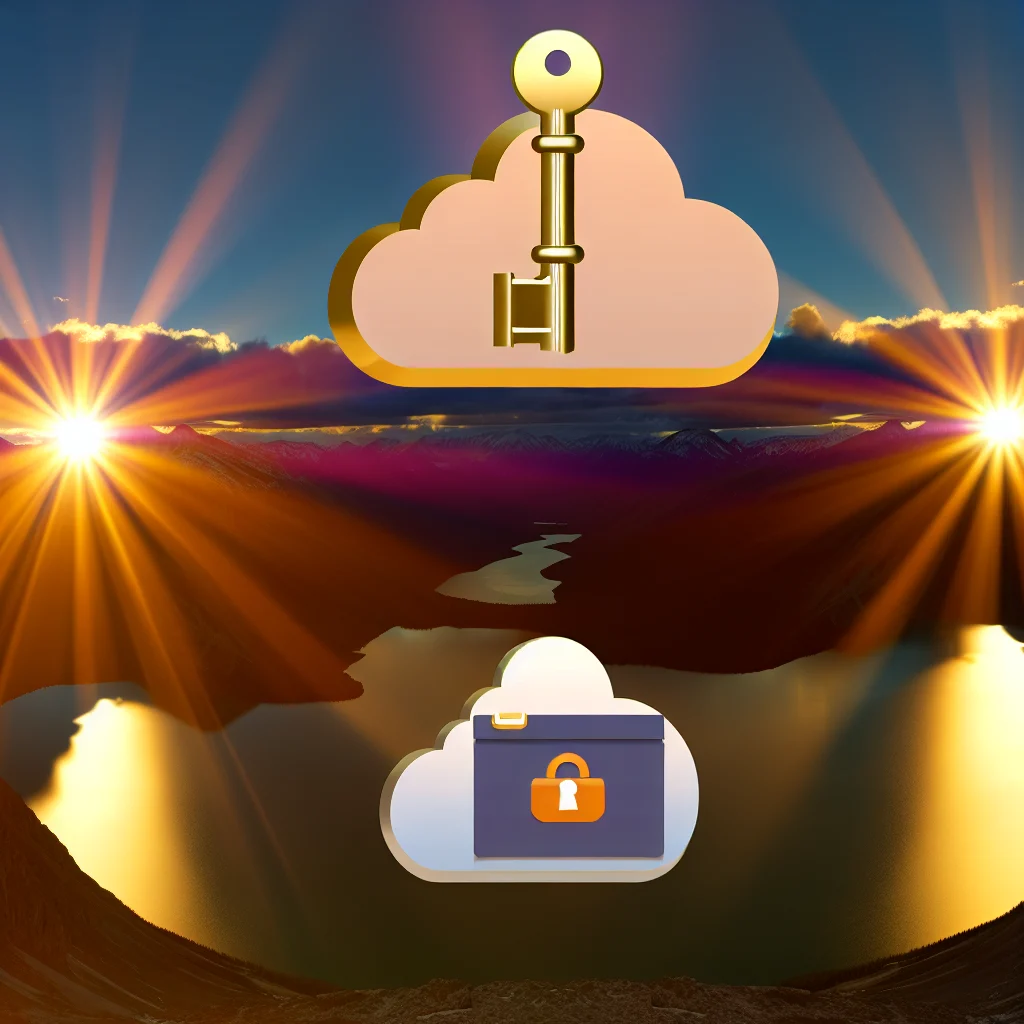
In today’s digital age, the importance of safeguarding data cannot be overstated. As businesses and individuals increasingly rely on digital platforms to store and manage information, the risk of data loss due to hardware failures, cyberattacks, or human error has become a significant concern. Consequently, cloud backup solutions have emerged as a vital component in the strategy to protect valuable data. These solutions offer a reliable and efficient means of ensuring that data remains secure and accessible, even in the face of unforeseen events.
Cloud backup solutions operate by storing copies of data on remote servers, which are maintained by third-party service providers. This approach offers several advantages over traditional on-premises backup methods. For one, cloud backups eliminate the need for physical storage devices, which can be susceptible to damage or theft. Additionally, cloud service providers typically employ robust security measures, including encryption and multi-factor authentication, to protect data from unauthorized access. This level of security is often beyond the capabilities of individual users or small businesses, making cloud solutions an attractive option for those seeking to enhance their data protection strategies.
Moreover, cloud backup solutions offer unparalleled convenience and scalability. Users can access their data from any location with an internet connection, ensuring that critical information is always within reach. This is particularly beneficial for businesses with remote or distributed workforces, as it allows employees to collaborate seamlessly without the constraints of physical data storage. Furthermore, cloud services can easily scale to accommodate growing data volumes, providing businesses with the flexibility to expand their storage capacity as needed without the hassle of upgrading hardware.
In addition to these benefits, cloud backup solutions often include features that enhance data management and recovery. For instance, many providers offer automated backup schedules, ensuring that data is regularly updated without requiring manual intervention. This reduces the risk of data loss due to oversight or forgetfulness. Additionally, cloud solutions typically include versioning capabilities, allowing users to restore previous versions of files in the event of accidental deletion or corruption. This feature is particularly valuable for businesses that rely on critical data for their operations, as it provides an added layer of protection against data loss.
Despite the numerous advantages of cloud backup solutions, it is essential for users to carefully evaluate their options before selecting a provider. Factors such as cost, storage capacity, and service reliability should be considered to ensure that the chosen solution aligns with the user’s specific needs and budget. Additionally, users should verify that the provider complies with relevant data protection regulations, such as the General Data Protection Regulation (GDPR) or the Health Insurance Portability and Accountability Act (HIPAA), to ensure that their data is handled in accordance with legal requirements.
In conclusion, cloud backup solutions represent a critical tool in the effort to protect data in the digital age. By offering secure, scalable, and convenient storage options, these solutions enable users to safeguard their information against a range of potential threats. As technology continues to evolve, the importance of robust data protection strategies will only grow, making cloud backup solutions an indispensable component of modern IT support. By carefully selecting a provider and leveraging the features offered by cloud services, users can ensure that their data remains secure and accessible, regardless of the challenges they may face.
Remote Helpdesk Services: Enhancing Tech Support Efficiency
In today’s fast-paced digital landscape, the demand for efficient and effective IT support has never been greater. As businesses increasingly rely on technology to drive their operations, the need for robust tech support systems becomes paramount. One of the most significant advancements in this realm is the advent of remote helpdesk services, which have revolutionized the way organizations manage their IT support needs. By leveraging remote helpdesk services, companies can enhance their tech support efficiency, streamline operations, and ultimately improve their bottom line.
Remote helpdesk services offer a myriad of benefits that traditional on-site support models simply cannot match. First and foremost, they provide immediate access to technical assistance, regardless of geographical location. This is particularly advantageous for organizations with a distributed workforce or multiple office locations. By eliminating the need for physical presence, remote helpdesk services ensure that technical issues are addressed promptly, minimizing downtime and maintaining productivity.
Moreover, remote helpdesk services are cost-effective. By outsourcing IT support to specialized providers, companies can reduce the overhead costs associated with maintaining an in-house support team. This includes savings on salaries, training, and infrastructure. Additionally, remote services often operate on a subscription or pay-as-you-go model, allowing businesses to scale their support needs according to demand. This flexibility ensures that companies only pay for the services they require, optimizing their IT budget.
Another key advantage of remote helpdesk services is the access to a broader pool of expertise. Service providers typically employ a team of skilled professionals with diverse technical backgrounds, ensuring that a wide range of issues can be addressed efficiently. This diversity of expertise is particularly beneficial for small to medium-sized enterprises that may not have the resources to hire specialists for every potential technical challenge. Consequently, remote helpdesk services can provide a level of support that is both comprehensive and adaptable to the evolving needs of the business.
Furthermore, remote helpdesk services often incorporate advanced technologies such as artificial intelligence and machine learning to enhance their support capabilities. These technologies enable predictive analytics, allowing service providers to anticipate potential issues before they escalate into significant problems. By proactively identifying and addressing vulnerabilities, remote helpdesk services can prevent disruptions and maintain seamless operations. This proactive approach not only enhances efficiency but also contributes to a more secure IT environment.
In addition to these benefits, remote helpdesk services offer the advantage of continuous support. Many providers operate on a 24/7 basis, ensuring that assistance is available whenever it is needed. This round-the-clock availability is crucial in today’s globalized economy, where businesses operate across different time zones and require support at all hours. Continuous support ensures that technical issues are resolved swiftly, regardless of when they occur, thereby maintaining operational continuity.
In conclusion, remote helpdesk services represent a transformative approach to IT support, offering numerous advantages over traditional models. By providing immediate access to expertise, reducing costs, and leveraging advanced technologies, these services enhance tech support efficiency and contribute to the overall success of an organization. As businesses continue to navigate the complexities of the digital age, embracing remote helpdesk services will be essential in maintaining a competitive edge and ensuring the smooth operation of their technological infrastructure.
Unlock the full potential of your IT infrastructure with expert insights from Tech Support (11). Discover cutting-edge solutions and strategies to enhance your tech support capabilities. Learn more now!