System Recovery Strategies: Ensuring Business Continuity
In the ever-evolving landscape of information technology, businesses are increasingly reliant on their digital infrastructure to maintain operations and ensure seamless service delivery. As such, system recovery strategies have become a critical component of IT support, playing a pivotal role in ensuring business continuity. The ability to swiftly recover from system failures, data breaches, or other unforeseen disruptions is not merely a technical challenge but a business imperative. Consequently, organizations must adopt comprehensive recovery strategies that encompass both preventive measures and responsive actions.
To begin with, a robust system recovery strategy should be grounded in a thorough risk assessment. This involves identifying potential vulnerabilities within the IT infrastructure and evaluating the impact of various failure scenarios. By understanding the specific risks that an organization faces, IT support teams can prioritize resources and develop targeted recovery plans. Moreover, this risk assessment should be an ongoing process, as the technological landscape and threat environment are in constant flux. Regular updates to the risk profile ensure that recovery strategies remain relevant and effective.
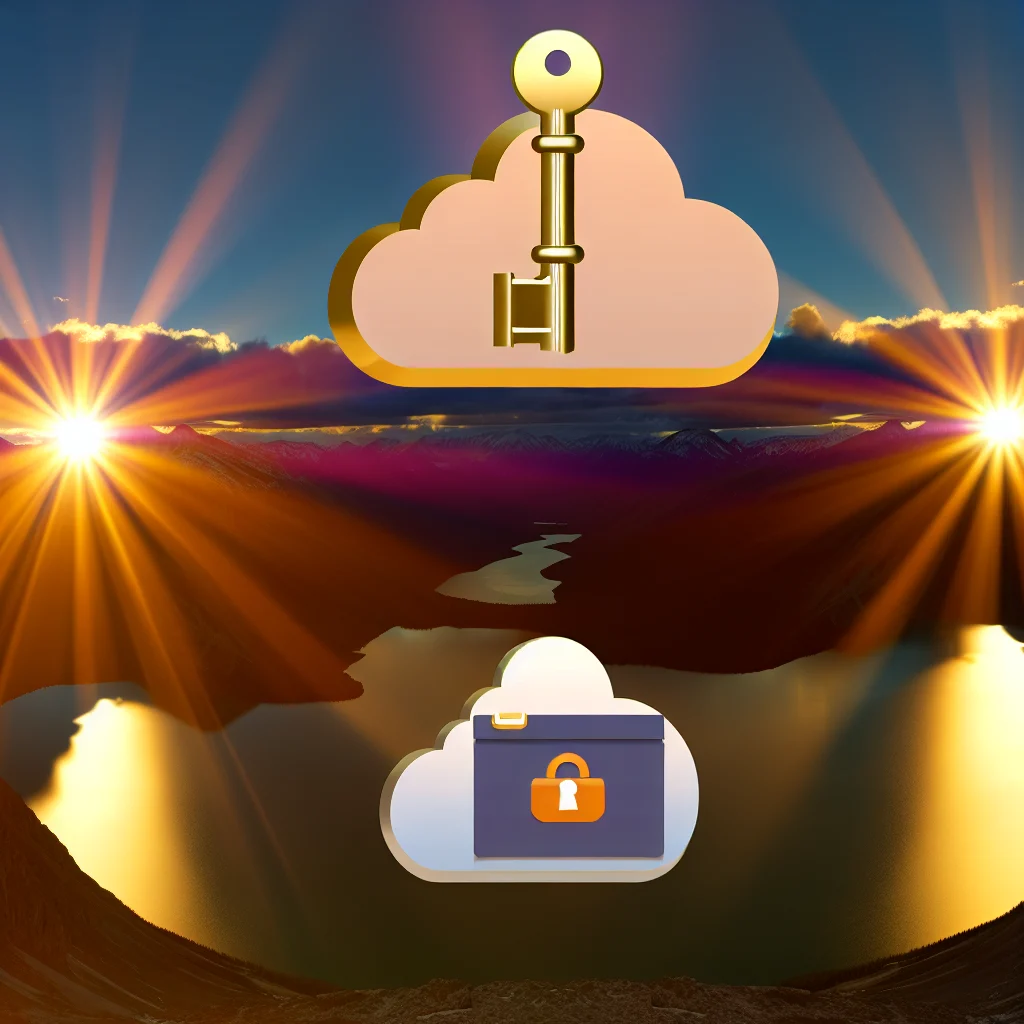
In addition to risk assessment, the implementation of a reliable backup system is a cornerstone of any system recovery strategy. Backups should be conducted regularly and stored in multiple locations to safeguard against data loss. This redundancy ensures that, in the event of a system failure, critical data can be restored quickly, minimizing downtime and disruption. Furthermore, organizations should consider employing both on-site and cloud-based backup solutions to enhance resilience. Cloud-based backups, in particular, offer the advantage of accessibility from any location, which is invaluable in scenarios where physical access to on-site systems is compromised.
Transitioning from preventive measures to responsive actions, the development of a detailed incident response plan is essential. This plan should outline the specific steps to be taken in the event of a system failure, including roles and responsibilities, communication protocols, and recovery procedures. By having a clear and actionable plan in place, IT support teams can respond to incidents with greater speed and efficiency, thereby reducing the impact on business operations. Regular drills and simulations can further enhance preparedness, allowing teams to practice their response and identify areas for improvement.
Moreover, the integration of automated recovery tools can significantly enhance the efficiency of system recovery efforts. Automation can streamline the process of identifying and resolving issues, reducing the reliance on manual intervention and minimizing the potential for human error. These tools can also facilitate real-time monitoring and alerting, enabling IT support teams to detect and address issues before they escalate into full-blown crises.
Finally, it is crucial for organizations to foster a culture of continuous improvement in their system recovery strategies. This involves regularly reviewing and updating recovery plans, incorporating lessons learned from past incidents, and staying abreast of technological advancements and emerging threats. By maintaining a proactive and adaptive approach, businesses can ensure that their recovery strategies remain robust and effective in the face of evolving challenges.
In conclusion, system recovery strategies are an indispensable element of IT support, vital for ensuring business continuity in an increasingly digital world. Through comprehensive risk assessment, reliable backup systems, detailed incident response plans, automation, and a commitment to continuous improvement, organizations can safeguard their operations against disruptions and maintain the trust of their stakeholders. As technology continues to advance, so too must the strategies that protect it, underscoring the importance of vigilance and adaptability in the realm of system recovery.
Troubleshooting Common IT Issues: A Guide for Tech Support
In the ever-evolving landscape of information technology, tech support professionals are often the unsung heroes who ensure that systems run smoothly and efficiently. As organizations increasingly rely on digital infrastructure, the demand for effective IT support has never been greater. One of the primary responsibilities of tech support is troubleshooting common IT issues, a task that requires both technical expertise and problem-solving skills. Understanding the most frequent problems and their solutions can significantly enhance the efficiency of tech support operations.
To begin with, connectivity issues are among the most prevalent challenges faced by IT support teams. Whether it is a network outage or a slow internet connection, these problems can disrupt business operations and lead to significant productivity losses. To address connectivity issues, tech support professionals should first verify the physical connections and ensure that all cables and devices are properly connected. Additionally, checking the network settings and configurations can help identify any discrepancies that may be causing the problem. In some cases, resetting the router or modem can resolve the issue, restoring connectivity and allowing users to resume their tasks.
Another common issue that tech support teams encounter is software malfunctions. These can range from application crashes to compatibility issues, often resulting in user frustration. To troubleshoot software problems, it is essential to first identify whether the issue is isolated to a specific application or if it affects multiple programs. Updating the software to the latest version can often resolve compatibility issues and fix known bugs. If the problem persists, reinstalling the application or restoring it to a previous version may be necessary. Furthermore, ensuring that the operating system is up-to-date can prevent many software-related issues from occurring in the first place.
Hardware failures also pose significant challenges for tech support professionals. From malfunctioning peripherals to complete system failures, hardware issues can be particularly disruptive. When addressing hardware problems, it is crucial to conduct a thorough assessment to determine the root cause. This may involve checking for physical damage, ensuring that all components are securely connected, and testing the hardware on different systems to rule out compatibility issues. In some cases, replacing faulty components may be the only viable solution. Regular maintenance and timely updates can help prevent many hardware issues, extending the lifespan of devices and reducing the need for costly repairs.
Security concerns are another critical area where tech support plays a vital role. With the increasing prevalence of cyber threats, ensuring the security of IT systems is paramount. Tech support teams must be vigilant in identifying potential vulnerabilities and implementing measures to protect against unauthorized access. This includes regularly updating antivirus software, conducting security audits, and educating users on best practices for maintaining security. In the event of a security breach, tech support must act swiftly to contain the threat and mitigate any potential damage.
In conclusion, troubleshooting common IT issues is a fundamental aspect of tech support that requires a comprehensive understanding of both hardware and software systems. By effectively addressing connectivity problems, software malfunctions, hardware failures, and security concerns, tech support professionals can ensure the smooth operation of IT infrastructure. As technology continues to advance, the role of tech support will remain indispensable, providing the expertise and solutions necessary to navigate the complexities of the digital world.
IT Maintenance Best Practices for Optimal Performance
In the ever-evolving landscape of information technology, maintaining optimal performance of IT systems is crucial for businesses to remain competitive and efficient. As organizations increasingly rely on complex networks and sophisticated software, the importance of robust IT maintenance practices cannot be overstated. Implementing best practices in IT maintenance not only ensures the smooth operation of systems but also mitigates the risk of unexpected downtimes and security breaches.
To begin with, regular system updates are a fundamental aspect of IT maintenance. Software developers frequently release updates to patch vulnerabilities, enhance functionality, and improve security. By ensuring that all systems and applications are up-to-date, organizations can protect themselves against potential threats and maintain the integrity of their IT infrastructure. Moreover, automated update systems can be employed to streamline this process, reducing the burden on IT staff and minimizing the risk of human error.
In addition to updates, routine system monitoring is essential for identifying and addressing potential issues before they escalate. By employing advanced monitoring tools, IT teams can gain real-time insights into system performance, network traffic, and potential security threats. This proactive approach allows for the early detection of anomalies, enabling swift intervention and minimizing the impact on business operations. Furthermore, regular performance audits can help identify areas for improvement, ensuring that systems are running at peak efficiency.
Another critical component of IT maintenance is data backup and recovery planning. Data is the lifeblood of modern organizations, and its loss can have catastrophic consequences. Implementing a comprehensive backup strategy ensures that data is regularly copied and stored in secure locations, both on-site and off-site. In the event of a system failure or cyberattack, having a robust recovery plan in place allows for the swift restoration of data, minimizing downtime and preserving business continuity.
Security is also a paramount concern in IT maintenance. As cyber threats become increasingly sophisticated, organizations must adopt a multi-layered security approach to protect their systems and data. This includes implementing firewalls, intrusion detection systems, and antivirus software, as well as conducting regular security assessments and penetration testing. Additionally, educating employees about cybersecurity best practices is vital, as human error remains one of the leading causes of security breaches.
Furthermore, effective IT maintenance requires a well-documented and organized approach. Maintaining detailed records of system configurations, software licenses, and maintenance schedules ensures that IT teams have the information they need to manage systems efficiently. This documentation also facilitates knowledge transfer and continuity in the event of staff changes, reducing the risk of disruptions.
Finally, fostering a culture of continuous improvement is essential for maintaining optimal IT performance. Encouraging IT staff to stay abreast of the latest technological advancements and industry trends enables organizations to adapt to changing demands and leverage new opportunities. Regular training and professional development programs can help build a skilled and knowledgeable IT team, capable of implementing innovative solutions and driving organizational success.
In conclusion, adopting best practices in IT maintenance is vital for ensuring the optimal performance of systems and safeguarding against potential threats. By prioritizing regular updates, system monitoring, data backup, security measures, and continuous improvement, organizations can create a resilient IT infrastructure that supports their strategic objectives and enhances overall productivity. As technology continues to advance, a proactive and comprehensive approach to IT maintenance will remain a cornerstone of successful business operations.
Cloud Backup Solutions: Protecting Your Data in the Digital Age
In today’s digital age, the importance of safeguarding data cannot be overstated. As businesses and individuals increasingly rely on digital platforms to store critical information, the need for robust data protection solutions has become paramount. One of the most effective ways to ensure data security is through cloud backup solutions. These solutions offer a reliable and efficient means of protecting data from potential threats such as hardware failures, cyberattacks, and natural disasters.
Cloud backup solutions provide a secure and scalable method for storing data offsite. By leveraging the power of the cloud, users can ensure that their data is not only backed up but also easily accessible from anywhere with an internet connection. This accessibility is particularly beneficial for businesses with remote employees or multiple office locations, as it allows for seamless data retrieval and collaboration. Moreover, cloud backup solutions often come with advanced encryption protocols, ensuring that data remains secure during both transmission and storage.
Transitioning from traditional backup methods to cloud-based solutions offers several advantages. Firstly, cloud backups eliminate the need for physical storage devices, which can be prone to damage or theft. This not only reduces the risk of data loss but also minimizes the costs associated with maintaining and replacing hardware. Additionally, cloud backup services typically offer automated backup schedules, ensuring that data is consistently updated without requiring manual intervention. This automation reduces the likelihood of human error, which is a common cause of data loss in traditional backup systems.
Furthermore, cloud backup solutions provide a level of redundancy that is difficult to achieve with on-premises systems. Data stored in the cloud is often replicated across multiple servers and geographic locations, ensuring that even if one server fails, the data remains accessible. This redundancy is crucial for disaster recovery, as it allows businesses to quickly restore operations with minimal downtime. In an era where time is money, the ability to swiftly recover from data loss incidents can be a significant competitive advantage.
Another key benefit of cloud backup solutions is their scalability. As businesses grow and their data storage needs increase, cloud services can easily accommodate this growth without requiring significant infrastructure investments. This scalability is particularly advantageous for small and medium-sized enterprises, which may not have the resources to invest in extensive on-premises storage solutions. By opting for cloud backups, these businesses can ensure that their data protection measures grow in tandem with their operations.
Despite the numerous advantages, it is essential for users to carefully evaluate potential cloud backup providers. Factors such as data security measures, compliance with industry regulations, and customer support should be thoroughly assessed before making a decision. Additionally, users should consider the provider’s track record and reputation in the industry, as these can be indicative of the quality and reliability of their services.
In conclusion, cloud backup solutions offer a comprehensive and efficient means of protecting data in the digital age. By providing secure, scalable, and redundant storage options, these solutions address many of the challenges associated with traditional backup methods. As businesses and individuals continue to navigate the complexities of the digital landscape, embracing cloud backup solutions can provide peace of mind and ensure that critical data remains protected against an ever-evolving array of threats.
Remote Helpdesk Services: Enhancing IT Support Efficiency
In today’s fast-paced digital landscape, the demand for efficient IT support has never been more critical. As organizations increasingly rely on technology to drive their operations, the need for robust and responsive IT support systems becomes paramount. Remote helpdesk services have emerged as a pivotal solution, enhancing IT support efficiency by providing timely and effective assistance to users, regardless of their geographical location. This approach not only streamlines the support process but also offers numerous advantages that contribute to the overall productivity and satisfaction of both IT teams and end-users.
One of the primary benefits of remote helpdesk services is the ability to provide immediate support. Unlike traditional on-site support, which may require scheduling and travel time, remote helpdesk services can address issues as soon as they arise. This immediacy is facilitated by advanced remote access tools that allow IT professionals to diagnose and resolve problems directly from their own workstations. Consequently, this reduces downtime and minimizes disruptions to business operations, ensuring that employees can maintain their productivity without prolonged interruptions.
Moreover, remote helpdesk services offer a cost-effective solution for organizations. By eliminating the need for on-site visits, companies can significantly reduce travel expenses and the associated costs of maintaining a large in-house IT team. Instead, businesses can leverage the expertise of remote IT professionals who can handle a wide range of issues efficiently. This model not only optimizes resource allocation but also allows organizations to scale their support services according to their specific needs, providing flexibility in managing IT budgets.
In addition to cost savings, remote helpdesk services enhance the quality of support provided to users. With access to a broader pool of IT experts, organizations can ensure that their employees receive assistance from specialists with the appropriate skills and knowledge. This access to specialized expertise is particularly beneficial for addressing complex technical issues that may require a deeper understanding of specific systems or software. Furthermore, remote helpdesk services often operate on a 24/7 basis, offering round-the-clock support that caters to the needs of global organizations with diverse time zones.
The integration of advanced technologies further augments the efficiency of remote helpdesk services. Automation tools, such as chatbots and AI-driven diagnostic systems, can handle routine inquiries and basic troubleshooting, freeing up human agents to focus on more complex tasks. This not only accelerates the resolution process but also enhances the overall user experience by providing quick and accurate responses to common issues. Additionally, data analytics can be employed to monitor and analyze support interactions, enabling organizations to identify trends, optimize processes, and proactively address potential problems before they escalate.
Despite the numerous advantages, the implementation of remote helpdesk services requires careful consideration of security and privacy concerns. Organizations must ensure that remote access tools are secure and that sensitive data is protected during support interactions. Establishing robust security protocols and providing ongoing training for IT staff are essential steps in safeguarding against potential threats.
In conclusion, remote helpdesk services represent a transformative approach to IT support, offering immediate, cost-effective, and high-quality assistance to users worldwide. By leveraging advanced technologies and specialized expertise, organizations can enhance their IT support efficiency, ultimately leading to improved productivity and user satisfaction. As the digital landscape continues to evolve, embracing remote helpdesk services will be crucial for businesses seeking to maintain a competitive edge in an increasingly technology-driven world.
Unlock the full potential of your IT infrastructure with expert insights from Tech Support (11). Discover cutting-edge solutions and strategies to enhance your tech support capabilities. Learn more now!